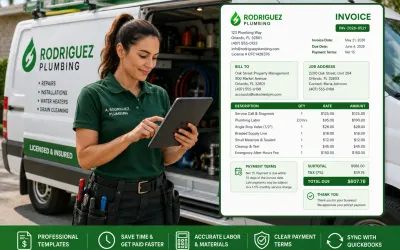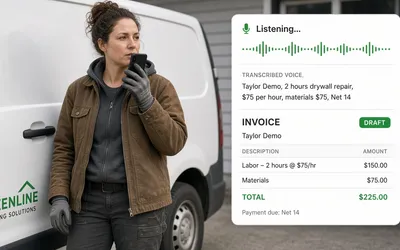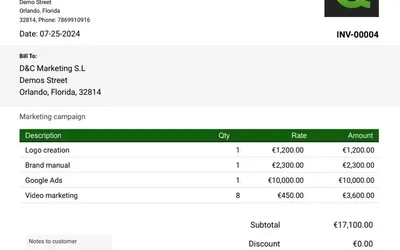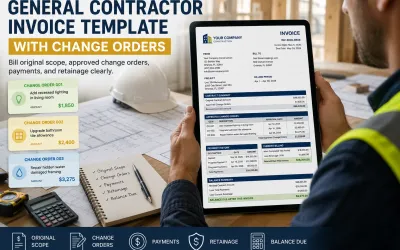

Roofing Invoice Template for Contractors
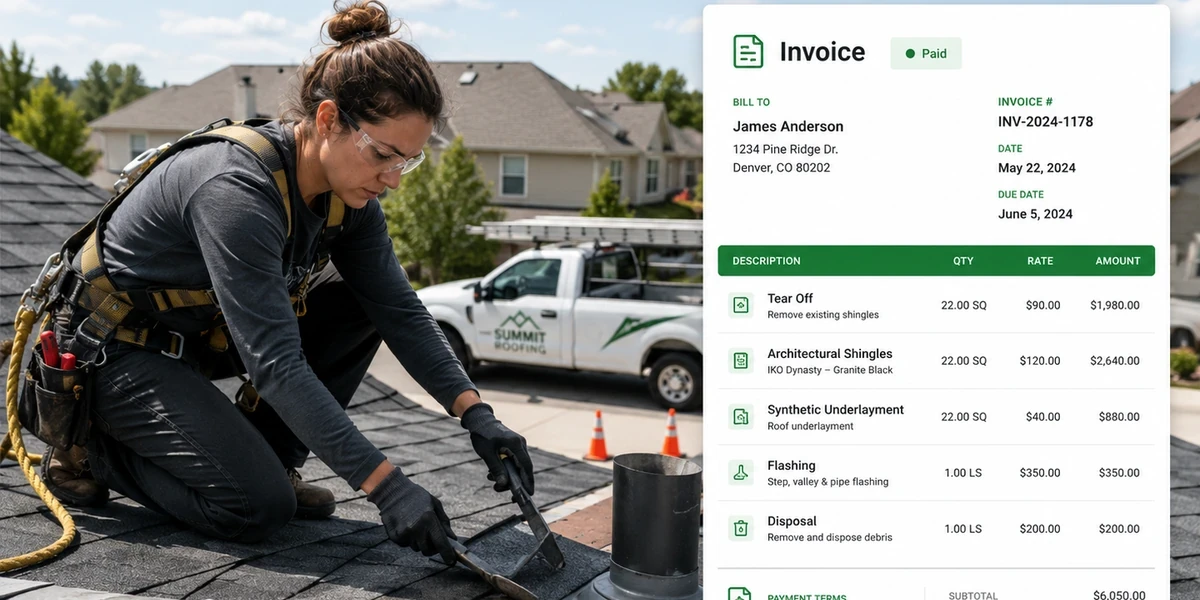
Use this roofing invoice template to bill labor, shingles, underlayment, flashing, tear off, disposal, extras, and payment terms clearly.
by Eng. José Manuel Siso Colmenares • 7/3/2026
Updated: Jul 03, 2026.
You finished the roof. The crew cleaned the driveway, the shingles are installed, the flashing is sealed, and the dumpster is gone. The homeowner wants the warranty details, and the supplier bill is already waiting in your inbox. The only thing left is an invoice that explains the job clearly.
But if your roofing invoice only says:
Roof replacement: $14,800you quietly invite unnecessary payment questions. The client may ask what materials were included, the insurance adjuster may request a better breakdown, and the property manager may need the job address and unit number. The general contractor may want the billing period, and accounting may need to match the invoice to the original estimate, change order, purchase order, or supplier bill.
By the end of this guide, you will have a roofing invoice template you can use to bill labor, materials, tear off, underlayment, flashing, drip edge, vents, disposal, approved extras, and payment terms with far less back and forth.
Quick answer: A roofing invoice should show the job address, roof scope, labor, materials, tear off, disposal, approved extras, payment terms, warranty notes, and final balance due in a clear structure.
Why roofing invoices need more detail than a basic bill
Roofing is physical work, but roofing billing is documentation work. A homeowner may see a finished roof; a roofing contractor sees every cost behind it:
- Site visit.
- Measurement.
- Tear off.
- Deck inspection.
- Underlayment.
- Ice and water shield.
- Drip edge.
- Starter strip.
- Shingles.
- Ridge cap.
- Flashing.
- Pipe boots.
- Ventilation.
- Fasteners.
- Disposal.
- Labor.
- Permit.
- Cleanup.
- Warranty notes.
- Approved extras.
If the invoice does not explain those items, the total can feel vague. And demand for the trade is strong: the U.S. Bureau of Labor Statistics projects employment for roofers to grow 6 percent from 2024 to 2034, with about 12,700 openings per year on average (BLS roofers outlook). That is good news for roofing contractors, but it also makes professional billing more important, because more jobs mean more estimates, more material orders, more crews, more invoices, and more chances for billing confusion.
The cash flow problem in roofing
Roofing contractors often carry costs long before they get paid. On a typical job you may pay for, or commit to:
- Shingles.
- Underlayment.
- Flashing.
- Dumpsters.
- Fuel.
- Labor.
- Subcontractors.
- Insurance.
- Equipment.
- Supplier accounts.
Slow payments make that balancing act much harder. Rabbet’s 2025 Construction Payments Report found that slow, inconsistent payments cost U.S. construction $299 billion in 2025 (Rabbet 2025 Construction Payments Report). A clear invoice cannot eliminate every payment delay, but it does remove the avoidable questions that keep your money sitting in someone else’s account.
Contractor rule: If the client can verify the invoice quickly, the invoice is easier to approve quickly.
What a roofing invoice template should include
A strong roofing invoice template should answer seven questions:
- Who performed the work?
- Who is being billed?
- Where was the roof work completed?
- What roofing scope was included?
- What materials were installed?
- What approved extras or changes were added?
- When is payment due?
If the invoice does not answer these questions, payment can slow down.
Contractor information
Start with your company details so the client always knows who stands behind the work. Include:
- Company name.
- Logo.
- Business address.
- Phone number.
- Email.
- Website.
- License number when applicable.
- Insurance note when useful.
- Warranty contact information.
This makes the invoice look professional and helps the client know who to contact.
Client and job information
Roofing contractors often work for:
- Homeowners.
- Property managers.
- Builders.
- General contractors.
- Insurance restoration clients.
- Multifamily communities.
- Commercial owners.
- Real estate investors.
The billing client is often not the onsite contact, which is exactly why the invoice should separate billing information from job information.
Example:
| Field | Example |
|---|---|
| Client | Oak Street Property Management |
| Billing address | 500 Market Avenue, Orlando, FL |
| Job address | 2200 Oak Street, Building B |
| Onsite contact | Maria Johnson |
| Invoice number | INV 2026 0522 |
| Job number | JOB 2026 0418 |
| Invoice date | May 22, 2026 |
| Payment terms | Net 15 |
This helps property managers, builders, and accounting teams connect the invoice to the correct job.
Roofing scope
A roofing invoice should describe the actual scope.
Weak description:
Roof work completed.Better description:
Removed existing asphalt shingle roof, inspected roof decking, installed synthetic underlayment, drip edge, starter strip, architectural shingles, ridge cap, pipe boots, and flashing sealant. Cleaned jobsite and removed roofing debris.The better version explains the value of the work and, just as importantly, helps reduce disputes later.
Labor
Labor should be listed clearly. Depending on the job, it may include:
- Roof tear off labor.
- Installation labor.
- Flashing labor.
- Repair labor.
- Cleanup labor.
- Emergency tarp labor.
- Inspection support.
- Final punch list.
- Steep pitch labor.
- Difficult access labor.
Example:
| Labor item | Quantity | Rate | Total |
|---|---|---|---|
| Tear off labor | 22 squares | $85 | $1,870 |
| Installation labor | 22 squares | $145 | $3,190 |
| Flashing and detail labor | 1 | $650 | $650 |
| Final cleanup | 1 | $275 | $275 |
You do not always have to expose your internal labor cost, but the client facing invoice should still explain what the labor actually covered.
Materials
Roofing materials should be itemized whenever they affect the price. Common roofing invoice materials include:
- Asphalt shingles.
- Metal panels.
- Tile.
- Underlayment.
- Ice and water shield.
- Starter strip.
- Ridge cap.
- Drip edge.
- Valley metal.
- Step flashing.
- Counter flashing.
- Pipe boots.
- Ridge vent.
- Nails.
- Sealant.
- Roof cement.
- Plywood or OSB.
- Fasteners.
- Dumpster.
- Tarps.
For context, HomeAdvisor reports that installing a new roof commonly costs between $5,000 and $10,000 on average, depending on the home and roofing factors (HomeAdvisor roofing cost guide), and Angi reported in 2026 that professional roof replacement costs $9,602 on average, with the total affected by roof size, material choice, pitch, and location (Angi roof replacement cost guide). Those ranges help clients understand why a roof invoice can vary so widely, but your invoice should always reflect the actual job in front of you, not a generic average.
Tear off and disposal
Tear off and disposal should be visible, because roofing debris carries real cost. Include:
- Number of layers removed.
- Tear off quantity.
- Dumpster or dump trailer cost.
- Disposal fee.
- Cleanup.
- Magnetic nail sweep.
- Extra debris charge when applicable.
Example:
| Item | Quantity | Rate | Total |
|---|---|---|---|
| Tear off existing shingles | 22 squares | $85 | $1,870 |
| Dumpster and disposal | 1 | $650 | $650 |
| Magnetic nail sweep and cleanup | 1 | $175 | $175 |
If the roof had more layers than expected, list the approved extra separately.
Approved extras and change work
Roofing scope often changes once the old roof comes off. Common approved extras include:
- Rotten decking replacement.
- Fascia repair.
- Additional flashing.
- Extra underlayment.
- Added ventilation.
- Chimney flashing repair.
- Skylight flashing.
- Extra tear off layer.
- Drip edge upgrade.
- Emergency tarp service.
- Material upgrade.
- Permit or inspection fee.
Do not hide approved extras inside the final total.
Example:
| Approved extra | Reason | Amount |
|---|---|---|
| Replace 5 sheets of damaged decking | Rotten decking found after tear off | $475 |
| Add ridge vent | Ventilation upgrade approved by owner | $620 |
| Extra tear off layer | Second layer found onsite | $550 |
Separate extras make the invoice easier to understand.
Payment terms
Payment terms should be visible near the total. Common roofing payment terms include:
- Deposit before scheduling.
- Material payment before delivery.
- Progress payment at dry in.
- Final balance due upon completion.
- Net 7.
- Net 15.
- Net 30 for approved commercial accounts.
As QuickBooks explains, Net terms define how many days a buyer has to pay after the invoice date, such as Net 7, Net 15, or Net 30 (QuickBooks invoice payment terms guide). For roofing, those terms should match the size and risk of the job.
| Job type | Suggested payment terms |
|---|---|
| Small roof repair | Due Upon Receipt |
| Emergency tarp | Due Upon Receipt |
| Residential roof replacement | Deposit plus final balance |
| Insurance restoration | Terms based on claim and contract |
| Builder work | Net 15 or Net 30 |
| Multifamily roofing | Progress payments |
| Commercial roof project | Contract based billing milestones |
Roofing invoice template you can copy
Use this structure as a starting point.
ROOFING INVOICE

Contractor:
Company name:
Business address:
Phone:
Email:
Website:
License number:
Warranty contact:

Client:
Client name:
Billing address:
Phone:
Email:

Job:
Job address:
Building or unit:
Job number:
Invoice number:
Invoice date:
Service date or billing period:
Due date:
Payment terms:

Scope of work:
Describe roofing work completed.

Labor:
Tear off labor:
Installation labor:
Flashing labor:
Repair labor:
Cleanup labor:

Materials:
Shingles or roofing material:
Underlayment:
Ice and water shield:
Drip edge:
Starter strip:
Ridge cap:
Vents:
Flashing:
Pipe boots:
Fasteners:
Decking:
Sealant:

Other charges:
Permit:
Dumpster:
Disposal:
Delivery:
Approved extras:
Tax:
Discount:

Summary:
Subtotal:
Tax:
Amount paid:
Balance due:

Notes:
Warranty notes:
Exclusions:
Payment instructions:
This structure works for roofing repairs, roof replacements, insurance restoration, and smaller commercial projects. For larger roofing jobs, add sections for retainage, progress billing, change orders, and purchase orders.
Roofing invoice example
Here is a realistic residential roofing invoice example.
- Project: asphalt shingle roof replacement
- Size: 22 squares
- Scope: tear off, synthetic underlayment, architectural shingles, flashing details, ridge cap, cleanup
- Payment terms: balance due upon completion
Scope of work
Removed existing asphalt shingle roofing system. Inspected visible roof decking. Installed synthetic underlayment, drip edge, starter strip, architectural shingles, ridge cap, pipe boots, and flashing sealant. Removed roofing debris and completed final magnetic nail sweep.Invoice line items
| Item | Quantity | Rate | Total |
|---|---|---|---|
| Tear off existing shingles | 22 squares | $85 | $1,870 |
| Architectural shingles | 22 squares | $185 | $4,070 |
| Synthetic underlayment | 22 squares | $28 | $616 |
| Starter strip and ridge cap | 1 | $780 | $780 |
| Drip edge and flashing materials | 1 | $650 | $650 |
| Pipe boots and sealants | 1 | $225 | $225 |
| Roof installation labor | 22 squares | $145 | $3,190 |
| Dumpster and disposal | 1 | $650 | $650 |
| Final cleanup and magnetic sweep | 1 | $175 | $175 |
Subtotal: $12,226
Approved extra:
| Approved extra | Quantity | Rate | Total |
|---|---|---|---|
| Replace damaged decking | 5 sheets | $95 | $475 |
Invoice total before tax: $12,701
This invoice is far stronger than:
Roof replacement completed: $12,701The detailed version shows exactly what was included, and it keeps the approved extra visible instead of hiding it inside the total.
Roofing payment terms that protect cash flow
Roofing contractors should choose payment terms based on job type, client type, and upfront cost. A roof replacement usually requires material commitments before completion, which is exactly why the right payment terms matter.
Due Upon Receipt
Best for:
- Roof repairs.
- Emergency tarp service.
- Leak diagnosis.
- Small flashing repairs.
- One time residential work.
Example:
Payment is due upon receipt of this invoice unless different terms were approved in writing.Deposit plus final balance
Best for:
- Residential roof replacement.
- Material heavy jobs.
- Jobs requiring scheduling.
- Jobs with special order materials.
Example:
| Milestone | Payment |
|---|---|
| Deposit before scheduling | 30 percent |
| Balance upon completion | 70 percent |
This keeps the contractor from funding the entire job upfront.
Material payment plus completion balance
Best for:
- Larger replacements.
- Metal roofing.
- Tile roofing.
- Special order materials.
Example:
| Milestone | Payment |
|---|---|
| Material order payment | 40 percent |
| Dry in milestone | 30 percent |
| Final completion | 30 percent |
This works well when material cost is a large part of the project.
Progress payments
Best for:
- Multifamily roofs.
- Commercial roofing.
- Builder contracts.
- Multi building projects.
- Phased roofing work.
Example:
| Billing milestone | Payment |
|---|---|
| Mobilization and material delivery | 25 percent |
| Tear off and dry in | 30 percent |
| Installation progress | 30 percent |
| Completion and punch list | 15 percent |
Progress billing keeps cash flow aligned with job progress.
Net 15 or Net 30
Best for:
- Builders.
- General contractors.
- Property managers.
- Commercial accounts.
- Repeat clients.
Use Net 30 carefully: if you pay labor and suppliers quickly but wait 30 days for the client, your cash flow can tighten fast.
Roofing invoice line items by job type
Different roofing jobs need different invoice details.
Roof repair invoice
Include:
- Service call.
- Leak diagnosis.
- Repair area.
- Materials.
- Labor.
- Photos if available.
- Warranty note.
- Exclusions.
Example:
Repaired leak at rear slope pipe boot. Removed failed boot, installed new pipe boot, sealed fasteners, and water tested area where accessible.Roof replacement invoice
Include:
- Roof size.
- Tear off.
- Number of layers.
- Deck inspection.
- Underlayment.
- Roofing material.
- Flashing.
- Ventilation.
- Disposal.
- Cleanup.
- Warranty note.
This is the most common invoice structure for residential roofers.
Insurance roofing invoice
Include:
- Claim number when applicable.
- Scope reference.
- Replacement cost value or actual cash value notes when relevant.
- Deductible note if appropriate.
- Approved supplements.
- Change orders.
- Photos or attachments.
- Payment terms.
A recent MarketWatch report noted that some homeowners may face larger out of pocket roof costs when policies pay actual cash value rather than full replacement cost (MarketWatch roof insurance report), which makes clear documentation even more important in insurance related work.
Commercial roofing invoice
Include:
- Billing period.
- Phase.
- Building or area.
- Labor.
- Materials.
- Equipment.
- Safety setup.
- Approved change orders.
- Retainage when applicable.
- Progress amount.
- Previous payments.
- Current amount due.
Commercial invoices often need stronger structure because accounting review is more formal.
Safety related roofing charges should be documented
Roofing safety is not optional. OSHA requires fall protection at elevations of six feet in the construction industry (OSHA fall protection overview) and provides dedicated residential construction guidance to help prevent fall related injuries and fatalities (OSHA residential fall protection guidance). Because that safety work takes real time and money, your estimate and invoice may need to account for:
- Harnesses.
- Anchors.
- Guardrails.
- Warning lines.
- Roof access.
- Ladder setup.
- Steep pitch precautions.
- Additional crew time.
- Weather delays.
- Site protection.
Do not treat safety setup as invisible work. If a job requires extra safety controls because of height, pitch, access, or site conditions, that effort belongs in your pricing.
How to create a roofing invoice in QuickAdmin
QuickAdmin is useful precisely because a roofing invoice should stay connected to the job it came from. For roofing contractors, the best workflow looks like this:
- Create the job.
- Create the estimate or invoice inside the job.
- Add the client.
- Add roofing scope.
- Add labor and materials.
- Add approved extras.
- Add payment terms.
- Attach photos or files.
- Send the invoice.
- Track payment.
- Sync with QuickBooks Online when needed.
This keeps the job organized from quote to payment.
Step 1: Create the job
Create a job for the roofing project.
Example job names:
- Smith roof replacement.
- Oak Street leak repair.
- Building B roof repair.
- Multifamily roof phase 2.
- Emergency tarp service.
- Metal roof replacement.
- Insurance claim roof restoration.
Enter the project address as well, since roofers often work for a single property manager across many different locations.
Step 2: Create the invoice inside the job
Once the job is created, create the invoice from inside that job record.
Add:
- Invoice title.
- Job selection.
- Billing period.
- Payment terms.
- Scope description.
- Labor and materials.
- Approved extras or change orders.
- Notes and exclusions.
This keeps the invoice tied to the correct project, client, job address, billing period, and approved work.
Step 3: Add labor and materials
Use line items that explain the work.
Example:
| Item | Quantity | Rate | Total |
|---|---|---|---|
| Tear off labor | 22 squares | $85 | $1,870 |
| Architectural shingles | 22 squares | $185 | $4,070 |
| Installation labor | 22 squares | $145 | $3,190 |
| Dumpster and disposal | 1 | $650 | $650 |
This is much easier to review than one lump sum.
Step 4: Add approved extras
Add approved extras separately.
Example:
| Approved extra | Amount |
|---|---|
| Replace damaged decking after tear off | $475 |
| Add ridge vent upgrade | $620 |
| Additional flashing repair | $350 |
This helps protect the final invoice.
Step 5: Attach photos and files
Useful roofing attachments include:
- Before photos.
- After photos.
- Roof damage photos.
- Decking replacement photos.
- Signed estimate.
- Approved change order.
- Supplier quote.
- Permit.
- Warranty document.
- Insurance scope.
- Completion photos.
Attachments reduce back and forth, and they support the invoice if questions come up later.
Step 6: Send and track the invoice
Send the invoice quickly after the work is completed or the billing milestone is reached.
A good subject line:
Invoice INV 2026 0522 for Oak Street roof replacementA good message:
Attached is the invoice for the roofing work completed at the job address listed. The invoice includes tear off, roofing materials, installation labor, disposal, cleanup, approved extras, and payment terms.Fast invoicing supports faster payment.
QuickAdmin vs a basic roofing invoice template
A blank invoice template can help you create a document, but roofers usually need more than a document. They need job based billing.
| Feature | Blank template | Spreadsheet | QuickAdmin |
|---|---|---|---|
| Create roofing invoices | Yes | Manual | Yes |
| Save client details | No | Manual | Yes |
| Connect invoice to job | No | Manual | Yes |
| Add roofing line items | Manual | Manual | Yes |
| Add approved extras | Manual | Manual | Yes |
| Attach photos and files | No | Limited | Yes |
| Track payment status | No | Manual | Yes |
| Convert estimate to invoice | No | No | Yes |
| Create job records | No | Manual | Yes |
| QuickBooks integration | No | No | Yes |
| Built for contractor workflow | No | No | Yes |
A template creates an invoice; QuickAdmin helps you manage the whole workflow from estimate to invoice to payment.
Common roofing invoice mistakes to avoid
A good roofing invoice helps you get paid, while a weak one only creates questions. These are the mistakes worth avoiding.
Mistake 1: Using vague descriptions
Bad:
Roof job completed.Better:
Removed existing asphalt shingles, installed synthetic underlayment, architectural shingles, ridge cap, flashing details, pipe boots, and completed final cleanup.Specific descriptions reduce disputes.
Mistake 2: Not separating decking replacement
Decking replacement often happens after tear off.
If it was approved as extra work, show it separately.
Example:
Approved extra: Replace 5 sheets of damaged decking discovered after tear off.Mistake 3: Forgetting disposal
Dumpsters and disposal cost money.
Show them clearly.
Mistake 4: Not showing payment terms
Add payment terms near the total.
Examples:
Balance due upon completion.or:
Payment due within 15 days of invoice date.Mistake 5: Not attaching proof
Roofing questions are easier to answer with photos.
Attach before photos, after photos, damaged decking photos, warranty documents, or signed approvals when useful.
Mistake 6: Not listing approved change work
If the roof changed after the original estimate, the invoice should show what changed.
Do not hide approved extras inside the final number.
Roofing invoice language you can copy
Use these short clauses when needed.
Payment due clause
Payment is due according to the terms listed on this invoice.Completion clause
Work listed on this invoice was completed at the job address shown above.Decking replacement clause
Damaged decking replacement listed on this invoice was discovered after tear off and approved before replacement.Material substitution clause
Material substitutions are not included unless approved in writing before installation.Weather delay clause
Roofing work may be affected by weather, site access, safety conditions, and material availability.Warranty note
Warranty coverage applies only to the work and materials listed on this invoice and any separate warranty document provided.These clauses are practical examples, not legal advice. For lien notices, warranty obligations, insurance claim wording, or state specific roofing contract language, ask a qualified professional.
Follow roofing payments after sending the invoice
After the bill goes out, use the online invoice tracker to keep invoice numbers, due dates, partial payments, and outstanding balances visible. Preserve the approved roof scope and any changes with your job records so the remaining balance can be explained clearly.
Before billing, use the roofing software and estimate guide to check measurements, materials, labor, disposal, and the cost basis. For mixed work, browse the construction guides by trade.
Related guides for stronger contractor workflows
To build a stronger estimate to invoice system, read these related QuickAdmin guides:
- Estimate and invoice workflow
- How to Make an Invoice
- Why PWA billing and estimating is the future
- Best Roofing Estimation Software
- Job Costing Software for Small Contractors
- Construction Change Order Template 2026
These articles support the same workflow: estimate accurately, document the job, invoice clearly, track payments, and protect profit.
Conclusion: a roofing invoice should make the job easy to verify
A roofing invoice is not just a bill. It is the financial record of the roof work, and it should explain the job address, the roofing scope, the materials installed, the labor performed, the approved extras, the disposal charges, the payment terms, and the balance due.
When it falls short, every gap costs you time:
- If the invoice is vague, the client may ask questions.
- If the payment terms are missing, the client may delay.
- If materials are not listed, the total may feel unclear.
- If approved extras are hidden, the invoice can become a dispute.
- If photos and files are missing, proof becomes harder to find.
A better invoice fixes all of that. With QuickAdmin, roofing contractors can create job based invoices, add labor and materials, document approved extras, attach photos and files, include payment terms, track payment status, and connect accounting related workflows with QuickBooks Online.
The playbook is simple: create the job, add the scope, list labor and materials, separate approved extras, set payment terms, send the invoice fast, and track payment clearly. That is how roofers get paid with less back and forth.
Create the roofing invoice from your approved scope
Prepare the invoice after reconciling the original roof estimate, approved changes, and payments already received.
- Free invoice generator: Prepare a customer invoice in your browser from the approved scope.
- Project description generator: Turn short job notes into a draft scope that you can review and edit.
These are separate web tools. Review the inputs and any AI suggestions before using the result in an estimate or invoice. Browse the full tools library for other contractor calculations.
FAQ
What is a roofing invoice template?
A roofing invoice template is a structured billing document that helps roofers charge for labor, materials, tear off, underlayment, flashing, drip edge, ridge cap, vents, disposal, permits, approved extras, taxes, payment terms, and balance due.
What should a roofing invoice include?
A roofing invoice should include contractor information, client information, job address, invoice number, service date, roof scope, labor, materials, tear off, disposal, payment terms, warranty notes, approved change work, and total due.
Should roofing contractors itemize materials?
Yes. Itemizing shingles, underlayment, flashing, drip edge, nails, vents, ridge cap, starter strip, sealant, plywood replacement, and disposal helps clients understand the total and reduces disputes.
What payment terms should roofers use?
Many roofers use a deposit before scheduling, a progress payment after material delivery or dry in, and a final balance due upon completion. Smaller repairs may use Due Upon Receipt, Net 7, or Net 15.
Can QuickAdmin create roofing invoices?
Yes. QuickAdmin helps roofing contractors create job based invoices, add labor and materials, include payment terms, document approved extras, attach notes, track payment status, and connect workflows with QuickBooks Online.
What is the difference between a roofing estimate and a roofing invoice?
A roofing estimate explains expected cost before work is approved. A roofing invoice requests payment after work is completed or after an approved billing milestone.
Should roofers charge separately for damaged decking?
Yes. Damaged decking replacement should usually be listed separately if it was discovered after tear off and approved as extra work.
Does QuickAdmin integrate with QuickBooks?
Yes. QuickAdmin integrates with QuickBooks Online to help contractors streamline invoices, bills, and accounting related workflows.