
QuickBooks Invoice Integration for Contractors
QuickBooks invoice integration for contractors: how QuickAdmin Job Invoices sync to QuickBooks Online, how to map customers and projects, and how to avoid duplicate invoices.
by Eng. José Manuel Siso Colmenares • 9/21/2026 · Updated: 9/21/2026
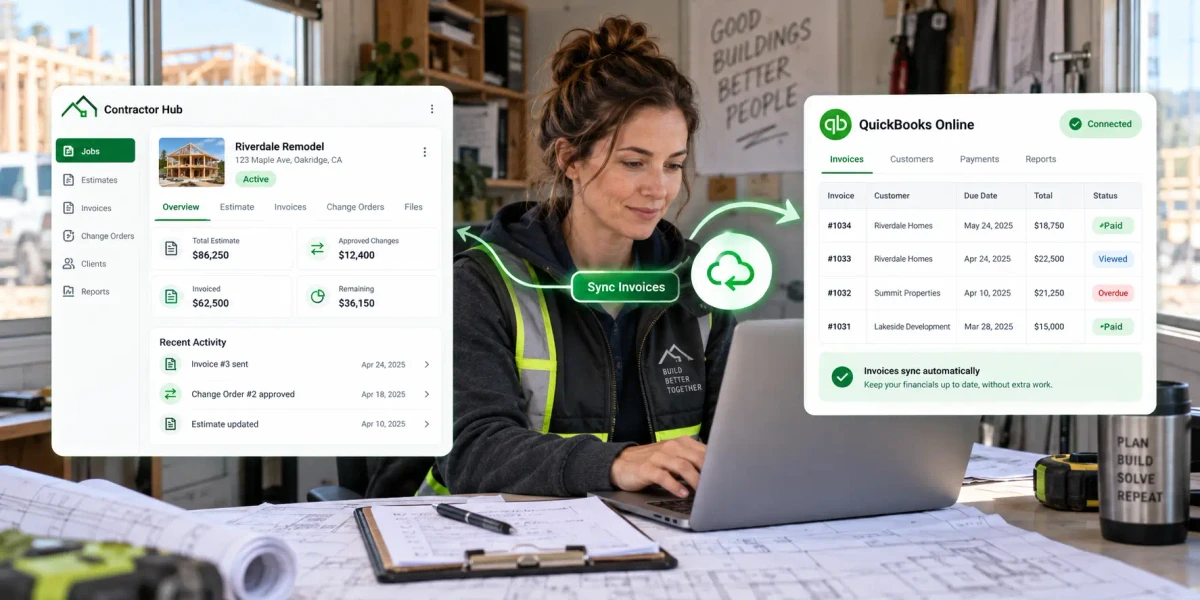
QuickBooks Invoice Integration for Contractors
Updated: Sep 21, 2026.
You finished the job. The estimate, approvals, and invoice already live in your contractor software. Then someone opens QuickBooks and types the same invoice again.
That second entry looks harmless. It is also where wrong totals, duplicate customers, mismatched invoice numbers, and weekend bookkeeping headaches begin.
The useful question is not “QuickBooks or contractor software?” It is:
How do both systems work together without entering the same money twice?
Quick answer: Run the job in QuickAdmin. Keep the books in QuickBooks Online. Use QuickBooks invoice integration so an approved Job Invoice can reach accounting without a second manual entry. On QuickAdmin, invoice sync is a Premium feature.
What this guide covers:
- What belongs in QuickAdmin vs QuickBooks Online
- A practical Job Invoice → QuickBooks workflow
- How to map customers and link a Job to a QuickBooks Project
- A pre-sync checklist and how to avoid duplicate invoices
- Invoice sync vs full accounting sync
- A kitchen remodel example with change orders
What belongs where: job work vs QuickBooks books
Contractors need two kinds of money information.
| System | What it handles |
|---|---|
| QuickAdmin (jobs and billing) | Why the money exists: Job, Estimate, Change Orders, photos, Job Invoice |
| QuickBooks Online (accounting) | Where the money sits: invoices receivable, payments, bank, profit and loss, tax records |
Customer
→ Job
→ Estimate
→ Approved Change Orders (when needed)
→ Job Invoice in QuickAdmin
→ QuickBooks invoice synchronization (Premium)
→ Money the customer still owes you
→ Payment
→ Accounting reports
Rule of thumb:
QuickAdmin explains why you billed. QuickBooks explains how that money sits in your books.
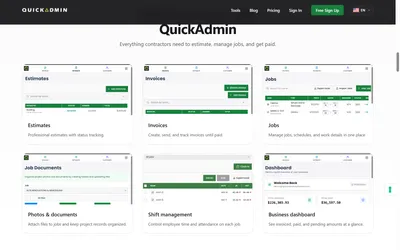
QuickAdmin’s public pricing lists QuickBooks invoice synchronization on Premium, alongside Change Orders, Purchase Orders, estimate budgets, job bills/expenses, and customer site view. Confirm current features on QuickAdminSoftware and inside the app.
Why typing the invoice twice creates messy books
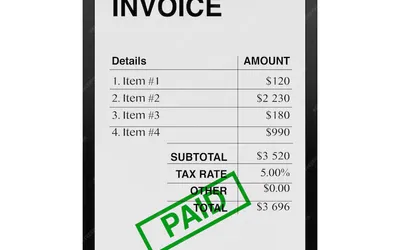
Imagine a $4,850 bathroom invoice already built with labor and materials.
In QuickAdmin it may look like:
INV-00504
Total: $4,850
Due: October 5
Someone retypes it in QuickBooks as:
Invoice 1427
Total: $4,805
Due: October 1
One typo later, your job revenue and your QuickBooks books no longer match. Integration is not only about saving minutes; it reduces the places numbers can diverge.
Keep each system in its lane
Keep in QuickAdmin (operations)
- Job address and schedule
- Estimate scope, exclusions, labor, materials
- Change Orders and Purchase Orders
- Photos, documents, field notes
- Job Invoices and the payment status you track with the job
Keep in QuickBooks (accounting)
- Invoices and recorded payments
- Bank transactions and reconciliation
- Profit and loss, balance sheet, cash flow
- Chart of accounts and tax-ready categories
A superintendent should not need the chart of accounts to document a Change Order. An accountant should not dig through job photos to find whether a wall repair was billed.
Ideal QuickAdmin → QuickBooks invoice workflow
Step 1: Create the customer once
Use one clean name spelling:
Cloverleaf Living 3 LLCAvoid accidental duplicates like “Cloverleaf Living,” “Cloverleaf 3,” and “Cloverleaf Living III” for the same client.
Step 2: Create the Job
Example:
Job: Oak Street Unit 204 Bathroom Renovation
Customer: Eddy Hernandez
Address: 4555 S Atlantic Ave, Ponce Inlet, FL
The Job is the container that keeps the estimate, Change Orders, and Job Invoice connected. See Estimate Software for Contractors.
Step 3: Build the estimate, then record approved changes
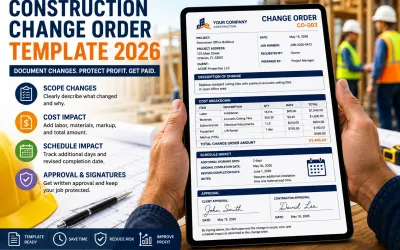
If the client upgrades work, use a Change Order; do not silently inflate the final invoice.
Original estimate:              $34,500
CO 001 electrical upgrade:      +$2,200
CO 002 cabinet modification:    +$1,450
Revised billable value:         $38,150
Full Change Order template: Construction Change Order Template 2026.
Step 4: Create the Job Invoice
In QuickAdmin, open Sales → Job Invoice. Create (or convert) the invoice on the Job so title, customer, dates, and scope match approved work.
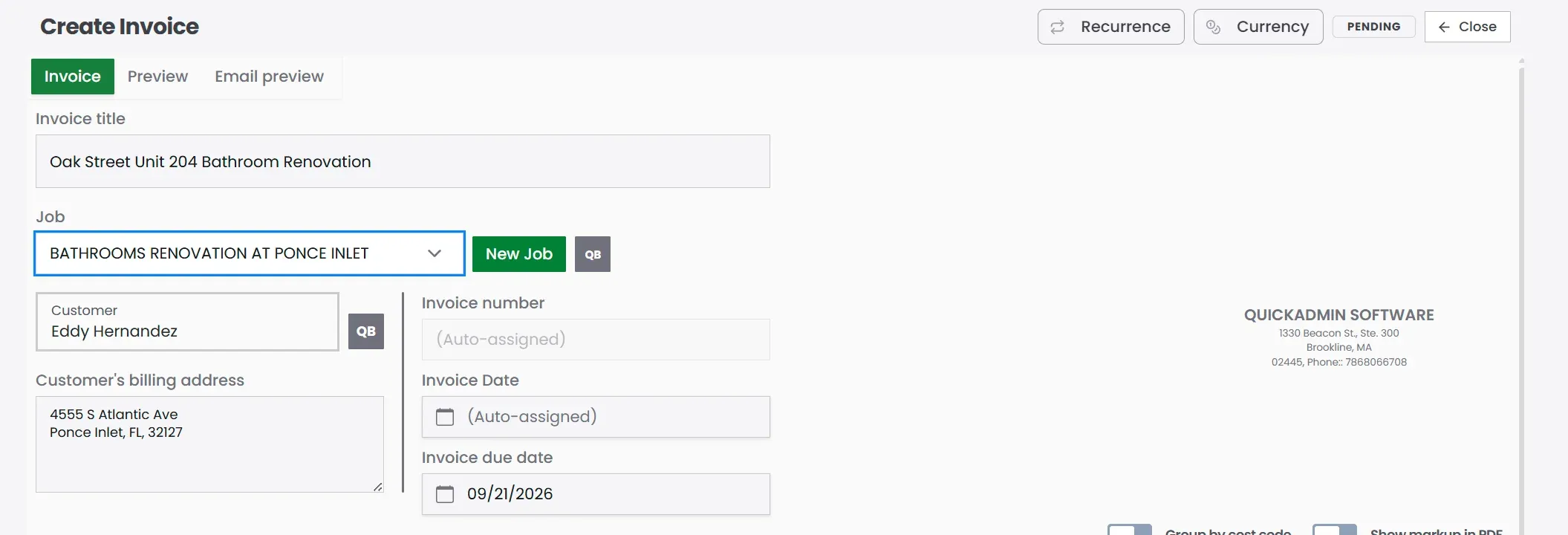
Here the invoice is already tied to the bathroom Job and customer. The QB marks next to the Job and customer mean those records are linked for QuickBooks. Check that header before anyone retypes the same invoice in accounting.
Step 5: Map the QuickBooks customer and Project (once)
If the Job customer is not linked yet, open Map QuickBooks Customer & Project from the invoice. Connect the job customer (shown as job owner in the app) to the matching QuickBooks customer. Optionally choose an existing QuickBooks Project so invoices and bills land under the right Customer/Project.
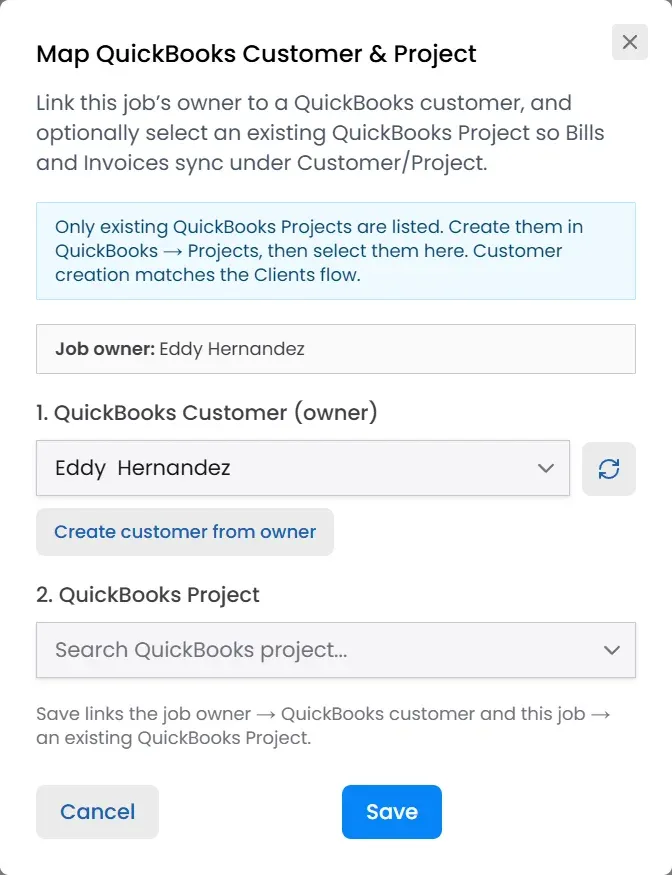
Map each customer once. After that, invoice sync can follow the existing link instead of creating a second customer spelling in QuickBooks.
You can also link your QuickAdmin Job to a QuickBooks Project. That groups expenses and invoices under the same Customer/Project, so you can see how each job is doing financially without hunting across scattered records.
Do not treat sync as a replacement for a final check.
| Check | Question |
|---|---|
| Customer | Correct client, and linked to QuickBooks? |
| Job / Project | Correct Job, and Project link if you use one? |
| Invoice number | Unique and consistent? |
| Dates | Invoice date and due date match your terms? |
| Scope | Matches approved work? |
| Change Orders | Approved Change Orders included? |
| Line items | Qty, rate, tax, and discount correct? |
| Total | Final amount reconciles? |
| Sync status | Already sent to QuickBooks? |
If an invoice already synced, confirm it in QuickBooks before anyone creates a duplicate copy.
Step 6: Finish the books in QuickBooks
Once the invoice exists in QuickBooks Online, your bookkeeper can manage payments, bank matching, reconciliation, and reports there.
The duplicate invoice problem
Bad path:
Create Job Invoice in QuickAdmin
→ Create it again manually in QuickBooks
→ Sync later
Good path:
Create Job Invoice in QuickAdmin
→ Review
→ Sync to QuickBooks
→ Confirm the QuickBooks record
→ Continue accounting
If sync fails, investigate the failure first. Do not “fix” it by creating a second invoice.
Keep numbers aligned when your settings allow:
QuickAdmin:  INV-00540
QuickBooks:  INV-00540
Invoice sync vs full accounting sync
These are not the same claim.
| Type | Typical coverage |
|---|---|
| Invoice synchronization | Invoice data moves into QuickBooks |
| Broader accounting integration | May also move customers, vendors, bills, payments, deposits, cost codes, time, and budget actuals |
QuickAdmin Premium advertises QuickBooks invoice synchronization. Competitors such as Buildertrend document broader two-way construction accounting connectivity; Joist markets estimate/invoice send to QuickBooks. Buildertrend QuickBooks overview · Joist QuickBooks Sync
Ask “what exactly syncs?”; not only “does it integrate with QuickBooks?”
When invoice sync is enough
Small crew
Outside bookkeeper
5–10 jobs per month
Workflow:
Manage Job in QuickAdmin → Create Job Invoice → Sync → Accountant handles booksWhen you may need deeper integration
Several project managers, heavy cost codes, progress billing, bill sync, payment sync both ways, or work-in-progress reporting. Buy the depth you actually use.
Worked example: kitchen remodel invoice
| Item | Amount |
|---|---|
| Original approved scope | $34,500 |
| CO 001 electrical upgrade | $2,200 |
| CO 002 cabinet modification | $1,450 |
| Invoice total | $38,150 |
Manual accounting: recreate customer, lines, Change Order totals, and tax in QuickBooks.
Integrated: verify the QuickAdmin Job Invoice → sync → confirm totals match.
Fewer keystrokes means fewer ways for $38,150 to become $37,650 in the books.
Five mistakes that create bookkeeping problems
- Creating invoices in both systems
- Leaving duplicate customer names unclean
- Editing a synced invoice without checking who owns the record and whether it is already paid
- Using QuickBooks as your project photo and document system
- Using contractor software as your full accounting ledger
Short office checklist
Before invoicing: verify customer, Job, approved estimate, approved Change Orders, and billable amount.
Before sync: verify number, dates, terms, total, tax, and that it has not already synced.
After sync: confirm customer, total, and due date in QuickBooks.
During bank reconciliation: search by invoice number before recreating anything; ask your accountant before changing reconciled records.
Related guides
- Estimate Software for Contractors
- How to Make an Invoice
- Construction Change Order Template 2026
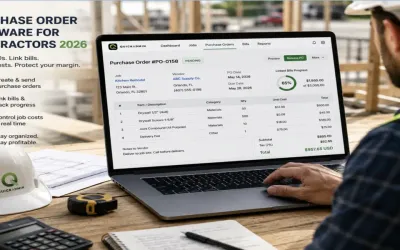
- Purchase Order Software for Contractors
- Job Costing Software for Small Contractors
- Free Invoice Tracker
- Why PWA Billing and Estimating Is the Future
Conclusion
QuickBooks invoice integration for contractors is a bridge, not a replacement. Build the Job, Estimate, Change Orders, and Job Invoice where the work happens. Sync the clean invoice into QuickBooks Online so accounting stays accurate without a second typing session.
On QuickAdmin, start Free for estimate and invoice limits, then upgrade to Premium when you need Change Orders, Purchase Orders, job costs, and QuickBooks invoice synchronization.
Create your free QuickAdmin account → build the Job Invoice first; connect QuickBooks when you are ready for Premium sync.
FAQ
What is QuickBooks invoice integration for contractors?
It connects your contractor job billing software with QuickBooks Online so a finished invoice can move into accounting without typing the same invoice a second time.
Does QuickAdmin sync invoices with QuickBooks?
Yes. QuickAdmin Premium includes QuickBooks invoice synchronization. You create Job Invoices in QuickAdmin, then sync them to QuickBooks Online. Confirm the connection inside your account; invoice sync is not full two-way accounting sync.
Can I link a QuickAdmin Job to a QuickBooks Project?
Yes. In Map QuickBooks Customer & Project, link the job customer to a QuickBooks customer and optionally choose an existing QuickBooks Project so invoices and bills stay grouped under that Customer/Project.
Why use contractor software and QuickBooks together?
Contractor software handles jobs, estimates, change orders, photos, and job invoices. QuickBooks Online handles money customers owe you, payments, bank reconciliation, profit and loss, and tax-ready books.
What should match before syncing an invoice to QuickBooks?
Check the customer (and QuickBooks customer/project link), invoice number, invoice date, due date, line items, tax, discount, total, job, payment terms, and that the invoice has not already synced.
How do you prevent duplicate invoices with QuickBooks integration?
Create the invoice in one place only (usually QuickAdmin), confirm it has not already synced before recreating anything in QuickBooks, and keep the same invoice number in both systems when your settings allow.
What is the difference between invoice sync and full accounting sync?
Invoice sync moves invoice data into QuickBooks. Full accounting sync may also move customers, vendors, bills, payments, expenses, cost codes, and time. QuickAdmin Premium lists QuickBooks invoice synchronization; confirm the exact scope in your plan.
Can QuickBooks convert estimates into invoices?
Yes. QuickBooks Online can turn an accepted estimate into an invoice. Many contractors still prefer to build estimates and Job Invoices in QuickAdmin, then sync the finished invoice to QuickBooks.
Is QuickBooks integration useful for small contractors?
Yes. Small crews benefit when the office stops retyping invoices and the bookkeeper gets a clean QuickBooks record while the field team keeps jobs, estimates, and change orders in one place.