
QuickAdmin vs Joist: Estimates and Invoices Compared
QuickAdmin and Joist compared from official sources: plans, free access, change orders, jobs and QuickBooks sync. Where Joist fits better. Nov 6, 2026.
by QuickAdmin Team • 11/6/2026 · Updated: 11/6/2026
Updated: November 6, 2026.
Disclosure: QuickAdmin publishes this page and sells one of the products compared. We read Joist’s official pages on the date above and only state what they say. We did not test Joist hands-on. Check the linked sources before you decide.
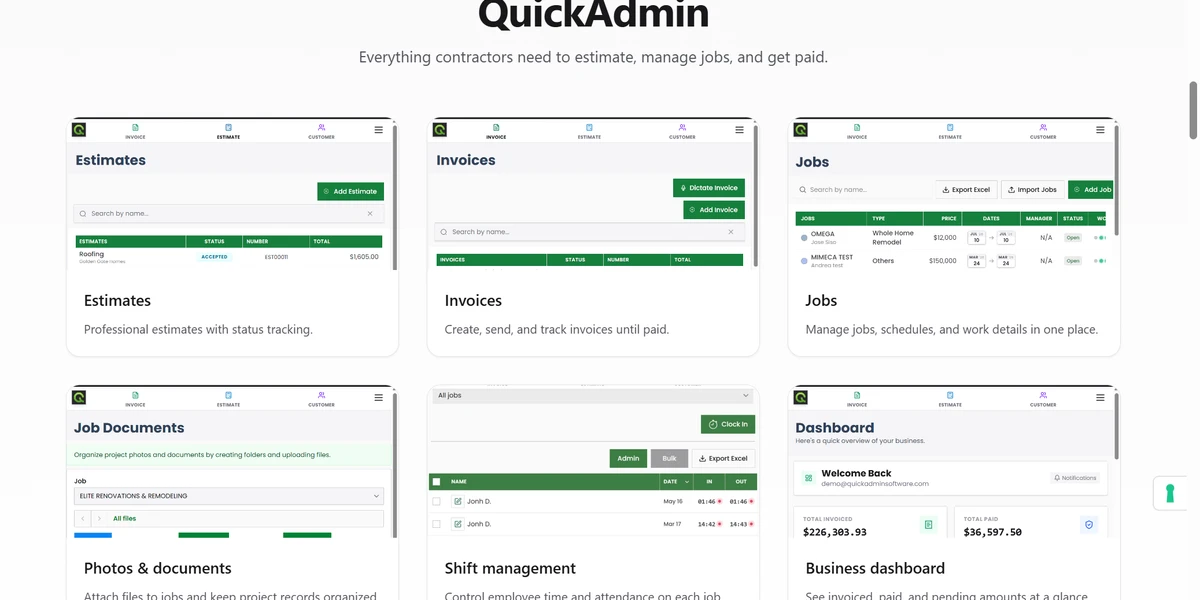
Quick answer: Joist and QuickAdmin both cover estimates, invoices and online payments for small contractors. Joist is the simpler, lower-priced choice for a solo contractor who needs documents, payments and QuickBooks sync. QuickAdmin has a free plan and, on Premium, adds purchase orders, estimate budgets, bills and expenses per job, daily logs and a customers site view. Joist syncs estimates as well as invoices to QuickBooks; QuickAdmin syncs invoices only.
Method
- We compared only capabilities that each vendor lists on its own pricing or feature pages: Joist pricing and Joist QuickBooks Sync, and QuickAdmin’s published plans.
- “Not listed” means the capability does not appear on the pages we read. It does not prove the product lacks it.
- Prices are quoted as displayed. Both vendors can change them at any time.
- We did not use ratings or review counts from either side.
At a glance
| QuickAdmin | Joist | |
|---|---|---|
| Free plan | Yes: 6 estimates and 3 invoices per month, one user, two jobs | No free plan listed; a 14-day free trial, no credit card required |
| Entry paid plan | Basic, $9 per month: unlimited estimates and invoices, integrated online payment, overdue reminders | Basics: up to 5 documents per month, online payments, estimates to invoices |
| Unlimited documents | Basic and up | Pro and up (Pro is $17 per month billed monthly) |
| Change orders | Premium ($118.99 per month) | Elite ($32 per month billed monthly) |
| Jobs and scheduling | Jobs on Advanced; schedules with Gantt diagrams on Premium | Organize jobs and schedule visits on Run |
| Purchase orders, estimate budgets | Premium | Not listed |
| Bills and expenses per job | Premium | Expense tracking listed; plan not stated on the pages we read |
| Employee shift management | Advanced and up | Not listed |
| QuickBooks | Premium: invoice synchronization | Pro or Elite: invoices and estimates to QuickBooks Online, daily background sync plus manual sync |
| Customers site view | Premium | Not listed |
| Mobile | Web, PWA, iOS and Android | Web and mobile app |
Joist also lists homeowner financing and contractor lending, tap to pay and a social/reviews tool. QuickAdmin does not list these.
Pricing, as displayed
| Product and plan | What the vendor displays | Source |
|---|---|---|
| QuickAdmin Free | $0 | QuickAdmin pricing |
| QuickAdmin Basic | $9 per month | QuickAdmin pricing |
| QuickAdmin Advanced | From $19.99 per month; unlimited users, pay based on usage | QuickAdmin pricing |
| QuickAdmin Premium | $118.99 per month | QuickAdmin pricing |
| Joist Pro | $17 per month billed monthly; annual billing includes two months free | Joist pricing |
| Joist Elite | $32 per month billed monthly; annual billing includes two months free | Joist pricing |
| Joist Basics and Run | Shown with promotional pricing on the day we checked, so we do not quote a figure | Joist pricing |
When Joist is the better fit
- You are a solo contractor and mainly need professional estimates, invoices and payments at a low monthly price.
- You want estimates, not only invoices, to reach QuickBooks Online automatically.
- You want homeowner financing or tap to pay on the same account.
When QuickAdmin is the better fit
- You want to start free and test on real jobs before paying.
- You need purchase orders, estimate budgets, and bills and expenses tied to each job.
- You manage employees and want shift management, daily logs or a customers site view.
Limits of QuickAdmin in this comparison
- QuickBooks sync is invoice synchronization on Premium, not estimates and not a full accounting integration. See the QuickBooks page.
- Premium is $118.99 per month, much higher than Joist’s lower tiers. If you only need estimates, invoices and payments, the lower plans are the fair comparison.
- QuickAdmin does not list financing, tap to pay or a reviews tool.
Next steps
- Read the QuickAdmin pricing page and the estimate and invoice workflow.
- Create a free QuickAdmin account and quote one real job.
- Review Joist’s official pricing before you choose.
Sources
- Joist pricing: https://www.joist.com/pricing/ (read Nov 6, 2026)
- Joist QuickBooks Sync: https://www.joist.com/features/quickbooks-sync/ (read Nov 6, 2026)
- QuickAdmin plans: quickadminsoftware.com/pricing/