
QuickAdmin vs Jobber: Pricing and Features Compared
QuickAdmin and Jobber compared from official sources: plans, trial, job costing, QuickBooks sync and team pricing. Where Jobber fits better. Nov 6, 2026.
by QuickAdmin Team • 11/6/2026 · Updated: 11/6/2026
Updated: November 6, 2026.
Disclosure: QuickAdmin publishes this page and sells one of the products compared. We read Jobber’s official pricing page on the date above and only state what it says. We did not test Jobber hands-on. Check the linked source before you decide.
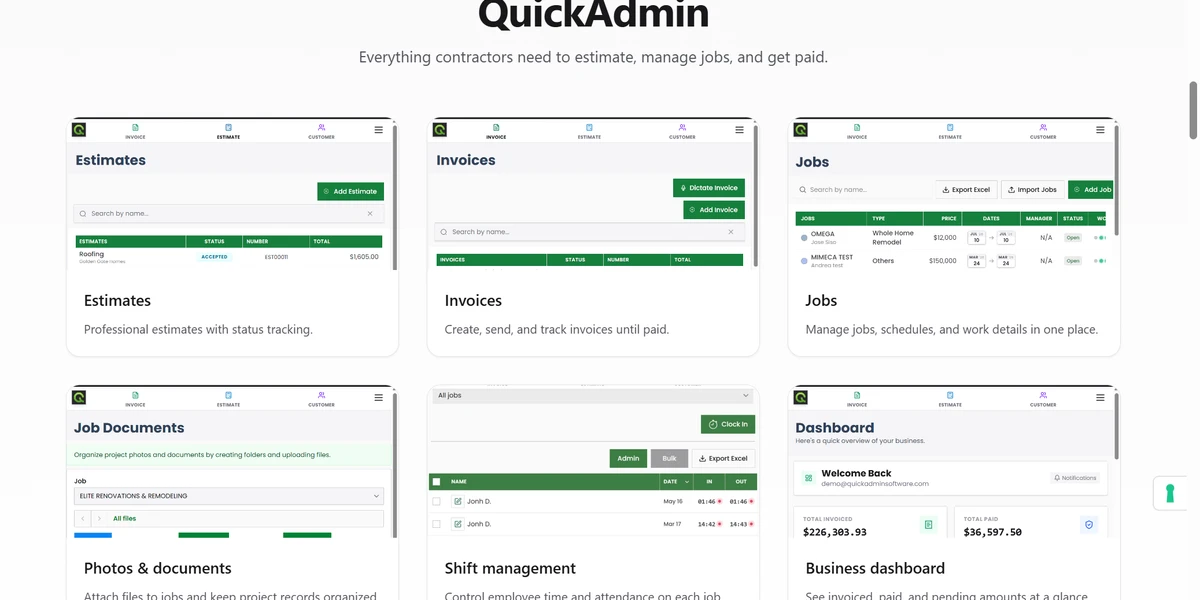
Quick answer: Jobber is a field service management product built around scheduling, quoting, invoicing, client communication and automation for service teams. QuickAdmin is estimate and invoice software for contractors that extends into jobs, change orders, purchase orders and per-job costs on Premium. Jobber lists job costing on its Grow tier and QuickBooks Online sync on Connect; QuickAdmin lists QuickBooks invoice synchronization on Premium. QuickAdmin has a free plan; Jobber offers a free trial.
Method
- We compared only capabilities that each vendor lists on its own pages: Jobber pricing and QuickAdmin’s published plans.
- “Not listed” means the capability does not appear on the pages we read. It does not prove the product lacks it.
- Prices are quoted as displayed for a single user on monthly billing with no commitment. Jobber also shows lower prices for a one-year commitment or annual billing, and different prices by team size.
- We did not use ratings or review counts from either side.
At a glance
| QuickAdmin | Jobber | |
|---|---|---|
| Free access | Free plan: 6 estimates and 3 invoices per month, one user, two jobs | Free trial, no credit card required; no free plan listed |
| Entry paid plan | Basic, $9 per month | Core, from $49 per month (one user, monthly, no commitment) |
| Quotes and invoices | Estimates and invoices on every plan (limited on Free) | Professional quotes and invoices with online payments on Core |
| Online booking and scheduling | Jobs and schedules (Gantt diagrams on Premium) | Book and schedule jobs online on Core |
| Automated client reminders, quote and invoice follow-ups | Automatic reminders for overdue invoices (Basic and up) | Connect and up |
| QuickBooks | Premium: invoice synchronization | Connect and up: QuickBooks Online sync |
| Time and expense tracking | Shift management on Advanced; bills and expenses per job on Premium | Time and expenses on Connect; automatic time tracking on Grow |
| Job costing | Estimate budgets and per-job bills and expenses on Premium | Job costing on Grow |
| Change orders and purchase orders | Premium | Not listed |
| Customer-facing project view | Customers site view on Premium | Not listed |
| Lead pipeline, marketing suite, AI receptionist | Not listed | Plus |
Pricing, as displayed
| Product and plan | What the vendor displays | Source |
|---|---|---|
| QuickAdmin Free | $0 | QuickAdmin pricing |
| QuickAdmin Basic | $9 per month | QuickAdmin pricing |
| QuickAdmin Advanced | From $19.99 per month; unlimited users, pay based on usage | QuickAdmin pricing |
| QuickAdmin Premium | $118.99 per month | QuickAdmin pricing |
| Jobber Core | $49 per month, one user | Jobber pricing |
| Jobber Connect | $139 per month, one user | Jobber pricing |
| Jobber Grow | $199 per month, one user | Jobber pricing |
| Jobber Plus | $499 per month with five users included; extra users $29 per month each | Jobber pricing |
Jobber’s plans are priced by team size, so the figure that applies to you may differ.
When Jobber is the better fit
- You run a service business that depends on scheduling, online booking and routine client communication.
- You want automated client reminders and quote or invoice follow-ups.
- You want a lead pipeline, marketing tools or an AI receptionist in the same product.
- You want QuickBooks Online sync at a lower tier than QuickAdmin’s Premium.
When QuickAdmin is the better fit
- You want to start on a free plan and pay only when you need more than 6 estimates and 3 invoices a month.
- Your work is project based, and you need change orders, purchase orders and estimate budgets tied to each job.
- You want unlimited users priced by usage rather than a plan sized by seats.
Limits of QuickAdmin in this comparison
- QuickBooks sync needs Premium and covers invoices only. See the QuickBooks page.
- QuickAdmin does not list online booking, a lead pipeline, marketing tools or an AI receptionist.
- Jobber’s job costing is available at a lower monthly price than QuickAdmin Premium for a single user.
Next steps
- Compare the QuickAdmin plans and the estimate and invoice workflow.
- Create a free QuickAdmin account and quote one real job.
- Review Jobber’s official pricing for your team size.
Sources
- Jobber pricing: https://www.getjobber.com/pricing/ (read Nov 6, 2026)
- QuickAdmin plans: quickadminsoftware.com/pricing/