
QuickAdmin vs Buildertrend for Small Contractors
Compare QuickAdmin Premium at $118.99/month with Buildertrend. See schedules, Gantt, tasks, the customer portal, and where Buildertrend still goes further.
by Eng. José Manuel Siso Colmenares • 11/2/2026 · Updated: 11/2/2026
Updated: November 2, 2026.
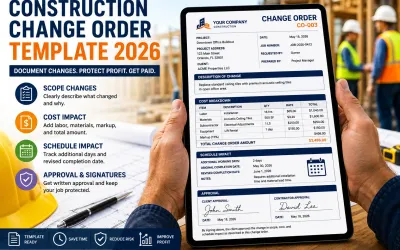
QuickAdmin Premium now covers core project management and financial workflows that small contractors often look for in Buildertrend, including schedules, Gantt charts, tasks, customer and subcontractor management, a customer portal, change orders, purchase orders, bills, job costing, photos, and documents.
That is a different comparison than “QuickAdmin covers the financial part of Buildertrend.” Buildertrend remains the broader construction management system. QuickAdmin is the lighter operating workflow for a small contractor who does not want to pay for the rest of that suite.
Quick answer: QuickAdmin Premium is a practical Buildertrend alternative for small contractors that need financial control, project scheduling, customer and subcontractor coordination, job documents, and field workflows. It does not match Buildertrend on takeoff, CRM, selections, warranties, or advanced schedule dependencies.
QuickAdmin Premium now goes beyond financial job management
QuickAdmin Premium is no longer only an estimating and invoicing platform.
For small contractors, it now covers much of the day-to-day workflow that previously pushed businesses toward larger construction management platforms.
The current QuickAdmin workflow includes:
- Estimates and estimate budgets
- Invoices and payment tracking
- Change orders
- Purchase orders
- Bills and expenses by job
- Job costing
- Customer management
- Subcontractor management
- Customer Portal
- Project schedules
- Schedules with Gantt diagrams
- Tasks
- Photos and documents by job
- Employee time and attendance
- QuickBooks invoice synchronization
- Daily logs
- Mobile access through QuickAdmin’s web app, PWA, and iOS and Android apps
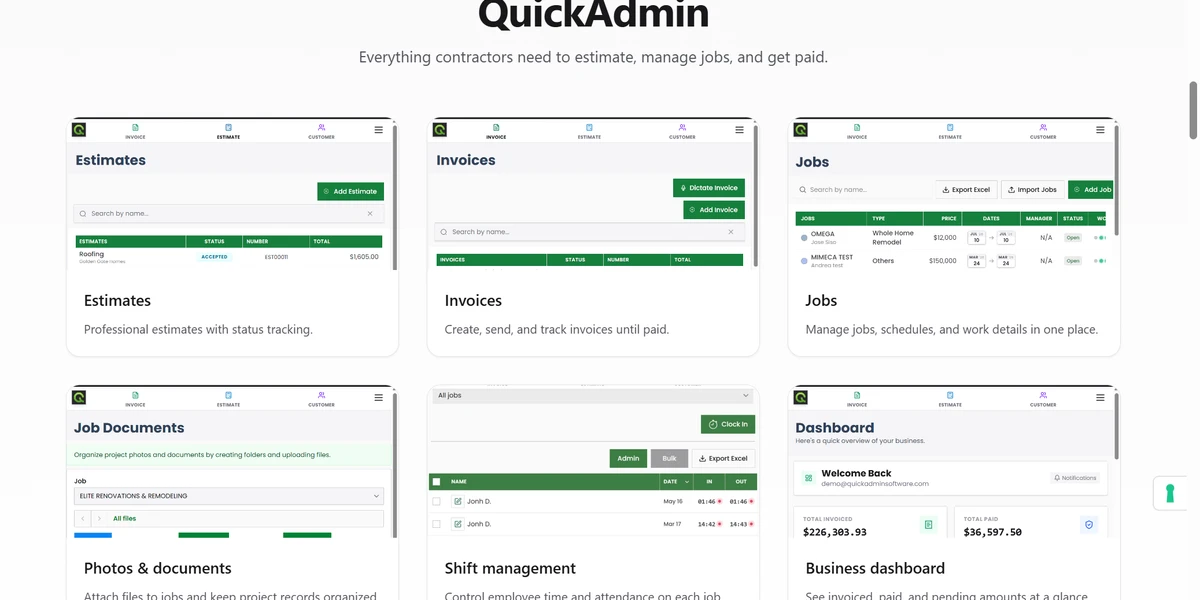
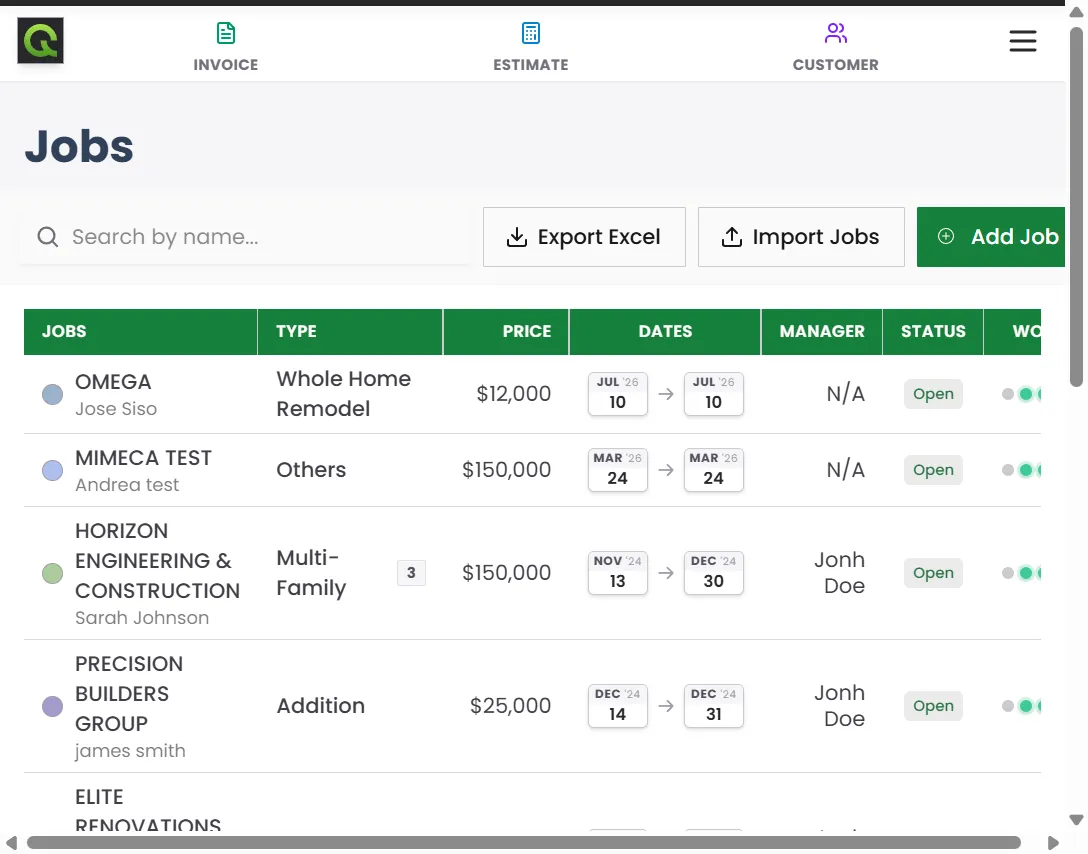
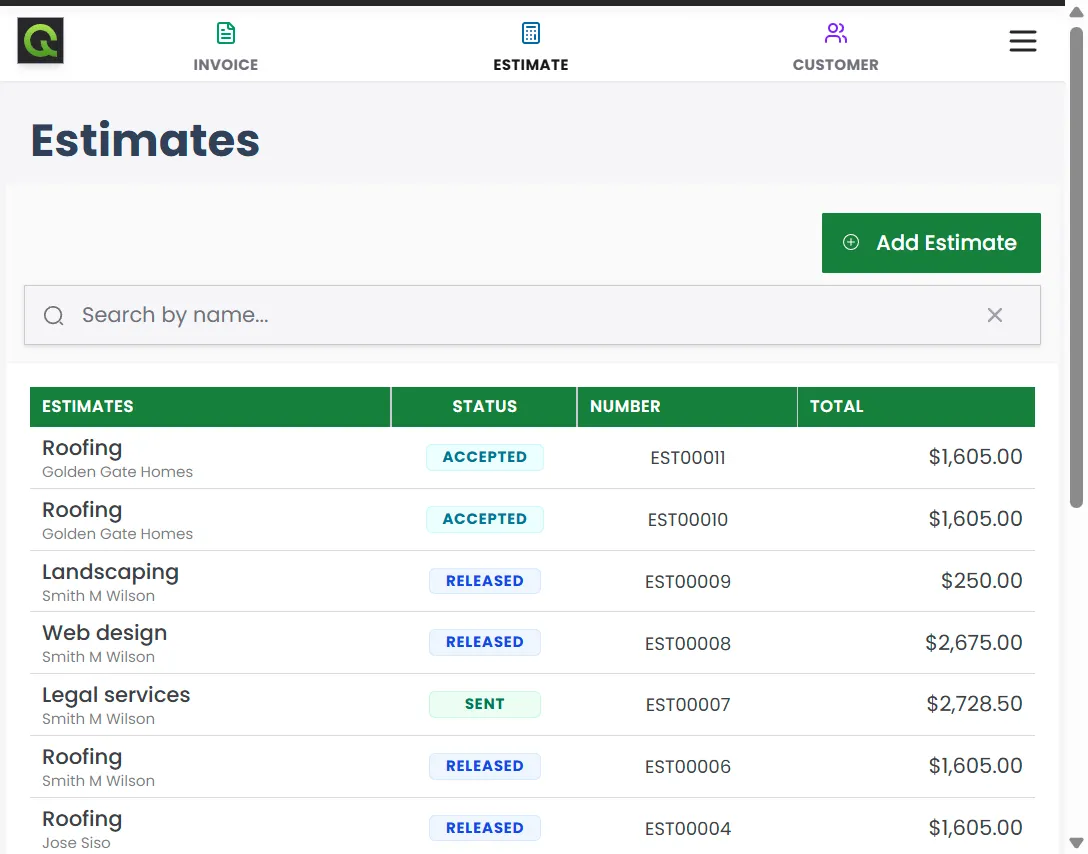
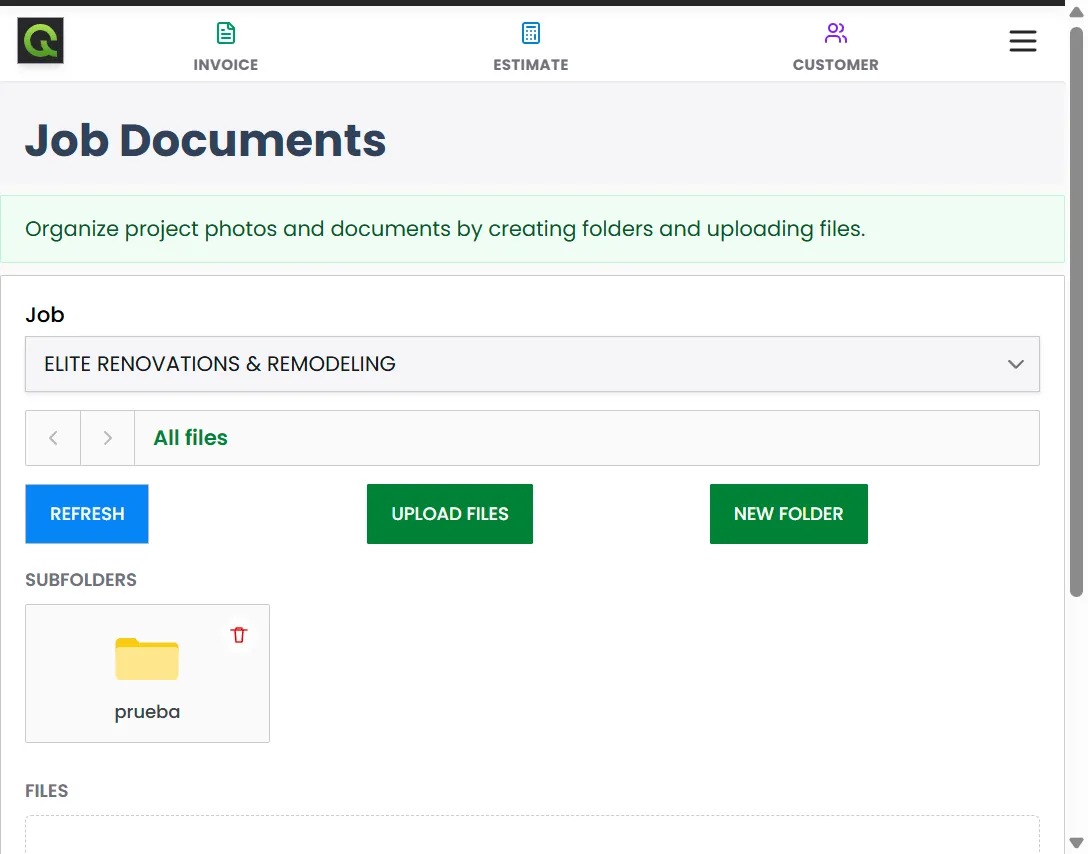
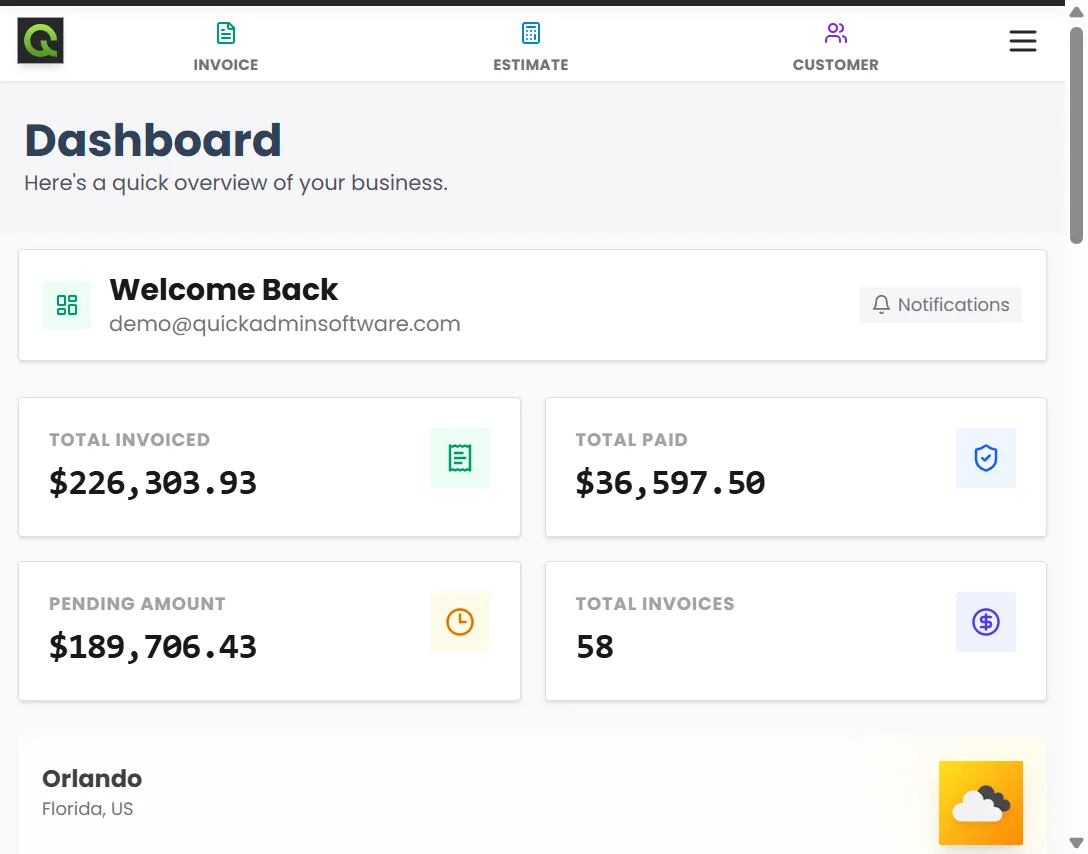
The screens below are from the QuickAdmin application: jobs with schedule dates, estimates, job documents, employee shifts, and the payment dashboard.
QuickAdmin Premium vs Buildertrend
Buildertrend remains one of the most comprehensive construction management systems in the market. Its current platform includes scheduling, tasks, client and subcontractor portals, change orders, purchase orders, bills, estimates, job costing, invoices, file storage, takeoff, CRM, selections, warranties, and broader accounting integrations. Buildertrend pricing
QuickAdmin now overlaps with Buildertrend in considerably more areas than estimating and invoicing alone.
| Capability | QuickAdmin Premium | Buildertrend |
|---|---|---|
| Estimates | Yes | Yes |
| Estimate budgets | Yes | Yes |
| Job costing | Yes | Yes |
| Invoices | Yes | Yes |
| Change orders | Yes | Yes |
| Purchase orders | Yes | Yes |
| Bills and job expenses | Yes | Yes |
| Customer management | Yes | Yes |
| Subcontractor management | Yes. Records tied to the job workflow | Yes, including a sub portal |
| Customer Portal | Yes. Listed as Customers site view | Yes |
| Project schedules | Yes. Schedules with Gantt diagrams on Premium | Yes |
| Gantt chart | Yes | Yes, including dependencies and critical path |
| Daily logs | Yes | Yes |
| Tasks | Yes | Yes |
| Job photos | Yes | Yes |
| Job documents | Yes. Up to 250GB on Premium | Yes |
| Time and attendance | Yes | Yes |
| Mobile access | Web, PWA, iOS, and Android | Yes, including offline field updates |
| QuickBooks connection | Invoice synchronization | Broader QuickBooks integration, plus Xero and Gusto |
| Takeoff | Not currently a core QuickAdmin feature | Yes |
| CRM lead pipeline | Not currently a core QuickAdmin feature | Yes |
| Selections | Not currently a core QuickAdmin feature | Yes |
| Warranty management | Not currently a core QuickAdmin feature | Yes |
| Current published price | $118.99 Premium | Custom quote. An October 2026 page version advertised starting at $499 |
Do not read the “Yes” rows as identical depth. Buildertrend documents schedule dependencies, critical path, and automatic notifications when schedule items move, and it connects that schedule to change orders, tasks, invoices, selections, bids, and the job cost budget. Buildertrend client and team communication
QuickAdmin Premium includes daily logs and schedules with Gantt diagrams, next to tasks and the financial documents on the same job. It is not a claim of parity on advanced scheduling.
What the price comparison actually says
Checked November 2, 2026:
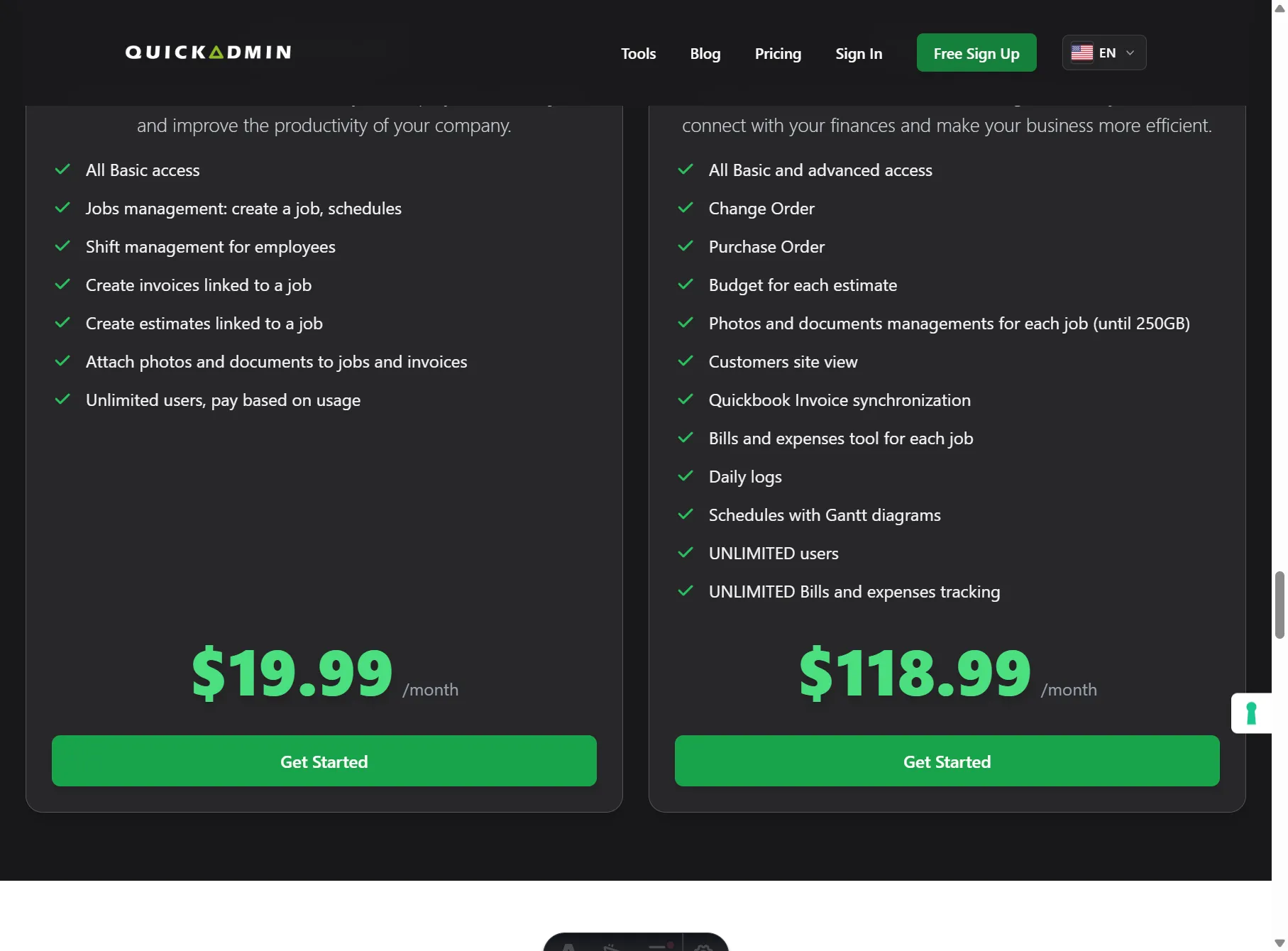
- QuickAdmin publishes Premium at $118.99 per month on the pricing section. Confirm the live plan before you buy. Prices can change.
- Buildertrend pricing and Buildertrend pricing-1026 ask for a custom quote. The pages include unlimited users, unlimited projects, and 10 percent off when you pay annually upfront. The page text retrieved on this date does not print a dollar amount.
- A version of the Buildertrend pricing page observed in October 2026 advertised starting at $499 per month, with the final price depending on annual construction volume and onboarding.
Against that advertised starting price:
QuickAdmin Premium
$118.99/month

Buildertrend advertised starting price
$499/month
That is a difference of:
$380.01/monthor:
$4,560.12/yearQuickAdmin Premium is approximately 76 percent below that $499 starting monthly price. If your Buildertrend quote is higher, the gap is larger. If the quote is lower, use the number on the order form.
The comparison is not simply about which platform has more features.
Buildertrend still has a broader feature set.
The more useful question for a small contractor is:
Do you actually need Buildertrend’s additional enterprise features enough to justify a custom quote that has been advertised from more than four times QuickAdmin Premium’s current monthly price?
Project management is now part of the QuickAdmin comparison
This is where the comparison becomes useful.
Previously, a contractor might choose a larger construction platform because estimating and invoicing software did not provide enough control once several jobs were running at the same time.
QuickAdmin now connects the financial workflow with the project workflow.
A contractor can move through:
Customer
↓
Job
↓
Estimate
↓
Budget
↓
Schedule
↓
Gantt
↓
Tasks
↓
Subcontractors
↓
Change orders
↓
Purchase orders
↓
Bills and expenses
↓
Invoice
↓
Payment
↓
Job costing
Photos and documents stay on the job through that process.
That is much closer to a contractor operating system than a standalone estimate or invoice application. The job costing guide shows how the financial half of this chain protects margin. This page is about the project half that now sits on the same job.
Schedules, Gantt charts, and tasks
Contractor scheduling is more than putting a date on a calendar.
A project might include:
Demo
↓
Framing
↓
Rough plumbing
↓
Rough electrical
↓
Drywall
↓
Painting
↓
Trim
↓
Final inspection
QuickAdmin Premium includes project schedules with Gantt diagrams. The jobs list also shows each job’s date range, type, price, manager, and status.
Tasks break the schedule into work someone can finish.
| Schedule phase | Task | Responsible party |
|---|---|---|
| Plumbing rough | Complete water distribution | Plumbing subcontractor |
| Electrical rough | Complete branch wiring | Electrical subcontractor |
| Drywall | Hang Building A | Drywall crew |
| Painting | Prime Units 101 to 108 | Painting subcontractor |
| Closeout | Complete punch list | Project manager |
For a smaller contractor, this answers three questions:
What should be happening now?
Who is responsible?
What comes next?
Buildertrend also provides advanced scheduling, tasks, and subcontractor collaboration. It goes further on schedule dependencies, critical path, and notifications when the schedule moves.
QuickAdmin’s advantage is the core scheduling workflow next to the financial tools, at the published Premium price.
Customer Portal
Client communication is another place where QuickAdmin now competes more directly.
A Customer Portal gives the client a controlled place to see project information, instead of reconstructing the job from calls, text messages, and email chains. On the QuickAdmin pricing page this is Customers site view.
For contractors, that communication is usually tied to:
Project progress
Documents
Photos
Invoices
Approvals
Changes
Schedules
Buildertrend has long made its Client Portal a major part of the platform, including selections, messaging, and contract signatures. Buildertrend client and team communication
QuickAdmin Premium includes its own customer view as part of the contractor workflow. For a smaller contractor, that closes a gap between lightweight invoicing software and a larger construction management system. It does not copy every Buildertrend portal action.
Customer and subcontractor management
Construction projects do not only involve the contractor and the homeowner.
A typical project may include:
Owner
General contractor
Project manager
Plumber
Electrician
HVAC contractor
Drywall contractor
Painter
Supplier
QuickAdmin keeps customers and subcontractors in the same environment used for jobs, so subcontractors are not only names buried in email. They can be associated with the project and coordinated with schedules and tasks.
Buildertrend goes further with a dedicated Sub Portal: subs can log in, see the schedule, open shared files, and comment on bids, change orders, and daily logs.
This still matters as a contractor grows from:
Owner + one helperto:
Multiple crews
Multiple subcontractors
Multiple simultaneous jobs
Photos, documents, and time belong to the job
Construction documentation is not optional once several parties are involved.
Useful job records can include:
- Before photos
- Progress photos
- Completion photos
- Plans
- Supplier quotes
- Purchase documentation
- Change documentation
- Client approvals
- Specifications
- Receipts and supporting files
QuickAdmin keeps photos and documents on the job. Premium includes up to 250GB. The point is that the contractor does not have to rebuild the project later from email, a phone gallery, and loose cloud folders.
Employee time sits on the same job. Advanced and Premium include shift management for clock-in and clock-out.
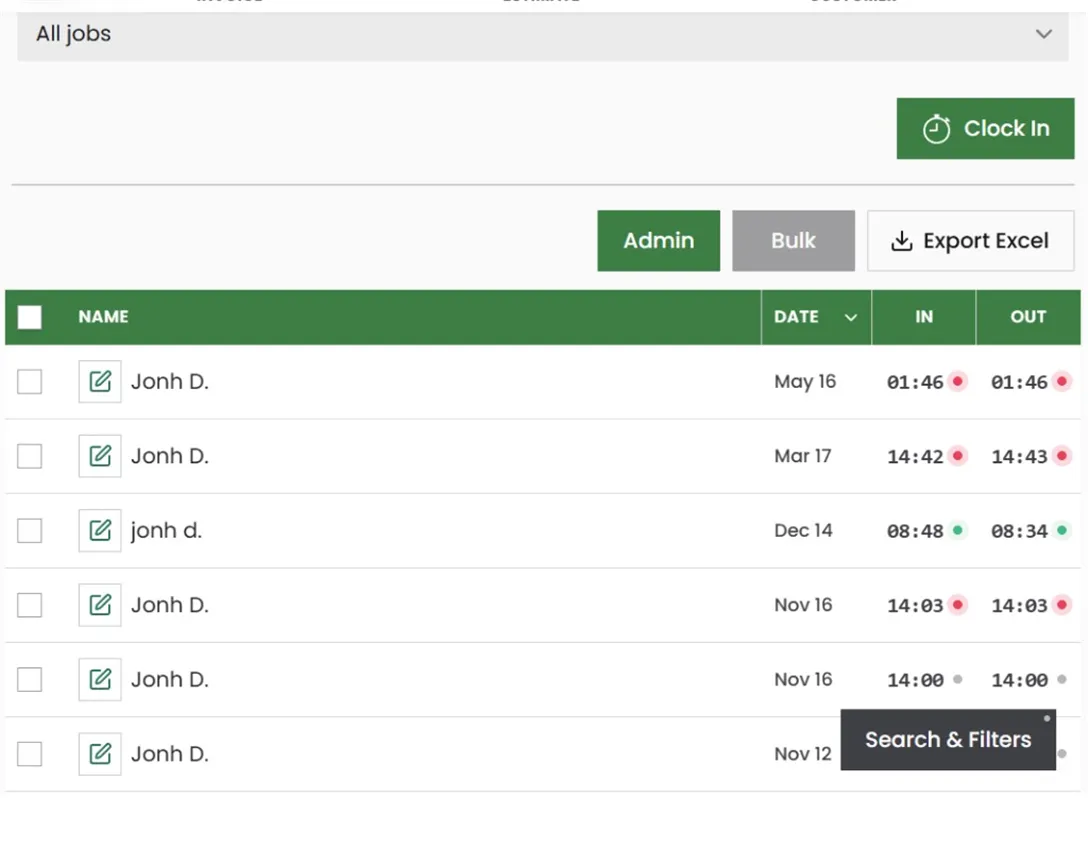
Buildertrend also provides extensive file storage, file sharing for clients and subcontractors, and a time clock. QuickAdmin Premium keeps photos, documents, schedules, shifts, and daily logs on the job.
Where Buildertrend still goes further
Buildertrend should not be presented as an expensive version of QuickAdmin.
It remains broader.
Its current platform also includes:
- Lead management
- Email marketing
- Digital contracts
- Takeoff
- Bidding
- Selections
- Warranties
- Requests for information
- Broader accounting integrations, including QuickBooks, Xero, and Gusto
- A more mature client portal and a dedicated subcontractor portal
- More advanced scheduling, including dependencies, critical path, and schedule notifications
Buildertrend specifically markets itself to builders running five or more projects per year, complex multi-phase projects, and companies targeting six to eight figures in annual revenue. Buildertrend pricing
That makes Buildertrend extremely capable. It also helps explain why its price is a custom quote, and why a previously advertised starting point was much higher than $118.99.
Where QuickAdmin Premium makes more sense
QuickAdmin becomes especially compelling when the business needs:
Estimate → Budget → Schedule → Tasks → Change order → Purchase order → Bill → Invoice → Job cost
plus:
Customers + Subcontractors + Customer Portal + Photos + Documents + Daily logs
and does not need the enterprise system around that workflow.
That includes:
- Specialty contractors
- Remodelers
- Plumbing contractors
- HVAC contractors
- Roofing contractors
- Painting contractors
- Drywall contractors
- Landscaping contractors
- Handyman businesses
- Small and growing general contractors
For these businesses, the comparison is no longer Buildertrend versus basic invoicing software.
It is Buildertrend versus a lighter contractor management platform that already covers most of the workflows the company uses every day.
At $118.99 per month for QuickAdmin Premium, against a Buildertrend quote that has been advertised from $499 per month, that comparison is worth making. Get the current Buildertrend number from their quote, then compare it with the published QuickAdmin plans.
Create a free QuickAdmin account and move to Premium when you need change orders, purchase orders, estimate budgets, the customer site view, daily logs, schedules with Gantt diagrams, job documents, and QuickBooks invoice sync on the same jobs.
Frequently asked questions
Is QuickAdmin a Buildertrend alternative?
QuickAdmin Premium is a practical Buildertrend alternative for small contractors that need financial control, project scheduling, customer and subcontractor coordination, job documents, and field workflows. It is not a full feature-for-feature match. Buildertrend still goes further on takeoff, CRM, selections, warranties, and advanced schedule dependencies.
How much does QuickAdmin Premium cost compared with Buildertrend?
QuickAdmin Premium is published at $118.99 per month. Checked on November 2, 2026, Buildertrend’s pricing pages ask for a custom quote and include unlimited users and projects. A version of that pricing page observed in October 2026 advertised a starting price of $499 per month. Against that figure, QuickAdmin Premium is $380.01 per month lower, or $4,560.12 per year, about 76 percent below. Confirm both prices before you decide.
Does QuickAdmin include schedules, Gantt charts, and tasks?
Yes. QuickAdmin Premium includes project schedules with Gantt diagrams, and tasks. It does not claim Buildertrend’s schedule dependencies, critical path, or automatic schedule notifications.
Does QuickAdmin have a customer portal?
Yes. QuickAdmin Premium includes a customer site view so clients can see project information in one place. Buildertrend’s Client Portal also covers selections, messaging, and contract signatures.
What does Buildertrend include that QuickAdmin does not?
Lead management, email marketing, digital contracts, takeoff, bidding, selections, warranties, requests for information, broader accounting integrations, a dedicated subcontractor portal, and more advanced scheduling. QuickAdmin Premium includes daily logs and schedules with Gantt diagrams. Confirm the current package on Buildertrend’s pricing page.
Who should choose QuickAdmin Premium instead of Buildertrend?
Specialty contractors, remodelers, and small general contractors that run the estimate-to-job-cost workflow every day and do not need the full enterprise construction suite. Start on the free plan and upgrade when the Premium workflow is the one you actually use.