
Painting Estimate Software Guide 2026
Learn how painters create accurate estimates, convert them into invoices, track labor, and protect profit with modern estimate software.
by Eng. José Manuel Siso Colmenares • 5/7/2026
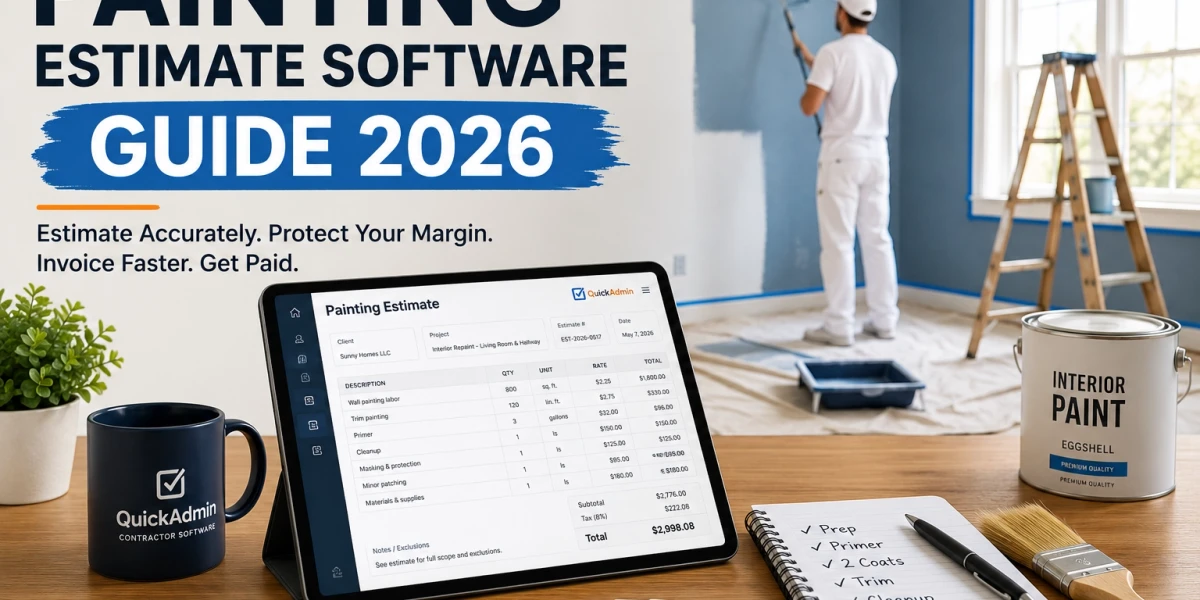
Painting Estimate Software Guide 2026
Updated: May 7, 2026.
You finished the walkthrough, measured the rooms, and promised the client a quote by tonight.
But here is the problem: painting estimates look simple until you forget prep, primer, trim, doors, touch ups, travel time, and cleanup.
That is where profit quietly disappears.
By the end of this guide, you will know how to build a painting estimate that protects your margin and turns into a clean invoice without rewriting the job.
💡 Quick answer: Painting estimate software helps you price the real job, not just the visible walls. The best workflow calculates labor, paint, prep, materials, travel, change work, and payment terms before turning the approved estimate into an invoice.
Why painting contractors lose profit before the job starts
Painting jobs rarely fail because the contractor does not know how to paint.
They fail because the estimate was too simple.
A client may say, “It is just two bedrooms and a hallway.” But the real job may include nail holes, cracked corners, furniture moving, baseboard caulking, stains, water marks, bad drywall repairs, high ceilings, trim, doors, primer, and multiple trips.
If your estimate only says “paint interior walls,” you are already exposed.
The painting trade is also not going away. The U.S. Bureau of Labor Statistics projects employment for construction and maintenance painters to grow 4 percent from 2024 to 2034, with about 28,100 openings per year on average. That means demand exists, but the contractors who win long term are the ones who price work accurately and document scope clearly. BLS Occupational Outlook Handbook (Bureau of Labor Statistics)
The hidden cost of prep work
Prep is the part clients do not see, but it is often the part that controls the job.
A clean paint finish may require:
- Moving furniture
- Removing outlet covers
- Protecting floors
- Covering cabinets
- Scraping loose paint
- Patching nail holes
- Repairing cracks
- Sanding patches
- Caulking trim
- Spot priming stains
- Masking windows and fixtures
- Cleaning dust before coating
If you do not separate prep in your estimate, the client assumes it is included. If you do not charge for it, your crew still has to do it.
That is why a painting estimate should never be only a square foot number. Square footage helps, but it does not capture surface condition.
A 900 square foot apartment with clean walls can be profitable at one price. A 900 square foot apartment with smoke stains, furniture, bad patches, trim cracks, and dark color change may need a completely different price.
💡 Contractor rule: A wall measurement tells you how much paint you may need. Surface condition tells you how much labor you will actually spend.
Why “price per room” can be dangerous
Many small painting contractors start with fast mental formulas:
- Small room: fixed price
- Bedroom: fixed price
- Hallway: fixed price
- Trim: included
- Touch ups: included
- Cleanup: included
This works until the room is not standard.
A room with high ceilings, heavy furniture, dark color conversion, damaged trim, and bad corners is not the same as a clean rental repaint. If both are priced the same, one of them is subsidizing the other.
Painting estimate software creates a more reliable system. It lets you separate labor, paint, materials, prep, exclusions, and approval notes so every estimate is easier to explain.
What painting estimate software should calculate
Painting estimate software should do more than produce a pretty PDF.
It should help you build a complete pricing structure. The goal is not to make the estimate complicated. The goal is to avoid missing work that costs real money.
At minimum, your estimate software should calculate labor, materials, prep, primer, coats, trim, cleanup, travel, taxes, markup, and payment terms.
Labor
Labor is the largest variable in most painting jobs.
Two painters can cover a clean wall quickly. The same two painters may spend half a day repairing corners, removing old caulk, sanding patches, and masking a detailed room before the first coat begins.
Your estimate should separate labor into clear tasks:
| Labor task | Why it matters |
|---|---|
| Wall painting | Core production time |
| Ceiling painting | More difficult than standard walls |
| Trim painting | Slower and more detailed |
| Door painting | Requires setup, drying time, and handling |
| Prep work | Often underestimated |
| Patching and sanding | Creates delays if not priced |
| Masking and protection | Essential for occupied homes |
| Cleanup | Required before final approval |
| Travel time | Real cost for small jobs |
A good estimate does not have to show every internal production detail to the client. But your software should help you calculate each part before you decide what to show.
Materials
Materials are more than paint.
A complete painting estimate may include:
- Interior wall paint
- Ceiling paint
- Trim enamel
- Primer
- Stain blocker
- Caulk
- Spackle
- Sandpaper
- Tape
- Plastic
- Drop cloths
- Roller covers
- Brushes
- Trays
- Masking film
- Cleaning supplies
- Disposal bags
Sherwin Williams states that one gallon of paint typically covers about 350 to 400 square feet, although wall texture and desired coverage can change the amount needed. That makes paint coverage a useful starting point, not a final estimate. Sherwin Williams Paint Calculator (sherwin-williams.com)
For example:
| Area | Square feet | Coats | Coverage assumption | Estimated gallons |
|---|---|---|---|---|
| Bedroom walls | 420 | 2 | 375 sq. ft. per gallon | 3 |
| Hallway walls | 300 | 2 | 375 sq. ft. per gallon | 2 |
| Ceiling | 250 | 1 | 375 sq. ft. per gallon | 1 |
| Trim and doors | Detailed | 1 to 2 | Product dependent | 1 |
The mistake is not only buying too little paint. Buying too much paint without charging correctly also hurts profit.
Surface repairs
Surface repairs should not be hidden inside “painting.”
Clients often say, “Just patch a few holes.” But a few holes can mean:
- Nail holes throughout a rental unit
- Bad drywall patches from old repairs
- Corner damage
- Peeling paint
- Water stains
- Settling cracks
- Baseboard separation
- Door impact damage
Each repair creates extra labor and drying time.
A clear estimate should include a line like:
Includes minor nail hole patching only. Larger drywall repairs, water damage, texture matching, and additional patching are billed separately upon approval.
That one sentence can prevent an argument later.
Primer and coats
Primer is one of the most common items contractors forget to charge correctly.
Primer may be needed when:
- Covering dark colors
- Painting over stains
- Sealing new drywall
- Painting raw wood
- Covering smoke damage
- Changing from glossy to matte finishes
- Painting over patched areas
- Preparing previously damaged surfaces
If primer is required and your estimate did not include it, you either lose money or request a change after the job starts.
Both options are uncomfortable.
Painting estimate software should let you create standard items for:
- Spot primer
- Full wall primer
- Stain blocking primer
- New drywall primer
- Bonding primer
- Additional coat
💡 Estimating insight: “Two coats included” is not the same as “unlimited coverage included.” Color changes, stains, and poor existing paint can require primer or extra coats.
Trim, doors, and detail work
Trim and doors are slow.
They require careful brushwork, more masking, and more touch up control. A room with crown molding, baseboards, window casing, doors, and built ins is not the same as a simple wall repaint.
Your estimate should separate:
- Baseboards
- Crown molding
- Door casing
- Window trim
- Doors
- Cabinet trim
- Stair railings
- Built ins
- Accent walls
A simple invoice app may let you write one description. Painting estimate software should let you save these items and reuse them.
That is where you start gaining time.
Cleanup and travel
Small jobs are where many painters lose money.
A $350 touch up job can look profitable until you include:
- Driving to the job
- Parking
- Setup
- Floor protection
- Color matching
- Dry time
- Cleanup
- Return trip for final touch ups
- Invoice follow up
That is why small jobs often need a minimum trip charge.
Example:
| Job type | Recommended pricing method |
|---|---|
| Full interior repaint | Square foot plus condition adjustment |
| Single room repaint | Room price plus prep and trim |
| Touch up visit | Minimum trip charge |
| Patch and paint | Repair plus paint plus drying time |
| Rental turnover | Unit package plus exclusions |
| Exterior touch up | Minimum charge plus access difficulty |
If the client wants a professional result, the estimate must include professional setup.
How to create a painting estimate in QuickAdmin
QuickAdmin is built for contractors who need more than a basic invoice.
For painters, the best workflow is:
- Add the client
- Create the job
- Add labor and materials
- Add exclusions
- Send the estimate
- Convert the approved estimate into an invoice
This keeps the job organized from quote to payment.
Step 1: Add the client
Start with the client profile.
Save:
- Client name
- Phone number
- Billing address
- Project address
- Notes about access
- Preferred payment terms
This matters because painting contractors often work with repeat clients, property managers, builders, realtors, landlords, and general contractors.
A saved client record prevents retyping and reduces errors.
Step 2: Create the job
Create a job for the project.
Example job names:
- Interior repaint, Unit 204
- Exterior trim repaint, Oak Street
- Rental turnover paint, Building B
- Cabinet repaint, kitchen and laundry
- Touch ups after renovation
The job record helps keep estimates, invoices, files, and notes connected.
This is especially useful if the painting work is part of a larger construction project with multiple phases.
Step 3: Add labor and materials
Next, add line items.
A clean painting estimate should include both production items and support items.
Example:
| Item | Quantity | Rate | Total |
|---|---|---|---|
| Wall painting labor | 800 sq. ft. | $2.25 | $1,800 |
| Trim painting | 120 linear ft. | $2.75 | $330 |
| Primer | 3 gallons | $32 | $96 |
| Cleanup | 1 | $150 | $150 |
Subtotal: $2,376
You can add markup, taxes, discounts, or payment terms depending on your setup.
The important part is that the estimate shows real work, not vague numbers.
Step 4: Add exclusions
Exclusions protect you.
Painting jobs often grow because clients assume extra work is included. You can prevent this with clear exclusions.
Useful exclusions:
- Drywall repair beyond minor nail holes is not included
- Water damage repair is not included
- Mold remediation is not included
- Lead safe work is not included unless stated
- Furniture moving is limited to light movable items
- Color changes after approval may require additional charges
- Additional coats due to color selection are billed separately
- Work outside listed rooms is not included
- Touch ups caused by other trades are not included
EPA guidance says that anyone paid to disturb paint in housing and child occupied facilities built before 1978 generally must be certified in lead safe work practices. This makes lead related exclusions and compliance notes especially important for older homes. EPA Lead Renovation, Repair and Painting Program (US EPA)
Step 5: Send the estimate
Once the estimate is complete, send it professionally.
Do not send only a text message with a price.
A professional estimate should include:
- Contractor information
- Client information
- Project address
- Scope of work
- Line items
- Total
- Validity date
- Payment terms
- Exclusions
- Approval instructions
A clear estimate helps the client say yes faster because they understand what they are buying.
Step 6: Convert the approved estimate into an invoice
After the client approves, convert the estimate into an invoice.
This is where QuickAdmin saves time.
Instead of copying details into another app, you can turn the approved estimate into an invoice and keep the same job information connected.
That reduces:
- Typing mistakes
- Missing line items
- Wrong client details
- Wrong totals
- Lost scope notes
- Delayed billing
This is the estimate to invoice workflow every small contractor should use.
Painting estimate example
Here is a simple example for an interior painting job.
Project: repaint living room, hallway, and trim Client type: residential homeowner Scope: walls, trim, primer, cleanup Exclusions: major drywall repair, furniture moving beyond light items, extra coats due to color change
| Item | Quantity | Rate | Total |
|---|---|---|---|
| Wall painting labor | 800 sq. ft. | $2.25 | $1,800 |
| Trim painting | 120 linear ft. | $2.75 | $330 |
| Primer | 3 gallons | $32 | $96 |
| Cleanup | 1 | $150 | $150 |
| Masking and floor protection | 1 | $125 | $125 |
| Minor nail hole patching | 1 | $95 | $95 |
| Materials and supplies | 1 | $180 | $180 |
Subtotal: $2,776
This is much stronger than:
Paint living room and hallway: $2,776
The total may be the same, but the detailed version is easier to defend.
What the client sees
A client does not need to see your entire internal calculation. But they should see enough to understand value.
Good client facing scope:
Includes wall painting in living room and hallway, trim painting, primer for selected areas, minor nail hole patching, masking, floor protection, materials, and job cleanup. Estimate excludes major drywall repair, water damage, mold remediation, lead safe work, and additional coats required by color changes.
That paragraph can save hours of negotiation.
What you track internally
Internally, you may track:
- Estimated labor hours
- Actual labor hours
- Material cost
- Paint cost
- Supplies
- Travel
- Crew notes
- Profit margin
- Change work
- Invoice status
This is where QuickAdmin becomes more useful than a simple invoice generator.
Painting invoice best practices
A painting invoice should not be a surprise.
It should match the approved estimate unless there was approved change work.
A clear invoice helps you get paid faster because the client does not have to ask what happened.
Use clear line items
Avoid vague invoice descriptions.
Weak invoice:
Painting work completed: $3,100
Better invoice:
| Item | Description |
|---|---|
| Wall painting | Living room, hallway, and bedroom walls |
| Trim painting | Baseboards and door casing |
| Primer | Spot primer for repaired areas |
| Minor patching | Nail holes and small surface defects |
| Cleanup | Final cleanup and debris removal |
Clear line items reduce disputes.
They also make your company look more professional.
Add payment terms
Your invoice should say exactly when payment is due.
Examples:
- Due upon receipt
- Net 7
- Net 15
- 50 percent deposit, balance due upon completion
- Late fee applies after due date
- Payment must clear before final touch up visit
For larger projects, consider progress payments.
Example:
| Milestone | Payment |
|---|---|
| Deposit before scheduling | 30 percent |
| After prep and primer | 30 percent |
| After final coat | 30 percent |
| Final walkthrough | 10 percent |
Payment terms are not only accounting details. They are part of cash flow protection.
Mention change work separately
Change work should never be hidden inside the final invoice.
If the client added:
- Extra room
- Additional accent wall
- Door repainting
- Cabinet touch ups
- Extra coat
- Drywall repair
- Color change
- Weekend rush work
Create a separate change line or change order.
Example:
| Change item | Reason | Amount |
|---|---|---|
| Additional coat | Dark blue to white color change | $280 |
| Extra trim work | Added hallway baseboards | $145 |
| Drywall patch repair | Damage behind door | $220 |
This keeps the original estimate clean and shows the client what changed.
QuickAdmin vs simple invoice apps
Simple invoice apps can be useful if all you need is a basic bill.
But painting contractors usually need more than that.
You need estimates, invoices, jobs, clients, payment terms, repeat items, files, notes, and sometimes QuickBooks sync.
| Feature | Simple invoice app | Spreadsheet | QuickAdmin |
|---|---|---|---|
| Create painting estimate | Basic | Manual | Yes |
| Convert estimate to invoice | Sometimes | No | Yes |
| Save client details | Yes | Manual | Yes |
| Save job records | Limited | Manual | Yes |
| Reuse painting line items | Limited | Manual | Yes |
| Add exclusions and notes | Basic | Manual | Yes |
| Track invoices | Yes | Manual | Yes |
| Mobile access | Yes | Limited | Yes |
| PWA app style access | Usually no | No | Yes |
| QuickBooks integration | Varies | No | Yes |
| Built for contractors | Usually no | No | Yes |
QuickAdmin is useful for painters because it connects the estimate and invoice workflow.
That matters when the job changes, the client asks for a revision, or the final invoice needs to match the approved estimate.
Why pricing needs a freshness signal in 2026
Material costs change.
Paint, coatings, supplies, fuel, labor, insurance, and overhead can move faster than many contractors expect. The Federal Reserve Bank of St. Louis tracks the Producer Price Index for paint and coating manufacturing, and the index continued publishing monthly values into 2026. That is a reminder that pricing should not be treated as permanent. FRED Paint and Coating Manufacturing PPI (fred.stlouisfed.org)
Add this line to painting estimates:
Estimate valid for 15 days. Pricing may change if material costs, color selections, scope, access conditions, or project schedule changes.
That sentence protects your margin.
Why square foot pricing still needs context
Cost guides can help you understand market expectations. Angi reports that professional interior painting often ranges from about $2 to $6 per square foot, depending on factors such as room size, ceiling height, paint type, and scope. Angi Interior Painting Cost Guide (Angi)
But contractors should not blindly copy a cost guide.
Your real price depends on:
- Your labor cost
- Your market
- Your insurance
- Your crew speed
- Your paint quality
- Your margin target
- Your travel distance
- Your client expectations
- Your risk
- Your schedule
Painting estimate software gives you a structure. Your field knowledge gives you accuracy. Once a painting estimate is approved, keep the job, scope, and invoice connected with the estimate and invoice workflow.
Internal links for deeper contractor workflows
To build a stronger estimate to invoice system, read these related QuickAdmin guides:
These articles support the same workflow: estimate accurately, invoice clearly, and track the job from one place.
Conclusion: Accuracy is not about quoting higher
Accuracy is not about quoting higher.
It is about charging for the real work.
Painting contractors lose profit when estimates are too vague. Prep disappears. Primer disappears. Touch ups disappear. Travel disappears. Cleanup disappears. Then the invoice becomes a fight instead of a payment request.
A better system fixes that.
With painting estimate software like QuickAdmin, you can build a clear scope, save reusable line items, add exclusions, send the estimate, and convert the approved quote into an invoice without retyping the job.
That is how you protect margin.
That is how you look professional.
That is how you get paid faster.
Start with your next job. Do not quote only the walls. Quote the real work.
FAQ
What is painting estimate software?
Painting estimate software helps contractors calculate labor, paint, prep work, materials, travel time, cleanup, markup, and payment terms before converting an approved estimate into an invoice.
What should a painting estimate include?
A painting estimate should include surface preparation, repairs, primer, coats, trim, doors, ceilings, materials, labor, cleanup, exclusions, taxes, markup, and payment terms.
Can painters create invoices from estimates?
Yes. QuickAdmin lets painters create an estimate, send it to the client, and convert the approved estimate into an invoice without retyping the same job details.
Is there free estimate software for painters?
QuickAdmin offers a free plan that helps small painting contractors create professional estimates and invoices before upgrading to advanced workflows.
How much paint does one gallon cover?
One gallon of paint typically covers about 350 to 400 square feet, but texture, surface condition, color change, primer, and coat count can change the actual amount needed.
Should painters charge separately for prep work?
Yes. Prep work should be listed clearly because patching, sanding, caulking, masking, moving furniture, and protecting floors can take more time than the painting itself.
Should painting invoices include materials?
Yes. Materials can be itemized or grouped, but the invoice should clearly show what was included so the client understands the value of the work.
Does QuickAdmin integrate with QuickBooks?
Yes. QuickAdmin integrates with QuickBooks Online to help contractors sync invoices and streamline bookkeeping.