
IRS Receipt Requirements 2026: Avoid Losing Money
Stay compliant with 2026 IRS receipt requirements. Learn what documents you need for business expenses, donations, and FSA claims.
by Quickadmin • 3/16/2026 · Updated: 3/16/2026

Tax season in 2026 brings significant changes to how the IRS handles deductions. For small business owners, contractors, and individual taxpayers, “losing the receipt” is no longer just a minor headache—it is a direct hit to your bank account. With the move toward a “digital-first” audit environment, the burden of proof is 100% on you to justify every dollar spent.
Why Receipt Management is Critical in 2026
In 2026, the IRS has increased its focus on automated audits. If your digital records don’t match your reported deductions, systems flag them instantly. Having a clear, organized documentation trail ensures you keep your hard-earned money and avoid costly penalties.
The 2026 Shift: New Deductions for Non-Itemizers
One of the biggest headlines for 2026 is the Universal Deduction. Even if you don’t itemize your deductions, you can now deduct up to **$1,000 in cash contributions** ($2,000 for married couples filing jointly).
To claim this, the IRS requires more than a note in your calendar. You must have:
- Bank Records: A canceled check or bank statement.
- Written Communication: A digital or physical receipt showing the organization’s name, date, and amount.
Business Expenses: The $2,000 Threshold
The IRS has updated reporting thresholds for 2026. If you pay a freelancer or subcontractor more than $2,000, you must issue a 1099-NEC. To defend your business deductions, every purchase must identify:
- The Payee: Who received the payment.
- Proof of Payment: Transaction confirmations or credit card receipts.
- Business Purpose: A clear description of why the expense was necessary for your project.
Charitable Donations & “Goodwill” Receipts
Donating equipment or surplus materials is a great way for contractors to lower their tax bill, but the IRS is tightening “non-cash” contribution rules:
- Under $250: You need a receipt from the organization with their name, address, date, and item description.
- $250 to $500: You must obtain a Contemporaneous Written Acknowledgment (CWA) confirming you received no goods or services in return.
- Over $5,000: You are now required to obtain a qualified appraisal and file IRS Form 8283 (Section B).
FSA and Healthcare Receipts: “Use It or Lose It”
For 2026, the Health Care FSA contribution limit has increased to $3,400. However, plan administrators are rejecting more claims than ever due to poor documentation. A credit card slip is not an itemized receipt. A valid FSA receipt must show:
- Patient Name.
- Provider Name.
- Date of Service.
- Type of Service/Product.
- Final Amount out-of-pocket.
Best Practices for Digital Receipt Storage
The IRS officially accepts digital records as long as they exhibit a high degree of fidelity to the original.
1. Digitize Immediately
Don’t let receipts fade in your truck or office. Take a photo the moment you receive it. Use a dedicated tool to ensure the image is clear and legible for the IRS.
2. Categorize by Project
For construction and IT projects, link your receipts to specific Cost Codes. This makes it easy to prove “Business Purpose” during an audit.
3. Use Integrated Software
Managing paper is a losing battle. Quickadmin Software allows you to:
- Upload on the Go: Take photos of material receipts or donation slips.
- Auto-Sync: Link expenses directly to your invoices and estimates.
- Export Reports: Generate IRS-ready folders for your accountant in one click.
FAQ: IRS Compliance & Documentation
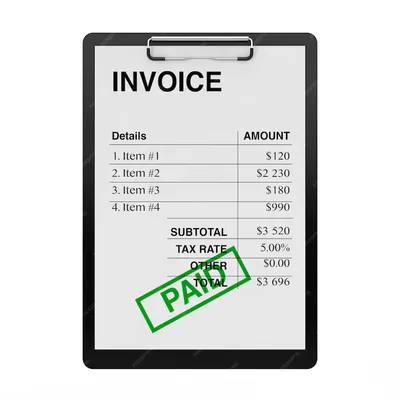
Does a credit card statement count as a receipt for the IRS? Generally, no. While it proves payment, it doesn’t show what was bought. You need the itemized receipt from the merchant.
What happens if I lose a receipt? Under the Cohan Rule, you might be allowed to estimate some expenses, but the IRS rarely accepts this for travel or gift expenses. It is better to have the digital backup.
How does Quickadmin help with IRS audits? Quickadmin stores your digital receipts alongside your billing data. If you are audited, you can provide a complete trail of estimates, invoices, and expense receipts in seconds.
Should I keep receipts for small purchases under $75? While the IRS technically doesn’t require receipts for most expenses under $75 (except lodging), it is safer to keep them all. Digital storage is cheap; losing a deduction is expensive.
Don’t let your hard-earned money disappear because of a missing slip of paper. Explore Quickadmin Software’s expense tracking features today.