
How to Make an Invoice: Steps and Example
How to make an invoice clients pay fast: steps, a completed example, payment terms, and follow-up. Free plan: 3 invoices/month. Create yours in QuickAdmin.
by QuickAdmin Team • 12/21/2025 · Updated: 9/21/2026

How to Make an Invoice: Steps and Example
Updated: 2026-09-21
Quick answer: An invoice that gets paid is one that needs zero clarification. Put the type, fields, line items, proof, and payment instructions in order → then follow up by invoice number.
Definition: An invoice is the document that requests payment for approved work. It is not the same as an estimate (price proposal) or a change order (scope change).
Estimate vs Invoice vs Change Order
| Document | When it is used | What it does |
|---|---|---|
| Estimate | Before work is approved | Proposes scope and price |
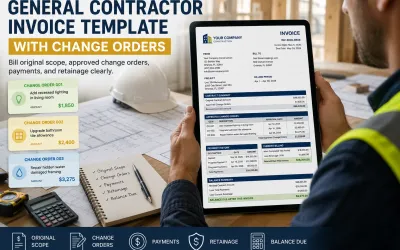
| Change Order | After the original agreement changes | Modifies approved scope, price or time |
| Invoice | When payment is requested | Bills the customer for approved work |
In one sentence: An estimate proposes the work, a change order modifies the agreement, and an invoice requests payment.
For the full estimate → job cost chain, see the estimate and invoice workflow. For documenting extras, use the construction change order template.
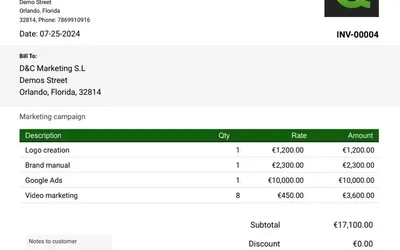
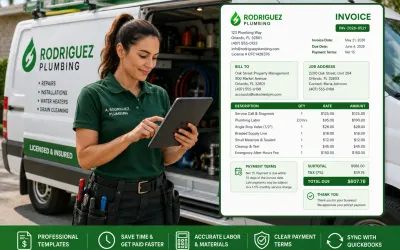
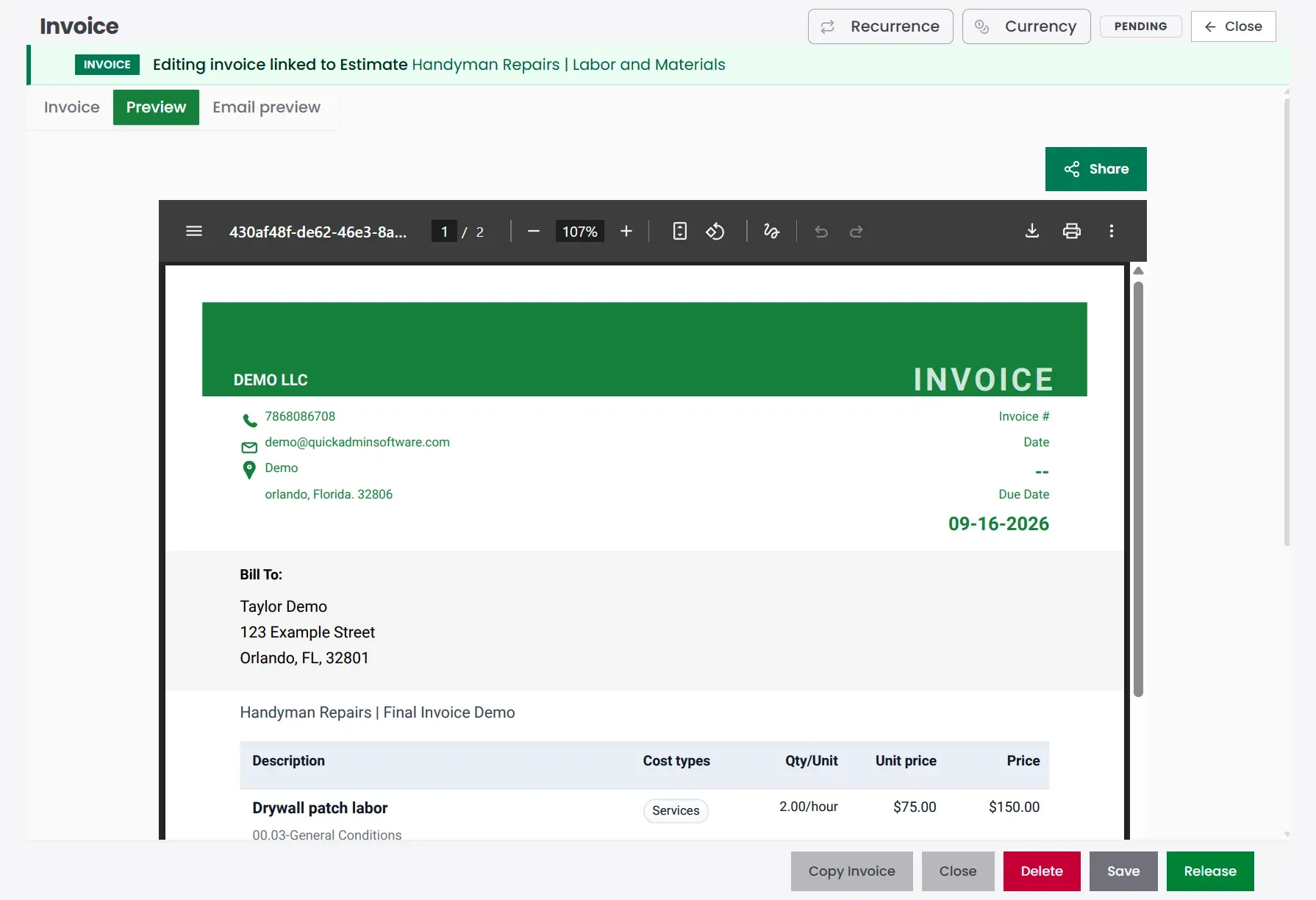
Completed invoice example
| Field | Example |
|---|---|
| Invoice # | INV-00503 |
| Invoice date | Sep 14, 2026 |
| Due date | Sep 28, 2026 |
| From | Your company name, address, phone, email |
| Bill To | Taylor Demo · Orlando, FL |
| Job | Handyman Home Repair Demo |
| Scope | Patch drywall, adjust one door, install two shelves; approved add-on: cabinet handles |
| Payment terms | Balance due on completion · Net 14 |
| Line item | Qty | Rate | Total |
|---|---|---|---|
| Drywall patch labor | 2 | $75 | $150 |
| Interior door adjustment | 1 | $75 | $75 |
| Shelf installation labor | 2 | $75 | $150 |
| Repair materials and hardware | 1 | $75 | $75 |
| Approved add-on | Cabinet handles | 1 | $75 | $75 |
| Total due | $525.00 |
Payment instructions: ACH / card / check · Reference INV-00503
Create this invoice free → · Track invoice payments → · Free plan: 3 invoices / 6 estimates per month →
Steps (then the full guide below)
- Pick the invoice type; standard, deposit, progress, or time & materials.
- Fill must-have fields; number, dates, Bill To, job address, terms.
- Write clear line items; labor and materials that match the scope.
- Add proof; photos or notes that remove questions.
- Make payment easy; method, due date, invoice number in the memo.
- Send same day, then follow up by number on day 3 if unpaid.
Why clear invoices get paid faster
When invoices are late, it rarely feels like a “finance issue.” It feels like:
- You are fronting materials.
- You are paying labor before you get paid.
- You are losing hours in awkward follow ups.
QuickBooks’ US Small Business Late Payments Report 2025 found that 56% of US small businesses surveyed are owed money from unpaid invoices, averaging $17.5K, and 47% reported some invoices overdue by more than 30 days. QuickBooks report
A short story you might recognize
You finish a small job, snap a few photos, text the client “all done,” and head straight to the next site.
Later that night, you open a blank document and try to remember what you installed, which materials you used, and whether disposal was included. The client comes back with questions; and payment waits.
The real goal is not “make an invoice.” The real goal is “make an invoice that needs zero clarification.”
QuickAdmin workflow (optional, but practical)
This guide works in Word, Excel, a mobile app, or full accounting software. Examples below use QuickAdmin because it matches the contractor flow: estimate → invoice → status tracking.
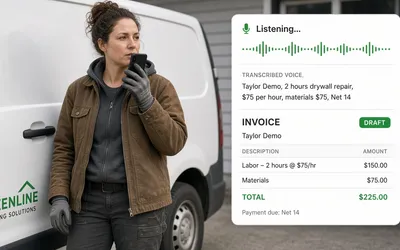
Prefer not to type after a job? See Can I create an invoice just by talking on my phone? for Voice to Invoice (speak → review → send → track), including Free plan voice dictation.
Free plan (verified): up to 3 invoices and 6 estimates per month, 1 user, 2 jobs, unlimited clients. Automatic overdue reminders and integrated online payments are on Basic and higher. Pricing
- Web invoice (no account required for the tool): free invoice generator
- Full QuickAdmin account: sign up free
- After you send: track invoice payments
- Process & follow-up: invoice management process guide
- Quotes first: create estimates for contractor jobs
See the workflow in QuickAdmin
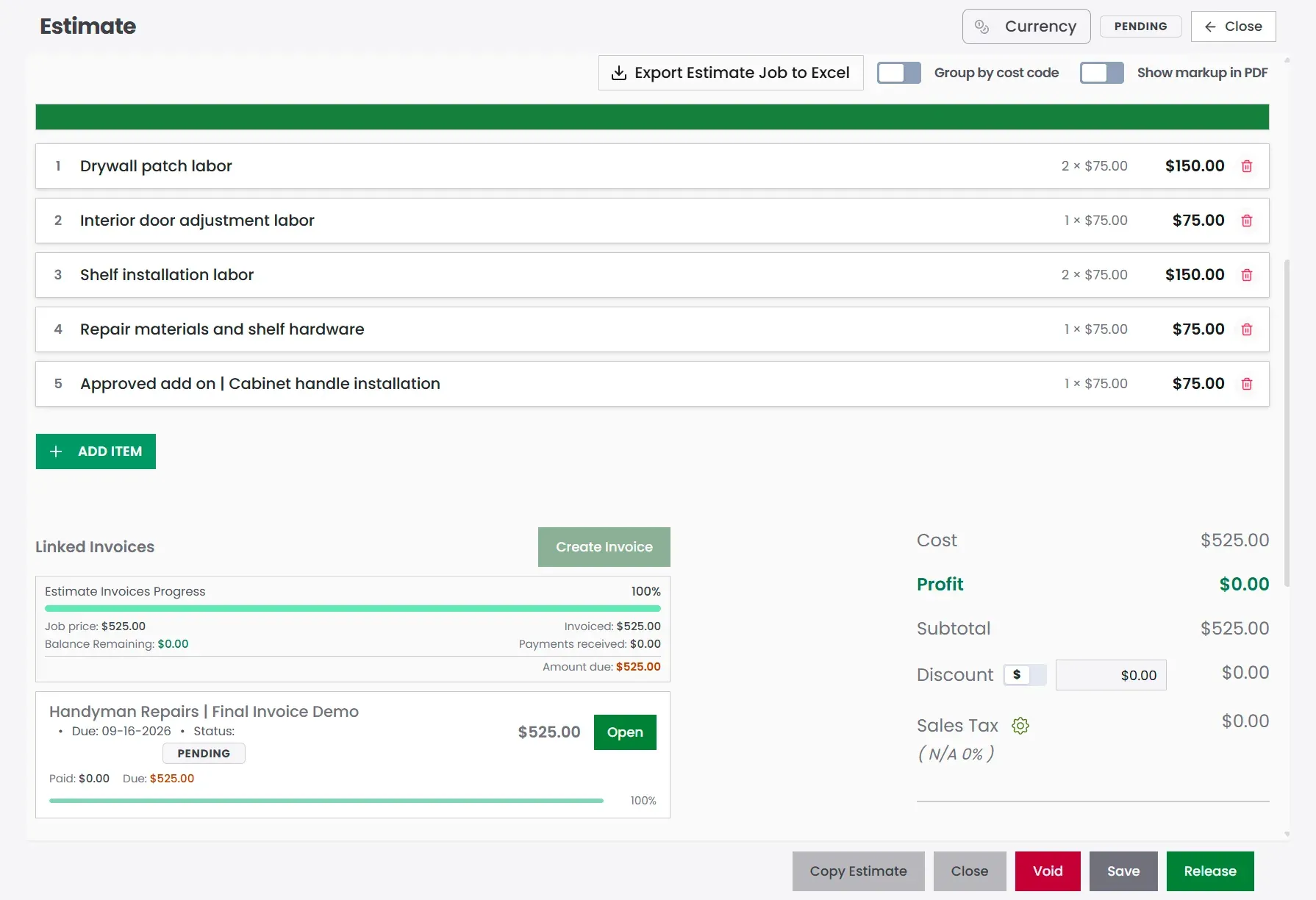
QuickAdmin workflow example: start from the approved estimate, convert it to an invoice, then send and track payment status.
Step 1: Pick the invoice type that matches the job
A surprising number of invoicing problems start with the wrong document, so it pays to choose the right one before you fill in a single line.
Common invoice types (and when to use them)
Standard invoice
Used when the job is done and you want payment.Deposit invoice
Used to collect a percentage upfront (common in trades and remodels).Progress invoice
Used for multi week projects (roofing, remodels, larger scopes).Time and materials invoice
Used when scope changes often.Pro forma invoice
Used as a “preview” before payment is required (some clients request this). Holded explains pro forma invoices as informational and clearly marked as such. Holded pro forma invoice guide
If your client is confused about the document type, they delay approval. Label it clearly: “Invoice,” “Deposit Invoice,” or “Progress Invoice.”
Step 2: Use the “must have” fields (the non negotiables)
A clean invoice is not a design project, it is a payment instruction. Here is the contractor-ready field list that prevents the usual back-and-forth.
Header fields
- Business name
- Address
- Email and phone
- Tax ID if relevant (varies by country and state)
- Client name and billing address
- Job site address (if different)
- Invoice number (unique)
- Issue date
- Due date
- Payment terms (Net 7, Net 15, due on receipt)
- Accepted payment methods
The IRS is clear that businesses need recordkeeping that shows income and expenses and keeps supporting documents. IRS recordkeeping overview
Line item fields
For each line item, include:
- Description (plain English)
- Quantity
- Unit
- Unit price
- Line total
- Tax (if applicable)
Footer fields
- Subtotal
- Taxes
- Discounts (if any)
- Total due
- Notes (short, factual)
- Your payment instructions
Step 3: Write line items that clients approve fast
The fastest-paid invoices have line items that match how clients actually think, not vague entries like “Labor,” “Materials,” or “Work.” A simple structure does the heavy lifting here:
Verb + object + location + proof
For example:
- Install vanity faucet in master bath (includes supply lines)
- Patch and texture drywall in hallway (two coats, sanded)
- Replace shutoff valve under kitchen sink (tested for leaks)
- Clean up and haul away debris (job site left broom clean)
For a trade-specific example, this landscapers invoice guide shows the same line-item pattern in action, so you can model yours on it.
Step 4: Add the “proof pack” that stops questions
If you only do one thing from this entire article, do this one: attach enough proof that the client never has to ask you a follow-up question.
Proof pack checklist
- Before and after photos (2 to 6)
- Signed estimate or signed scope (if available)
- Change order notes (even a simple bullet list)
- Material receipts (only if you bill pass through materials)
A client who sees proof approves faster because there is less risk. Less risk equals less delay.
This is also where cloud invoicing earns its keep, since you can store every photo, scope, and receipt right alongside the invoice instead of hunting for them later.
Step 5: Make it easy to pay (remove friction)
Friction is anything that forces the client to stop and think. The tools all agree on this point: Holded highlights online payment options and automatic reminders as part of getting paid faster (Holded invoicing software), Invoice Simple positions itself around creating invoices anywhere and converting estimates quickly (Invoice Simple), and Joist similarly emphasizes estimate-to-invoice and payment options (Joist).
Whatever tool you use, the rule is the same.
The payment friction test
If the client needs more than 60 seconds to figure out how to pay, you will wait longer for your money. So make it obvious:
- Clear due date
- Clear “Total Due”
- Clear payment methods
- A short note like “Pay by card or bank transfer. Reply if you need a different option.”
Common invoice questions (quick answers)
Full FAQ (templates, taxes, apps, reminders) is at the bottom. While you build the invoice, remember:
- Professional layout: clean template, client + job details, line items that read like scope, then taxes and total due.
- Recurring clients: duplicate the last invoice or use recurring features when available. Status tracking works on Free; automatic overdue reminders are Basic+.
- Tracking + reminders: see the free invoice tracker for a weekly follow-up system.
Step 6: Use the Invoice Payment Readiness Score (original framework)
This is the part most “how to make an invoice” articles skip entirely. A good-looking invoice can still be painfully slow to pay, so run it through a quick scoring system before you hit send.
Invoice Payment Readiness Score (0 to 100)
Score yourself, 0 to 25 each:
Clarity (0 to 25)
Can the client understand every line item without calling you?Proof (0 to 25)
Did you attach photos, signed scope, and change notes?Payment simplicity (0 to 25)
Is the total obvious and the method easy?Follow up system (0 to 25)
Do you have a reminder plan and a polite script ready?
Goal: 80+ before you send.
If your score is under 80, the client will do what every busy person does. They postpone it until they “have time.”
Step 7: Send it in the right moment
Timing matters far more than most people admit, the same invoice lands very differently depending on when it arrives.
Best times to send
- Right after the walkthrough or job completion confirmation
- Right after the client says “looks good”
- Right after you resolve a punch list item
Worst times to send
- Late at night with no context
- Days later with vague descriptions
- During a dispute or uncertainty about scope
Step 8: Turn estimates into invoices (so you stop forgetting items)
This is where contractor-focused tools really win. Many platforms push “estimate to invoice” precisely because it cuts down errors and speeds up billing, both Invoice Simple and Joist highlight converting estimates into invoices (Invoice Simple and Joist). If you already estimate in QuickAdmin, you can keep your scope and pricing consistent and simply generate the invoice from the approved estimate.
To go deeper on estimating, these guides pair well with this article:
- Estimate software for contractors
- Best invoicing software for contractors
- Mistakes to avoid when creating estimates
Step 9: What are the best apps for generating invoices on my phone?
If you invoice on site, the best apps are the ones that let you create an invoice, attach photos, and send it in under two minutes without switching tools. For contractors, the “desktop only” billing style is simply outdated, you need:
- fast line item entry
- photo attachments
- client contact autofill
- the ability to send straight from the job site
That is why QuickAdmin is built as a Progressive Web App you can install and use across phone and desktop.
Step 10: Follow up without sounding desperate (the script)
Remember the open loop from the start: why does one invoice get paid in two days and another in two weeks? A big part of the answer is what happens after you hit send.
QuickBooks’ 2025 report shows just how widespread overdue invoices are, which is exactly why you need a follow-up plan that feels normal and professional rather than pushy. QuickBooks 2025 US report
The follow up schedule (simple, not annoying)
- Day 0: Send invoice with a one sentence summary.
- Day 3: Friendly check in.
- Day 7: Confirm any questions and offer a quick call.
- Day 14: Final reminder, offer to resend.
The 30 second follow up script (the one I promised)
Copy paste this:
“Hi {Name}, quick check in to make sure invoice {Number} came through for {Job Address}. Total is {Total} due {Due Date}.
If anything needs adjusting for your approval process, tell me what to change and I’ll resend it today.”
It works because it:
- assumes the best
- offers help
- makes the next step obvious
Where can I find free invoice templates for small businesses?
If you need a free invoice template, start with a simple structure you can reuse on every job and customize with your logo, terms, and payment methods.
Simple invoice template (text)
INVOICE
Invoice #:
Invoice Date:
Due Date:
Terms:
From
Business name
Address
Phone | Email
Bill To
Client name
Billing address
Job site address (if different)
Scope summary (1 to 2 sentences)
Example: Replace kitchen faucet and shutoff valves, test for leaks, dispose old parts.
Line items
- Description | Qty | Unit | Rate | Total
- Description | Qty | Unit | Rate | Total
Subtotal:
Tax:
Total:
Payment instructions
Pay by: card, bank transfer, check.
Notes: Thank you. Please reply if you need a W 9, COI, or additional documentation.
Line item spreadsheet headers (CSV)
Copy this into Google Sheets:
date,job,address,line_item,qty,unit,unit_price,tax_rate,line_total,notes
Competitor study (what others do well, and the gap you can use)
Most competitors cover the “invoice basics” well, but far fewer cover the part that actually gets contractors paid: the field workflow of proof, clarity, and follow-up. That gap is your edge.
Competitor study: Holded vs QuickAdmin
Holded focuses on invoicing features like reminders and online payments (Holded invoicing), while QuickAdmin leans into contractor workflows and a free plan with strict limits, plus voice dictation and Home Depot price consulting (QuickAdmin free plan).
Competitor study: Buildertrend, Joist, Invoice Simple vs QuickAdmin
Buildertrend emphasizes construction billing workflows and creating invoices from estimates, bills, purchase orders, and change orders (Buildertrend construction invoice software). Joist and Invoice Simple, by contrast, lean hard into mobile estimate and invoice creation and quick conversion (Joist and Invoice Simple).
Comparison table (fast view + soft CTA)
| Tool | Best for | Strengths | Common gap for contractors |
|---|---|---|---|
| QuickAdminSoftware | Small contractors and field crews | Job based invoicing, templates, attachments, mobile first workflow, invoice tracking | Best when you use a consistent process (scope, photos, follow up) to get the full benefit |
| Holded | SMB admin and invoicing | Reminders, online payments | Less trade specific workflow language |
| Invoice Simple | Mobile solo operators | Fast invoices and estimates | Can feel like “just a template” if you need deeper job tracking |
| Joist | Trade contractors | Estimate to invoice, mobile workflow | Feature sets vary by plan |
| Buildertrend | Larger construction projects | Change orders and invoice workflows | Heavy for very small crews |
| Quipu | Freelancers and small firms | Invoices and treasury features | Less trade specific line item patterns |
| ContaSimple | Self employed SMB | Invoices and expenses | Not built around job workflows |
| InvoiceBerry | Simple web invoicing | Quotes to invoices, recurring invoices | Not trade specific by default |
Want a fast start? Use the free invoice generator, or sign up for QuickAdmin to convert estimates and track status. Walkthrough: invoice generator guide.
Real world data and practical numbers (so this is not theory)
Late payment is not some rare worst case, it is the everyday reality for most small businesses.
- In the US, QuickBooks reports 56% of small businesses surveyed are owed money from unpaid invoices, averaging $17.5K. QuickBooks 2025 US report
- In the UK, the Small Business Commissioner reported businesses spend time chasing late payments, averaging 86 hours per affected business per year in one 2025 research release. UK SBC late payments research
- A 2024 European Commission report (EU Payment Observatory, prepared by CEPS and EY) examines how electronic invoicing can reduce late payments. EU Payment Observatory e invoicing report PDF
- Atradius’ B2B payment practices trends, United States 2024 discusses overdue invoice behaviors and timing. Atradius US 2024
Micro testimonial (common contractor reality): “Once we added photos and a one sentence scope summary, approvals stopped dragging out.”
Conclusion (and your next action)
If you only remember one thing, make it this:
An invoice that gets paid fast is an invoice that does not create questions.
Everything in this guide ladders up to that one idea. Follow the flow and you will get there every time:
- Correct invoice type
- Must have fields
- Clear line items
- Proof pack
- Easy payment
- Follow up script
And yes, here is the promised script one more time, because it is genuinely that useful:
“Hi {Name}, quick check in to make sure invoice {Number} came through for {Job Address}. Total is {Total} due {Due Date}.
If anything needs adjusting for your approval process, tell me what to change and I’ll resend it today.”
The fastest way to put this whole system into practice is to create your first invoice in the free generator or start a QuickAdmin Free account (3 invoices / 6 estimates per month), then track invoice payments after you send.
FAQ
How do I create a professional invoice using online software?
Use a clean template, add client and job site details, write line items that read like a scope of work, then show subtotal, tax, discounts, and total due. Send it as a PDF or a shareable link and keep a copy for your records.
Helpful: https://quickadminsoftware.com/blog/creating-invoices-essential-fields-to-include/
Quick start: free invoice generator and invoice generator guide Helpful: track invoice payments and invoice management process guide
What are the best apps for generating invoices on my phone?
The best app is the one you will actually use on site: fast mobile entry, saved clients, photo attachments, and one tap sending. For contractors, a Progressive Web App style experience is ideal because it works across phone and desktop.
Helpful: https://quickadminsoftware.com/blog/installing-progressive-web-application/
Where can I find free invoice templates for small businesses?
You can use free templates from invoice generators or editable document templates, then add your logo, payment terms, and invoice numbering. If you want a contractor focused starting point, use QuickAdmin’s invoice generator and keep the same layout for every client.
Start here: https://quickadminsoftware.com/blog/invoice-generator/
How to customize an invoice template for freelance work?
Add a project name, date range or milestone, and a short scope summary at the top. Keep line items specific, include your payment terms, and add one clear contact method so approvals do not stall.
Helpful: https://quickadminsoftware.com/blog/how-to-invoice-as-a-freelancer/
Can I automate invoice creation for recurring clients?
Yes. If your software supports recurring invoices, set the schedule and keep the scope consistent. If it does not, duplicate the last invoice, update dates, and resend. Pair status tracking with follow-ups; automatic overdue reminders on QuickAdmin are on Basic and higher.
Which services offer invoice tracking and payment reminders?
Look for tools that show invoice status (sent, viewed, overdue, paid). QuickAdmin tracks status on Free within plan limits. Automatic overdue reminders are on Basic and higher. See the free invoice tracker for a weekly follow-up system.
Helpful: invoice management process guide
How to include taxes and discounts properly on an invoice?
Use this order for clarity:
- Subtotal (sum of line items)
- Discount (if any)
- Taxable amount
- Tax line (rate and amount)
- Total due
This prevents confusion and reduces back and forth during approval.
What’s the easiest way to send invoices and get paid faster?
Send the invoice the same day the work is completed, include a clear due date, and make payment instructions obvious. Attach proof photos when relevant and follow up on day 3 with a short message that includes invoice number, total, and due date.
Helpful: https://quickadminsoftware.com/blog/cloud-based-invoicing-benefits/
How to make an invoice that complies with US tax regulations?
Use consistent invoice numbers, include business and client details, dates, and clear descriptions of what you delivered. Sales tax requirements vary by state and by what you sell, so list any tax as a separate line item and keep supporting documentation for bookkeeping.
What features should I look for in an invoicing software?
Prioritize: templates, saved clients, estimate to invoice, job site notes, attachments, tracking, reminders, and export for bookkeeping. If you do field work, mobile speed and photo support are not optional, they are what keeps billing from piling up.
What is the difference between an estimate and an invoice?
An estimate is a pre work proposal. An invoice is the request for payment after the work (or milestone) is completed. Converting an approved estimate into an invoice helps reduce missing items and pricing errors.