
How Estimating Software and Free Invoice Tools Can Boost Your Business
See how estimating software and free invoice tools help small businesses quote accurately, get paid faster, and connect estimates to invoices in one workflow.
by Eng. José Manuel Siso Colmenares • 2/5/2025 · Updated: 6/24/2026
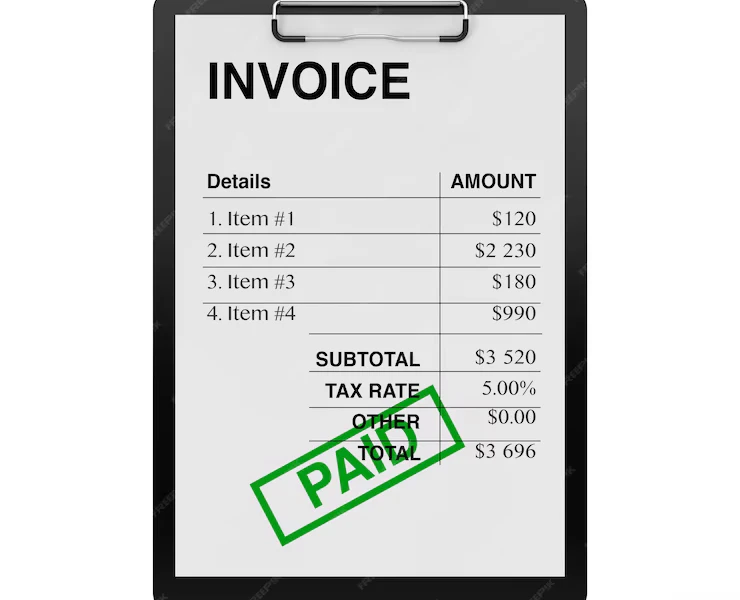
You can be excellent at the actual work and still lose money on the paperwork around it. For most small businesses, freelancers, and contractors, the slow leaks are not in the field. They are in the two documents that bookend every job: the estimate you send to win the work, and the invoice you send to get paid for it.
When those two documents live in separate tools, or worse, in your head and a stack of texts, you re-type the same information twice, forget billable items, and give clients reasons to delay approval. Pair the right estimating software with solid free invoice tools, though, and the whole money side of your business gets faster, more accurate, and more profitable. This guide shows you exactly how, and how to connect the two so an approved estimate becomes a paid invoice with almost no extra work.
We have already covered the benefits of estimating software for small businesses. Here, the focus is the combination: estimating and free invoicing working as one workflow.
Quick answer: Estimating software helps you price jobs accurately before work starts, free invoice tools help you bill and collect after, and connecting the two lets you convert an approved estimate into an invoice without re-entering data, which means fewer errors and faster payment.
Why estimating software is worth it, even for a one-person business
When you price a project, precision is everything. A single miscalculation in labor, materials, or overhead can quietly erase the profit from an entire job, and you often will not notice until the bills come in. That is the gap estimating software is built to close.
The cost of getting it wrong is real. A study on construction estimating found that inaccurate estimates can lead to roughly 3 percent profit loss on awarded work and significantly lower win rates when bids miss the mark. Conwize estimating accuracy study On the thin margins most small businesses run, that 3 percent is often the difference between a healthy year and a stressful one.
What good estimating software actually does
The value goes well beyond doing the math for you:
- Higher accuracy. Automated calculations cut the human errors that creep in when you price jobs by hand at the end of a long day.
- Real time savings. Instead of rebuilding cost sheets from scratch, you generate a detailed, professional estimate in minutes.
- Better budget control. You can track expected versus actual costs and spot overruns while there is still time to react.
- Instant credibility. A clear, itemized estimate signals that you are organized and reliable, which makes clients more comfortable saying yes.
Contractors who use construction estimating software, for instance, can fold real-time material costs, labor rates, and overhead into every quote, so the number they send is both competitive and protected.
Tailoring estimates to your industry
A one-size-fits-all estimate rarely fits anyone. The strength of good estimating software is that you can shape it around how your business actually prices work:
- Landscapers can build in seasonal pricing, material procurement, and ongoing maintenance plans.
- Freelancers can switch between hourly rates, fixed project fees, and retainers depending on the client.
- Retailers and suppliers can layer in bulk pricing, discount tiers, and delivery fees.
When the estimate matches the way you really work, you quote faster, look more professional, and leave less money on the table.
Why free invoice tools matter just as much
A perfect estimate means nothing if the money never lands in your account. That is where free invoice tools earn their place. They turn finished work into a clear, prompt payment request, and they keep your records clean while doing it.
Speed here is not a luxury. QuickBooks’ US Small Business Late Payments Report 2025 found that 56 percent of small businesses surveyed are owed money from unpaid invoices, averaging $17.5K, with many invoices running more than 30 days overdue. QuickBooks late payments report The faster and clearer your invoice, the sooner you get out of that statistic.
What the right free invoice tool gives you
- Faster payment. Sending a professional invoice the same day you finish removes the number-one reason clients delay: waiting on you.
- A consistent, branded look. Logos, custom templates, and clear service descriptions make even a small operation look established.
- Clean records. Organized invoices make tax filing, audits, and bookkeeping far less painful. The IRS is explicit that businesses need recordkeeping that shows income and expenses with supporting documents. IRS recordkeeping overview
For independent professionals, a free invoice generator takes the friction out of billing entirely, and our guide on how to invoice as a freelancer walks through the best practices that keep approvals quick.
What to look for before you commit
Not every free tool is built for the way you work. Before you standardize on one, make sure it offers:
- Clean, reusable templates you can brand once and forget.
- Saved client and job details so you are not retyping addresses.
- Specific line items with separate lines for tax and discounts.
- Obvious payment instructions and accepted methods.
- Invoice tracking and reminders so you know what is sent, viewed, or overdue.
- Easy export for your bookkeeping or accountant.
If you do field work, add two more non-negotiables: mobile speed and photo attachments. Being able to invoice from the job site is what keeps billing from piling up into a weekend chore.
The real win: connecting estimates and invoices
Estimating software and invoicing tools are useful on their own, but the payoff multiplies when they share one workflow. Instead of pricing a job in one place and rebuilding it in another, you move cleanly from “here is what it will cost” to “here is your bill,” with the same numbers carried straight through.
A simple estimate-to-invoice workflow
- Build an accurate estimate. Use estimating software to price labor, materials, and overhead, then send a clear, itemized quote.
- Convert the approved estimate into an invoice. Once the client says yes, turn that estimate into an invoice without re-entering a single line, so nothing gets dropped or mispriced.
- Track payment and cash flow. Watch outstanding balances, send automatic reminders, and keep a clean record of what has been paid.
Example: from approved estimate to paid invoice
Here is how that looks for a small remodeling job, where the estimate and the invoice stay perfectly consistent:
| Stage | Document | What it shows | Amount |
|---|---|---|---|
| Quote sent | Estimate | Labor, materials, and overhead for the project | $6,200 |
| Client approves | Estimate | Same scope, now signed off | $6,200 |
| Work completed | Invoice | Converted from the approved estimate | $6,200 |
| Mid-job extra | Invoice | Approved change added as its own line | +$450 |
| Final bill | Invoice | Revised total, clearly itemized | $6,650 |
Because the invoice is built from the estimate, the client recognizes every number, which is exactly what makes them approve and pay faster. For a deeper walkthrough of writing invoices that get approved on the first try, see our guide on how to make an invoice.
Where automation saves you the most time
Automation is the quiet multiplier in all of this. Instead of manually chasing due dates and balances, you let the system handle the repetitive parts:
- Invoices go out the moment work is done, not three days later when the details have faded.
- Overdue reminders send themselves, so you spend less time writing awkward follow-up messages.
- Recurring invoices for maintenance contracts or subscriptions are scheduled in advance and never forgotten.
Landscaping businesses are a good example of this in action, as we cover in invoice solutions for landscapers. Automated billing means payments arrive on schedule, freeing you to focus on the actual service instead of the admin behind it.
What the numbers say
This is not just theory. The market and the data both point the same direction.
- The construction estimating software market was valued at around $1.5 billion in 2024 and is forecast to grow at a double-digit rate through 2030, a sign of how quickly small firms are moving off spreadsheets. Grand View Research market report
- Inaccurate estimates can cost roughly 3 percent of profit on awarded work and lower win rates. Conwize estimating accuracy study
- 56 percent of US small businesses are owed money on unpaid invoices, averaging $17.5K each. QuickBooks late payments report
Read together, the message is simple: accurate quoting protects the profit you win, and fast, clear invoicing protects the cash you have already earned.
Common mistakes to avoid
Even with the right tools, a few habits quietly slow down your money. Watch for these:
- Pricing jobs from memory. Round numbers and gut estimates are where margin disappears. Let the software do the math.
- Re-typing the estimate into the invoice. Every manual re-entry is a chance to drop a line item or fumble a price. Convert instead.
- Vague line items. “Work completed: $6,650” invites questions. Itemized, plain-English lines get approved faster.
- Forgetting payment terms. Always state a clear due date and accepted methods. For how terms like Net 7, Net 15, and Net 30 work, QuickBooks has a helpful guide to invoice payment terms.
- No follow-up plan. A polite reminder on day three turns most “I forgot” invoices into paid ones.
How QuickAdmin ties it all together
The reason to keep estimating and invoicing under one roof is that the job, not the document, is the real unit of your business. QuickAdmin is built around exactly that idea, so you are not stitching together separate apps.
A typical workflow looks like this:
- Create the job and add the client.
- Build the estimate inside the job, with labor, materials, and markup.
- Send it, and convert the approved estimate into an invoice in one step.
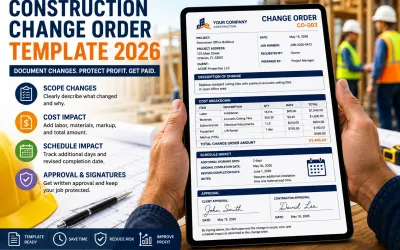
- Add any approved extras or change orders as their own clear lines.
- Attach photos, notes, and files so there is nothing to question.
- Track payment status and send reminders.
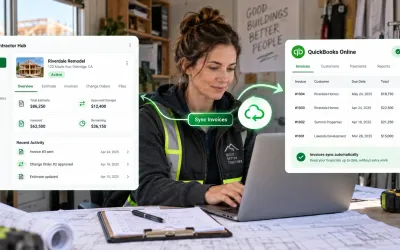
- Sync invoices and bills with QuickBooks Online when it is time for the books.
The result is an estimate-to-payment system where your numbers stay consistent from the first quote to the final paid invoice.
Related guides for a stronger billing workflow
To build on what is here, these QuickAdmin guides go deeper on each piece:
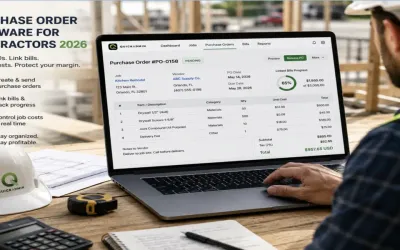
- Estimate Software for Contractors
- How to Make an Invoice
- Free Online Invoice Generator
- How to Invoice as a Freelancer
- Cloud-Based Invoicing Benefits
- Invoice Management Process Guide
Each one reinforces the same workflow: estimate accurately, invoice clearly, track payment, and keep your records clean.
Conclusion: invest in the system, not just the tools
No matter your industry or size, pairing estimating software with free invoice tools does three things at once: it streamlines your operations, cuts the administrative burden, and tightens your financial control. The estimate wins the work and protects your margin. The invoice collects the cash and protects your records. Connecting them is what turns two chores into one smooth, repeatable system.
If you want a simple way to put this into practice, explore QuickAdminSoftware and start building estimates and invoices that move from quote to payment with far less back-and-forth.
FAQ
What is the difference between estimating software and invoicing software?
Estimating software helps you price a job before work begins by calculating labor, materials, overhead, and markup. Invoicing software helps you request and collect payment after the work, or a milestone, is complete. Used together, an approved estimate can be converted directly into an invoice.
Can a small business really run estimates and invoices with free tools?
Yes. Many free invoice tools and free plans cover the core needs of a small business: branded templates, saved clients, clear line items, taxes and discounts, and basic tracking. As your volume grows, a paid plan adds higher limits, automation, and reporting.
How does estimate to invoice conversion save time?
Converting an approved estimate into an invoice reuses the scope, line items, and pricing you already entered, so you avoid re-typing data and reduce missed items and pricing errors. It also keeps the estimate and the final bill consistent, which speeds up client approval.
What should a small business look for in free invoice tools?
Look for clean templates, saved client details, clear line items, separate tax and discount lines, payment instructions, invoice tracking, reminders, and easy export for bookkeeping. For field work, mobile speed and photo attachments matter just as much as design.
Do estimating and invoicing tools work for freelancers and contractors?
Yes. Freelancers can use flexible pricing such as hourly or fixed project rates, and contractors can build job based estimates with labor, materials, and change orders. Both benefit from converting estimates to invoices and tracking payment status.
Does QuickAdmin connect estimates and invoices in one place?
Yes. QuickAdmin lets you build estimates, convert approved work into invoices, attach files and notes, track payment status, and connect accounting workflows with QuickBooks Online, all organized around the job.