
Free Invoice and Estimate Tools That Cut Admin Time
How free invoice and estimate tools cut admin time: automate billing, reduce errors, and get paid faster across service trades.
by Eng. José Manuel Siso Colmenares • 2/25/2025 · Updated: 9/22/2026

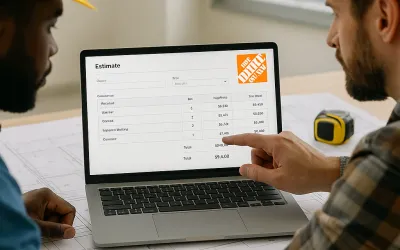
In today’s fast-paced market, efficiency is not just an advantage; it is a necessity. Small businesses, contractors, and freelancers are all looking for ways to streamline administrative tasks so they can focus on what actually grows the business. In an earlier guide, 5 ways estimate software saves time for busy plumbers, we looked at how automated estimating can dramatically cut the hours spent on manual calculations. This article expands on that idea and shows how pairing estimate software with free tools for generating invoices and estimates can transform your entire workflow.
Throughout the guide we will cover why automation in billing and estimation is such a game-changer, and how you can use free tools to create invoices and estimates for landscapers, drywall contractors, roofing contractors, painters, and plumbers; so you have a solution that fits every niche of your business.
The Digital Transformation in Administrative Processes
Traditional ways of producing estimates and invoices (spreadsheets or manual calculations) are slow and easy to get wrong. In a business where every minute counts, those inefficiencies translate directly into lost opportunities and thinner margins. That is exactly the gap modern estimate software is built to close.
What is estimate software?
Estimate software is a digital tool that calculates project costs automatically by pulling together data on materials, labor, and other expenses. By handling those complex calculations for you, it delivers several clear benefits:
- Greater accuracy: Automated calculations sharply reduce the risk of math errors.
- Real time savings: You can produce detailed estimates in minutes instead of hours.
- Better decisions: Precise cost breakdowns make it easier to allocate resources and protect profit.
- Seamless integration: Many solutions connect directly with invoicing, accounting, and project management systems.
This shift toward digital paperwork is not a passing trend. The construction estimating software market alone is growing steadily year over year, a sign that businesses of every size now expect this kind of automation as standard.
Advantages of Free Invoice and Estimate Tools
One of the most compelling things about modern business software is that you can get robust functionality without a big budget. Free tools, in particular, lower the barrier to entry in three important ways.
Cost-effectiveness
Free invoice and estimate tools let small businesses and startups adopt digital workflows without a major upfront investment. Whether you are quoting a painter’s project or billing a plumbing repair, these solutions offer:
- No initial cost: Get started without paying for expensive licenses.
- Room to scale: Most free tools include paid upgrade paths as your business grows.
- Surprisingly rich features: Even free versions often bundle templates, automation, and integrations that make them genuinely useful.
Ease of implementation
These tools are built to be approachable, so you do not need advanced technical skills to begin. Intuitive interfaces, drag-and-drop functionality, and ready-made templates mean you can choose a layout, customize it, and start sending invoices and estimates within minutes of signing up.
A professional appearance
First impressions matter, and a clean, well-designed document strengthens your brand’s credibility. With customizable templates, clear and organized layouts, and consistent formatting across every quote and bill, you can make sure each document reflects the quality of your work; whether it goes to a landscaping client or a roofing customer.
Creating Effective Estimates for Every Specialty
Different trades need different details in their estimates. The breakdowns below show what to include so each quote is precise and easy for the client to approve.
For landscapers
A strong landscaping estimate usually covers:
- Detailed service descriptions: Outline work such as garden design, maintenance, and seasonal care.
- Material costs: Include plants, fertilizers, and equipment.
- Timeframes: Provide realistic completion windows.
- Contingencies: Factor in adjustments for weather or site conditions.
For drywall contractors
When estimating drywall work, the essentials are:
- Accurate measurements: Detail the area requiring installation.
- Material breakdown: List drywall sheets, screws, and finishing materials.
- Labor costs: Clearly indicate estimated hours and associated charges.
- Additional services: Include surface preparation and finishing.
For roofing contractors
A roofing estimate should make the scope unmistakable:
- Material selection: Specify the roofing material → shingles, metal, or tiles.
- Installation costs: Break down labor and equipment rental fees.
- Roof evaluation: Provide measurements and an assessment of current conditions.
- Maintenance options: Offer post-installation maintenance details if applicable.
For painters
A painter’s estimate should cover the full process from prep to cleanup:
- Surface preparation: Include cleaning, sanding, and priming so paint adheres properly.
- Painting details: Specify the type and quantity of paint, number of coats, and application method (brush, roller, or spray).
- Equipment usage: Account for ladders, scaffolding, or specialized spray systems for hard-to-reach areas.
- Environmental considerations: Allow for delays or extra costs from weather and site conditions.
For plumbers
A plumbing estimate is clearest when you separate the problem from the price:
- Service diagnosis: State the nature of the plumbing issue.
- Parts and labor: Separate materials (pipes, fixtures) from labor fees.
- Time estimates: Provide an estimated duration for the service.
- Emergency fees: Note any surcharges for urgent or after-hours calls.
Crafting Professional Invoices: Best Practices for Every Trade
Just as detailed estimates build trust, professional invoices secure timely payments and keep clients satisfied. The fundamentals are the same across trades, with small adjustments for each specialty.
For landscapers
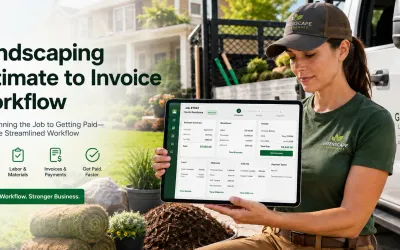
A landscaping invoice should feature a clear description of work (design, maintenance, or seasonal clean-up), a detailed cost breakdown that separates labor and materials, and payment terms that spell out deadlines, accepted methods, and any early-payment discount.
For drywall contractors
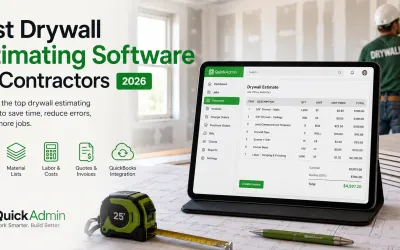
A drywall invoice works best when it details each phase of the job (setup, installation, and finishing) with itemized unit costs and clear labor charges. Always add a unique invoice number and date for tracking, and outline any warranty or follow-up service included in the project.
For roofing contractors
A roofing invoice should summarize the project, including materials used and areas covered, then list costs for both materials and labor along with any taxes or discounts. Include full contact information for both parties and state the payment terms clearly, including due dates and penalties for late payment.
For painters
A painter’s invoice should detail the scope of the job, including surface preparation and application methods, the type of paint and materials used, and a cost breakdown across labor, materials, and any additional fees. Finish with clear payment instructions and deadlines.
For plumbers
A plumbing invoice must offer a detailed service record (the issue diagnosed, repairs made, and parts replaced) with charges for labor and materials separated. Display contact information for easy follow-up and set out payment terms, including deadlines, accepted methods, and any surcharges. For a deeper walkthrough, see our guide on how to make an invoice.
Integration and Automation: A Seamless Workflow
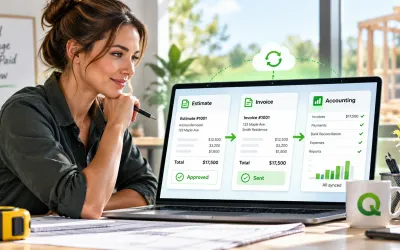
The real power of modern business tools is in how they connect. When you link your estimate software with free invoicing tools, you create a smooth flow from project estimation straight to billing. That integration eliminates duplicate data entry, reduces errors, and keeps your financial records current.
The benefits of an integrated setup compound quickly:
- Real-time synchronization: Data flows from estimates to invoices automatically, so your financial tracking stays accurate.
- Automated reminders: Scheduled payment reminders help you collect on time without awkward phone calls.
- Comprehensive record-keeping: A tidy history of every estimate and invoice simplifies audits and financial analysis. The IRS recommends keeping clear supporting documents for income and expenses, and digital tools make that recordkeeping far easier than paper files.
- Customization at scale: You can tailor templates for any trade or client and reuse them every time.
Consider a roofing contractor working from an integrated system. Once an estimate is approved, the tool converts it into a detailed invoice using pre-populated templates; speeding up billing while keeping the documentation transparent. A busy plumber gets the same advantage: the system generates both the estimate and the invoice, freeing up time for service calls and emergencies. As we showed in 5 ways estimate software saves time for busy plumbers, that automation extends to every facet of a business, regardless of industry.
Manual Methods vs. Free Digital Tools
If you are still deciding whether to make the switch, this side-by-side comparison makes the difference clear.
| Task | Spreadsheets & paper | Free invoice & estimate tools |
|---|---|---|
| Time to create a document | 20–45 minutes | 2–10 minutes |
| Math and tax errors | Common, manual | Calculated automatically |
| Estimate-to-invoice conversion | Re-type everything | One-click conversion |
| Payment reminders | Manual follow-up | Automated reminders |
| Record-keeping | Scattered files | Centralized cloud storage |
| Professional appearance | Inconsistent | Branded, consistent templates |
The pattern is hard to ignore: automation saves time on every line and removes the manual steps where mistakes usually creep in.
Common Mistakes to Avoid
Even great tools cannot fix sloppy billing habits. Watch out for these pitfalls:
- Vague line items. “Labor → $800” invites disputes. Spell out what the work included.
- Missing payment terms. Without a due date and accepted methods, clients default to paying late. Late payment is a real drag on small businesses, as QuickBooks research on late payments shows.
- No invoice numbers. Unique numbers make tracking, follow-ups, and tax season far easier.
- Sending estimates that never convert. Follow up on open quotes; an approved estimate is only revenue once it becomes an invoice.
- Forgetting to back up records. Cloud-based tools handle this automatically; use that to your advantage.
How Free Tools Transform Your Business
Adopting free invoicing and estimating tools produces measurable gains in productivity and customer satisfaction. Automation removes repetitive tasks and reduces errors, so you spend less time on paperwork and more on billable work. Integrated systems keep the transition from estimate to invoice smooth, cutting administrative delays.
Those gains show up in your client relationships, too. Professional, customized documents project a polished image and build trust, detailed breakdowns and clear terms prevent misunderstandings, and automated reminders plus instant invoicing keep payments arriving on time. Because these tools are free to start and scale with you, you capture all of this without taking on financial risk or reallocating budget away from revenue-generating activities.
Conclusion
Digital transformation in administrative work is no longer optional; it is essential for staying competitive. By pairing estimate software with free tools for invoices and estimates, you can change how your business operates day to day. Whether you are quoting a landscaping redesign or billing an emergency plumbing call, these solutions deliver the accuracy, speed, and professionalism clients expect.
The takeaway from our earlier discussion on automation for plumbers holds across every trade: free invoice and estimate tools help you save time, reduce errors, strengthen client relationships, and ultimately boost profitability. Every minute saved on paperwork is a minute you can reinvest in growing your business; so explore the free options, connect them to your existing systems, and watch your efficiency climb.
Ready to take the next step? Try free invoice and estimate tools today and see how a small change can lead to big improvements in efficiency and growth.
Related guides for stronger billing and estimating workflows
- Free estimate software for contractors (Free plan owner)
- How to make an invoice
- Invoice generator: simplify your billing process
- Free estimate to free invoice workflow
- How to invoice as a freelancer
- Invoicing for landscapers
FAQ
Are free invoice and estimate tools good enough for a real business?
Yes. For most small businesses, contractors, and freelancers, free invoice and estimate tools cover the essentials: professional templates, automatic calculations, tax handling, and PDF delivery. They are usually more than enough to bill clients, look professional, and get paid faster than manual spreadsheets allow.
Can I use one tool to create both estimates and invoices?
Many platforms let you build an estimate, send it for approval, and then convert that approved estimate into an invoice with one click. This avoids re-typing line items, reduces errors, and keeps your pricing consistent from quote to final bill.
How do free invoice tools help me get paid faster?
They send clean, itemized invoices instantly, include clear payment terms and due dates, and can trigger automatic reminders before and after the due date. Faster delivery and gentle follow-ups shorten the gap between finishing a job and receiving payment.
What should every professional invoice include?
A professional invoice should include your business and client contact details, a unique invoice number and date, an itemized breakdown of labor and materials, applicable taxes, the total due, and clear payment terms such as accepted methods and the due date.
Are free invoicing tools secure for client data?
Reputable free tools store data in the cloud with encryption and regular backups, which is safer than loose spreadsheets or paper. Before committing, check that the provider offers secure access, automatic backups, and clear privacy practices.
Do free estimate tools work for any trade?
Yes. The same estimate and invoice workflow adapts to landscapers, drywall contractors, roofers, painters, plumbers, and many other trades. You simply adjust the line items, materials, and labor rates to match how your specialty prices work.