

Free Estimate Software + Free Invoice (2025): Contractor Guide
Create a free estimate, convert it into a free invoice, and track payments without spreadsheet chaos. Compare top tools and follow a simple workflow contractors can copy.
by Eng. José Manuel Siso Colmenares • 12/17/2025 · Updated: 12/17/2025
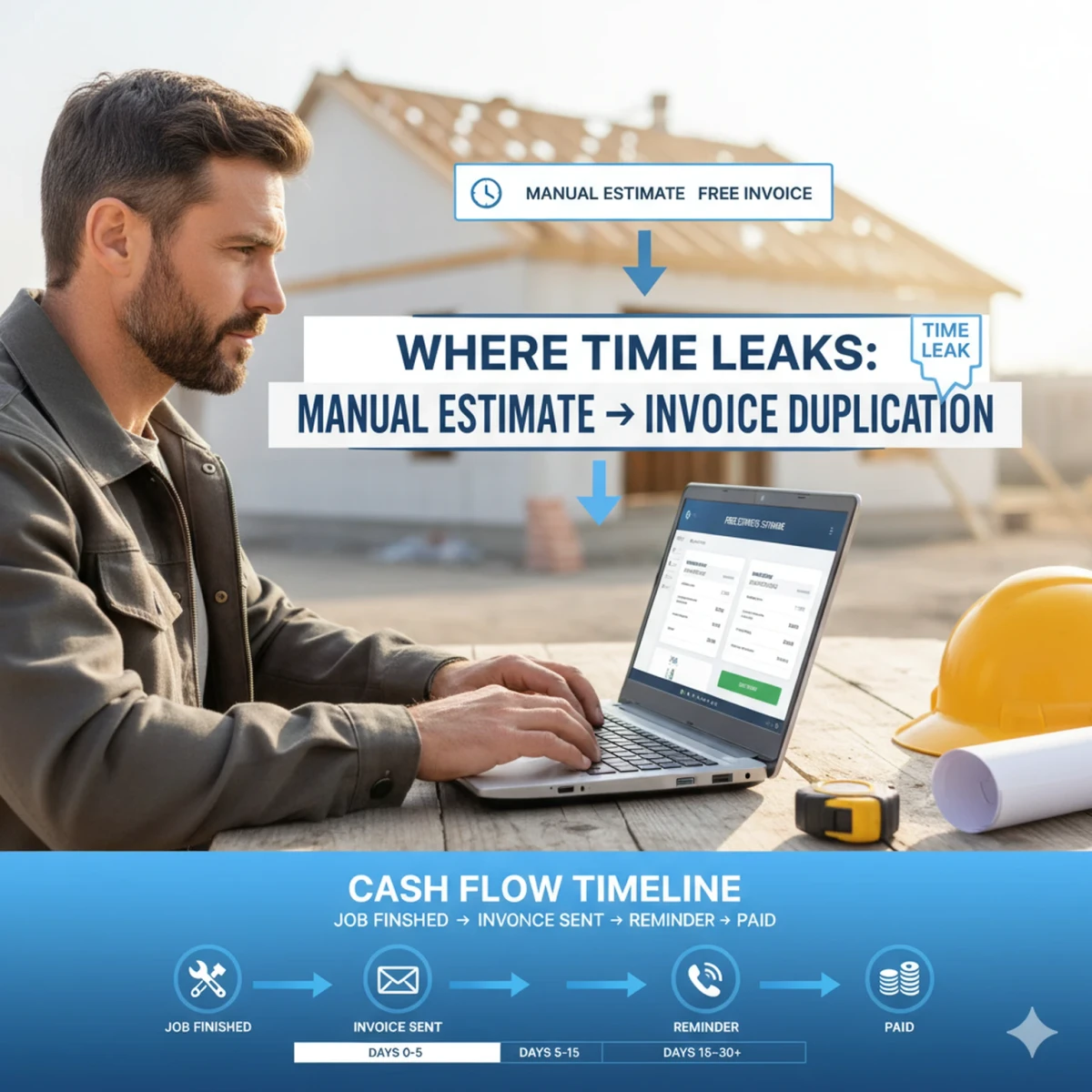
Free Estimate Software + Free Invoice: the 2025 Workflow Contractors Actually Stick With
You don’t need another “estimate template.” You need a workflow that turns a free estimate into a free invoice that gets paid without you chasing, double typing, or guessing material prices.
Here’s the uncomfortable truth: most contractors aren’t losing money because they’re bad at the trade. They’re losing money because the paperwork is slow, inconsistent, and easy to mess up especially when you’re writing numbers from memory in the truck.
Open loop (and I’ll close it at the end):
What if you could send an estimate today, and your invoice + follow ups were basically “done” the moment the client approved without you doing the same work twice?
💡 Updated: 2025-12-17
This guide includes 2024–2025 payment delay data and a practical, copy paste workflow you can use in under 30 minutes.
The real problem: “free” tools don’t feel free when you redo the work
A lot of apps say “free invoice” or “free estimate.” The issue isn’t the price tag.
The issue is the hidden cost of:
- Rebuilding the same scope twice (estimate → invoice)
- Missing line items when you’re tired
- Using outdated material pricing
- Losing track of who owes you what (the “invoice tracker” problem)
In the U.S., late payments are not rare. Intuit’s 2025 US Small Business Late Payments Report found 56% of small businesses are owed money from unpaid invoices, averaging $17.5K per business, and many have invoices overdue by 30+ days.
Source: QuickBooks Small Business Late Payments Report 2025
For contractors, slow payments ripple into bids and scheduling. A 2025 Built study reported 70% of contractors face payment delays and that delays can push contractors to raise bids.
Source: Built 70% of contractors say payment delays threaten the industry
A mini story you’ll recognize
You finish a job. You tell yourself you’ll invoice “tonight.”
Tonight turns into “this weekend.”
Now you’re two weeks late, your client has questions, and your invoice feels negotiable because it’s not tied cleanly to the approved estimate.
💡 Rule of thumb:
If your invoice isn’t a direct “mirror” of the approved estimate, you’ll spend more time explaining it and you’ll get paid later.
The solution: an estimate to invoice system (QuickAdmin as the example)
A winning workflow has three traits:
- One source of truth (the estimate becomes the invoice)
- Price confidence (you trust the numbers)
- Clear tracking (you know what’s sent, viewed, overdue, and paid)
QuickAdmin is designed around that “single pipeline” approach for small crews:
- Create estimates with trade friendly line items
- Convert an approved estimate into an invoice
- Track invoice status (sent / viewed / overdue)
- Work from mobile or desktop (PWA)
- Optional time tracking with geolocation
- QuickBooks integration (where applicable)
Note: QuickAdmin’s invoice generator features require login (so your documents and client history stay saved). The free tier is limited (for example, up to 6 estimates + 3 invoice/month), which is usually enough to test real ROI before upgrading.
If you want the broader context first, start here:
- Free Invoice Tracker: how to stop losing payments
- Benefits of Construction Estimating Software
- PWA billing, estimating & time tracking
Step 1: Build estimates like you’re building a checklist, not a paragraph
A strong estimate is not “one line: labor + materials.”
It’s:
- Scope broken into logical sections
- Measurable quantities
- Clear exclusions
- A short approval path (signature or accept button)
Practical template (copy/paste):
- Section A Demo / Prep
- Protect floors (qty)
- Remove damaged material (qty)
- Section B Install
- Install new material (qty)
- Fasteners + consumables (allowance)
- Section C Finish
- Caulk, touch up, cleanup
- Section D Closeout
- Photos, walkthrough, warranty notes
💡 Client psychology:
A structured estimate reduces “shopping.” It also lowers your dispute risk later because each line ties to a deliverable.
Step 2: Validate your costs before you hit “send”
The fastest way to destroy margin is to quote with “old” pricing.
Some tools leave you guessing. Others rely on generic cost databases. QuickAdmin’s angle (and your “frontier concept” to own) is price-verified estimating including limited free material price lookups (e.g., Home Depot queries on the starter plan).
That matters because your numbers feel defensible:
- “Here’s the material list.”
- “Here’s why the cost is what it is.”
- “Here’s the approved scope.”
Step 3: Convert the estimate into an invoice without retyping
This is the moment where most “free invoice” tools fail in real life: they make you rebuild.
A clean process is:
- Client approves estimate
- You convert to invoice
- Invoice pulls the same line items + totals
- You add payment terms (Net 7 / Net 15 / due on receipt)
- Send from your phone, right from the jobsite
Invoice Simple highlights estimate to invoice conversion as a core workflow.
Source: Invoice Simple
Joist positions itself similarly for contractors (estimate → invoice, plus payments/tracking).
Source: Joist features
The differentiator is what happens after conversion:
- Do you track it?
- Do you follow up?
- Do you learn which job types are profitable?
That’s where most lightweight tools stop short.
Step 4: Track payments like an “invoice tracker,” not like a memory test
An invoice tracker should answer, instantly:
- What’s overdue?
- Who viewed it?
- What’s partially paid?
- What’s pending approval?
Late payments are a real business risk in 2025. QuickBooks’ 2025 report ties unpaid invoices directly to cash flow strain for SMBs.
Source: QuickBooks Small Business Late Payments Report 2025
💡 Simple follow up cadence that doesn’t feel awkward
- Day 0: Invoice sent
- Day 3: “Quick check did you receive it?”
- Day 7: “Friendly reminder + payment link”
- Day 14: “Final reminder + next steps”
(You can automate reminders in many platforms don’t waste your brain on repetitive messages.)
Step 5: Add cost codes to stop “profitable looking” jobs from quietly bleeding
If you want to outrank generic invoicing blogs, go deeper than “send an invoice.”
A contractor friendly system should support job structure:
- Cost codes (labor, materials, subcontract, equipment)
- Job level profitability checks
- Consistent categorization so you can compare jobs
If you want a quick refresher, link internally here:
Competitor research: where the big sites win (and where they leave gaps)
Below is an “intent first” competitor study based on what these tools emphasize on their public pages and common positioning.
What the competitors tend to cover well
- Holded: broad SMB management (invoicing + accounting + bank connection)
Source: Holded invoicing software - ContaSimple: invoicing + estimates + taxes for freelancers/SMBs
Source: ContaSimple - Invoice Simple: simple mobile invoices + estimates + one-click conversion
Source: Invoice Simple - Quipu: invoicing + treasury + tracking status, plus estimates
Source: Quipu - Buildertrend: full construction ops + financial tools; strong for bigger teams
Source: Buildertrend product/help overview - InvoiceBerry: online invoicing, recurring invoices, multi-currency
Source: InvoiceBerry tour - Joist: contractor focused estimate/invoice/payment app
Source: Joist features
The gap most of them under serve (your “frontier concept”)
“Price verified estimates that convert into invoices, with contractor ready tracking + job structure.”
Many competitors do either:
- Great invoicing for general SMBs, or
- Great construction project management (but heavy, expensive, and slower to adopt), or
- Great mobile invoice docs (but thin job costing depth)
QuickAdmin can “own” the middle: fast to start, built for trades, structured enough to scale, and mobile first.
Quick comparison table: QuickAdmin vs popular alternatives
| Tool | Best for | Strength | Where it can fall short for contractors | Competitor study links |
|---|---|---|---|---|
| QuickAdmin | SMBs who need estimate → invoice + tracking + Time Clock (Clock In/Out) + Bills + JOBs | PWA workflow, contractor templates, cost structure, price check angle | Free tier is limited; some features require login | |
| Holded | SMBs needing invoicing + accounting | Strong all in one admin platform | Not trade specific; can feel “ERP-ish” for field crews | Holded invoicing |
| ContaSimple | Freelancers/SMBs (Spain/EU heavy) | Invoices + estimates + tax oriented tooling | Less centered on job workflows + cost codes | ContaSimple |
| Invoice Simple | Fast mobile docs | Easy docs + estimate → invoice | Less depth for job structure and profitability | Invoice Simple |
| Quipu | Invoicing + treasury tracking | Invoice status tracking positioning | Not tailored to trades; job costing depth varies | Quipu |
| Buildertrend | Larger construction operations | Deep PM + financial tooling | Heavy onboarding; may be overkill for small crews | Buildertrend |
| InvoiceBerry | Simple online invoicing | Quotes → invoices + recurring invoices | Not contractor first; limited field workflow | InvoiceBerry tour |
| Joist | Contractors who want mobile estimates/invoices | Contractor first messaging + payments | Limits/features depend on tier; less job cost depth | Joist features |
If you’re currently bouncing between a notes app, spreadsheets, and a “free invoice” tool, QuickAdmin is worth trying specifically for the estimate to invoice flow and tracking. Start with the free tier to see if it fits your week before you change anything big.
Real world playbooks by trade (high intent workflows you can copy)
Create an estimate for a landscaper in under 10 minutes
- Use a reusable “lawn + cleanup + mulch” template
- Add materials with current pricing
- Include a seasonal note (watering, warranty)
- Convert to invoice after approval
- Track overdue payment automatically
Related: Invoice for landscapers
Create an estimate for a roofer without missing line items
- Tear off (sq)
- Underlayment + flashing
- Drip edge
- Shingles (brand/line)
- Cleanup + disposal
- Optional: plywood replacement allowance
This prevents the classic “forgot the dump fee” margin leak.
Create an estimate for a painter that clients don’t negotiate line by-line
Use “zones” instead of random lines:
- Prep & protection
- Walls
- Ceilings
- Trim/doors
- Touch ups + cleanup
Attach color notes as a job note. Convert to invoice when complete.
Create an invoice for a plumber (the clean way)
- Reference the approved estimate number
- Break out:
- Service call
- Parts
- Labor hours
- Permit/inspection fees (if any)
- Add payment terms and a late fee note (if you use one)
If you’re busy, this is where an invoice tracker view saves you.
Related: 5 ways estimate software saves time for busy plumbers
Create an invoice for an electrician that matches the estimate exactly
Do not “summarize.” Mirror the scope.
Clients pay faster when they recognize what they approved.
Also helpful: Estimating & invoicing software for electrical contractors
Create an invoice for a drywall contractor and protect margin
Use line items that reflect reality:
- Hang (sheets)
- Tape & mud (coats)
- Sanding + dust control
- Texture (if needed)
- Cleanup
If you want drywall specific estimating depth, link internally:
Create an invoice for a general contractor using progress billing
If you do draws:
- Define milestones (deposit, rough in, finish, punch)
- Invoice by milestone completion
- Attach photos per milestone
- Keep everything tied to the original contract/estimate
Buildertrend investing in draw schedule/invoice workflows is a good signal that this matters at scale.
Source: Buildertrend help center
A simple ROI model you can run in 5 minutes
Let’s do a realistic scenario.
Assume:
- You create 8 estimates/month
- You win 3–4 jobs/month from those estimates
- Each estimate currently takes 45–60 minutes (manual)
- Each invoice takes 30 minutes (because you retype)
If software cuts estimate time by even 20 minutes and invoice time by 15 minutes, that’s:
- Estimates: 8 × 20 = 160 minutes
- Invoices: 4 × 15 = 60 minutes
- Total saved: 220 minutes/month (~3.6 hours)
Now layer the cash flow part: QuickBooks reports many SMBs deal with overdue invoices and meaningful amounts owed.
Source: QuickBooks Small Business Late Payments Report 2025
A tighter estimate→invoice→follow-up flow doesn’t guarantee instant payment, but it reduces the “I forgot to invoice” delay (which is fully under your control).
💡 Micro testimonial (composite, based on common contractor workflow):
“The biggest win wasn’t fancy features. It was sending an estimate from the driveway, converting it to an invoice when the job was done, and seeing what was overdue without digging through texts.”
Conclusion: the one-page workflow (closing the loop)
Remember the question from the beginning what if your invoice and follow ups were basically done the moment the client approved?
Here’s the workflow, on one page:
- Build a reusable estimate template by trade
- Validate pricing before sending
- Send estimate fast (same day)
- Convert approved estimate → invoice (no retyping)
- Set clear terms + reminders
- Track overdue invoices weekly
- Use cost codes so you learn which work is actually profitable
If you want to implement this without overhauling your entire stack, start with a simple goal:
Send one estimate + one invoice this week using the same system and track it end-to-end.
FAQ
1) What is free estimate software?
Free estimate software lets you create and send estimates at no cost (usually with monthly limits). The best options also support templates, approvals, and conversion to invoices.
2) Is “free invoice” software good enough for contractors?
Sometimes but many free invoice tools lack job structure, cost tracking, or a clean estimate-to invoice workflow. Contractors often outgrow basic tools quickly.
3) What’s the difference between an estimate and an invoice?
An estimate is the pre work price proposal. An invoice is the request for payment after work is done. The fastest workflow converts the approved estimate into the invoice.
4) How do I track invoices without spreadsheets?
Use an invoice tracker view that shows sent, viewed, overdue, and paid status. This reduces missed follow ups and improves cash flow visibility.
5) Are late payments really that common in 2025?
Yes. Intuit’s 2025 report found many U.S. small businesses are owed money from unpaid invoices, with substantial amounts overdue.
Source: QuickBooks Small Business Late Payments Report 2025
6) What should I look for in estimating and invoicing software for contractors?
Prioritize templates, mobile usability, estimate approvals, estimate to invoice conversion, invoice tracking, and (if you need it) job structure like cost codes or progress billing.
7) Is Buildertrend overkill for small crews?
Buildertrend is powerful for larger operations and complex financial workflows, but many small crews prefer lighter tools they can adopt in a day.
Source: Buildertrend help center
8) Which competitor tools are most “contractor first”?
Joist and Invoice Simple market strongly to contractors and highlight estimate to invoice workflows, with payments and tracking features varying by tier.
Sources: Joist features, Invoice Simple