
Estimate software for plumbers: quote and invoice in one visit
Estimate faster, invoice the same day, and reduce disputes. This guide shows service plumbers a simple workflow using estimate software to boost cash flow.
by Eng. Jose Manuel Siso Colmenares • 12/18/2025 · Updated: 12/18/2025
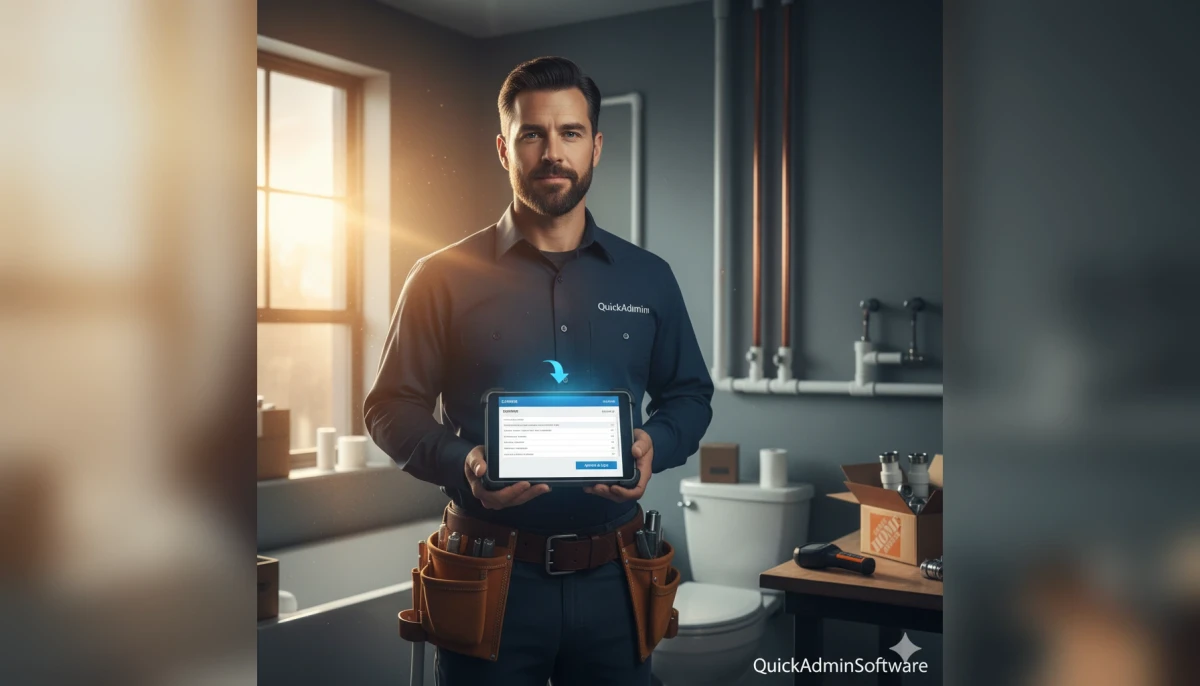
Estimate software for plumbers: quote and invoice in one visit
You finish the repair, wiping your hands on a rag. The customer is happy the leak is gone. You stand there for a moment and say, “I’ll email you the invoice tonight.”
But “tonight” becomes tomorrow. Tomorrow becomes next week. And suddenly, you are chasing money for work you finished ten days ago.
If this scenario sounds familiar, you are not alone. For many independent plumbers and small crews, the actual plumbing work is the easy part. The “office work” typing up estimates, tracking down material prices, and sending invoices is the bottleneck that kills your free time.
In this comprehensive guide, we will answer one critical question: What is the simplest workflow that lets a service plumber quote, document, and invoice in one visit without sacrificing accuracy?
💡 Reality check: According to recent financial data, 56% of US small businesses are owed money from unpaid invoices. The longer you wait to send the bill, the less likely you are to get paid in full.
The Problem Service Plumbers Face in 2025
Plumbing is fast, messy, and highly variable. The administrative side of the business, however, is often slow, repetitive, and dangerously easy to postpone.
The “Napkin Quote” Trap
Many plumbers try to quote from memory to “move fast.” You look at a job, think “that’s about $300,” and give a verbal price. But then:
- The parts cost 20% more than the last time you bought them.
- The rusted valve takes an extra hour to remove.
- The customer adds a “quick favor” while you are there.
Now you have two bad choices: eat the cost and lose profit, or try to explain the price increase after the work is done. That is exactly how disputes start.
Research in the construction sector consistently points to the same pattern: missing or unclear information leads to mistakes and rework. Even small percentages of lost revenue hurt margins significantly. To avoid this, you need a system that is as mobile as you are.
Using professional plumbing estimate software is no longer just for big companies; it is the standard for any plumber who wants to protect their margins.
The Solution: The “One Visit” Document Workflow
The goal of modern contractor estimate software isn’t just to make a document; it’s to close the administrative loop before you turn the key in your ignition.
Here is a tested, 5 step workflow designed specifically for service plumbers.
Step 1: Build a “Service Menu” Estimate Template
Stop typing “Remove and replace toilet” every single time. Speed comes from standardization.
The most efficient plumbers create a master template with their common line items pre-loaded. This allows you to build an estimate in seconds, not minutes.
Essential Line Items for Your Template:
- Diagnostic Fee: Always separate this to show value for your expertise.
- Standard Repairs: Replace angle stop, wax ring replacement, disposal installation.
- Material Categories: Copper pipe (per ft), PEX, PVC fittings packs.
- Emergency Call Out: A pre set premium rate for nights/weekends.
Then, you only need to adjust the variables:
- Labor Hours: Be realistic.
- Markup: Use your standard markup, not a guess based on your mood.
Pro Tip: Use consistent naming conventions. If you call it a “Service Call” on the quote and a “Trip Charge” on the invoice, clients get confused. Consistency reduces disputes.
By using free estimate software for small businesses like QuickAdmin, you can save these templates. When you arrive on site, you simply load the “Bathroom Repair” template and delete what you don’t need.
Step 2: Price Materials in Minutes (Not From Memory)
Material prices in 2025 are volatile. Copper and PVC prices can fluctuate weekly. Guessing on parts is one of the biggest “profit leaks” in a plumbing business.
If you are standing in a client’s driveway, you don’t have time to call the supply house for every nipple and elbow.
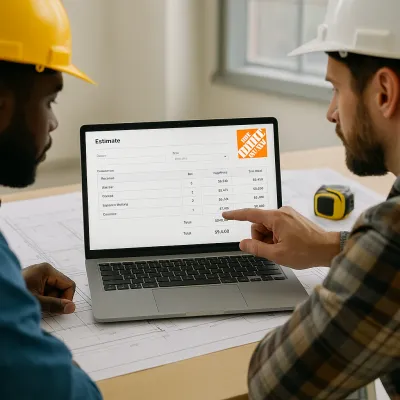
The QuickAdmin Advantage: QuickAdmin is built specifically for this friction point. One feature that matters for plumbers is the ability to run up to three Home Depot price checks for free while building an estimate.
- You search for the item inside the app.
- You get the current local price.
- You add your markup instantly.
This validates your pricing. If a customer asks why a part costs $50, you have the data right there. This level of transparency is a key benefit of construction estimating software.
Step 3: Get Approval and Lock the Scope
The fastest way to avoid the dreaded phrase “I thought that was included” is a strict approval flow.
Never start work on a verbal “okay” for jobs over a certain dollar amount.
- Send the Estimate: Email or text the link from your phone.
- Digital Signature: Ask for a digital approval or a written email reply.
- Lock It: Once approved, the scope is set.
If the customer decides they want to replace the vanity faucet while you are there, you simply add a “Change Order” or a new line item before you install it. This discipline is what separates profitable businesses from struggling ones.
Step 4: Convert the Approved Estimate into an Invoice
This is where the magic happens. In the “old way,” you would go home, open Word or Excel, and re type everything from your notes into an invoice.
With a real estimate to invoice workflow, you simply click “Convert to Invoice.”
- The customer data carries over.
- The line items carry over.
- The pricing is exactly what they approved.
You only need to adjust if the final labor hours differed (and you discussed it) or if you used fewer materials.
QuickAdmin is designed as a Progressive Web App (PWA), meaning it works fast on your phone without needing a heavy app store download. You can do this conversion while walking back to your van.
Step 5: Send Same Day and Automate Follow Ups
Late payments are often a result of late invoices. If you send the bill 5 days later, the customer loses the “urgency” of the completed repair.
The “Parking Lot” Rule: Do not drive away from the job site until the invoice is sent.
Set Automatic Reminders: Chasing money is awkward. Let software do it for you.
- Day 3: Friendly reminder (“Just making sure you received this”).
- Day 10: Inquiry (“Any questions on the service?”).
- Day 20: Second notice (potentially with late fee warnings).
By using cloud based invoicing tools, these emails go out whether you are busy fixing a pipe or sleeping.
Competitor Comparison: What Fits a Plumber?
There are many tools out there, but plumbing requires a balance of “lightweight” and “feature rich.” You don’t need complex Gantt charts (like general contractors), but you do need robust material pricing.
| Tool | Best for | Where Plumbers Feel Pain | Why QuickAdmin Fits Better |
|---|---|---|---|
| QuickAdmin | Trades & Service | — | Built in Home Depot price checks & instant PWA access. |
| Holded | General Biz Admin | Not trade focused; too many generic ERP features. | Trade friendly estimate to invoice flow without the bloat. |
| Invoice Simple | Basic Invoicing | Estimate workflow is very basic; no material database. | Allows structured estimates with categories. |
| Buildertrend | Large Construction | extremely expensive and heavy for service calls. | Lighter setup specifically for small crews and solos. |
| Joist | Contractors | Good tool, but features often locked behind paywalls. | Simple workflow that includes crucial pricing checks. |
| Excel/Word | Manual Entry | Zero automation, high error rate, hard to use on mobile. | fully mobile, automated calculations and history. |
For a deeper dive into tools, read our guide on the best invoicing software for contractors in 2025.
Real World Scenarios You Can Copy
Scenario A: The “Unknown Parts” Repair
Situation: You arrive for a leak under a slab. The customer is anxious and asks, “How much is this going to cost?” The Workflow:
- Use your “Diagnostic” line item ($150) to cover the investigation.
- Create a quick estimate with a “Parts Range” or “Allowance.”
- Run a Home Depot price check for the likely repair materials (e.g., specific PEX fittings).
- Present two options on the spot: “Basic Repair” vs. “Full Section Replacement.”
- Get the signature on the option they choose.
Scenario B: The Paperwork Heavy Client (Property Managers)
Situation: Property managers love plumbers who make their accounting easy. They cannot pay without a clean, detailed invoice. The Checklist: ensure your invoice includes:
- Customer Legal Name (The LLC, not the tenant).
- Job Address (Crucial for their records).
- Work Date and Tech Name.
- Materials listed separately from Labor (often required for tax/capital expense reasons).
- Photos: Attach a photo of the finished work to the email.
Using free invoice tools that allow for professional formatting makes you look like a larger, more reliable vendor.
Why Mobile Matters: The PWA Advantage
You might wonder, “Do I need to download another app?” QuickAdmin operates as a Progressive Web App (PWA). This means:
- No Updates: You don’t need to visit the App Store to update it.
- Offline Capability: It works even if you have spotty signal in a basement.
- Universal: Works on your iPad, Android phone, or office laptop seamlessly.
Read more about why PWAs are the future for field service in our article: Installing a Progressive Web Application.
Conclusion: Close the Loop
Let’s go back to the original question: What is the simplest workflow to quote and invoice in one visit without losing accuracy?
The answer is a 5 step system:
- Templates: Use reusable service menus.
- Validation: Check prices in real time.
- Approval: Get it in writing before you cut pipe.
- Conversion: Turn that estimate into an invoice instantly.
- Payment: Send it before you leave the driveway.
You didn’t become a plumber to do data entry. By adopting cloud based invoicing and estimation, you reclaim your evenings.
Ready to stop guessing prices? QuickAdmin has a limited free plan (up to three estimates and one invoice per month) so you can test this workflow on your next real job.
Helpful Next Reads:
- How to price drywall and other trade jobs
- The benefits of estimate software for small businesses
- Free Estimate Software vs. Paid: Pros and Cons
FAQ
What is estimate software for plumbers?
It is a digital tool that helps plumbers build accurate service quotes using templates, labor rates, and materials pricing, and then turns those approvals into invoices without retyping data.
Can I create a plumbing invoice from my phone?
Yes. A PWA system like QuickAdmin lets you create and send professional invoices directly from your phone browser while on the job site.
What should a plumbing estimate include?
It should include a clear scope description, labor hours/rate (or flat rate), itemized materials, permits (if needed), taxes, and clear terms for approvals and changes.
How do I get paid faster as a service plumber?
Invoice the same day the work is done. Use software that sends automatic email reminders for unpaid bills. Immediate invoicing drastically reduces “payment friction.”
Is free invoice software enough for a plumbing business?
For a hobbyist, maybe. But for a business, free estimate software is a great starting point. However, if you find yourself retyping estimates into invoices manually, you should upgrade to a system that connects the two to save time.
How does QuickAdmin help plumbers price parts?
QuickAdmin allows you to run up to three free Home Depot price checks directly inside the estimating workflow, ensuring you aren’t using last year’s prices for this year’s copper.