
Estimate Software for Contractors: Job Costing Protects Profit
The best estimate software for contractors connects estimates, purchase orders, bills, change orders, and job costing. Track costs, invoice faster, protect profit
by QuickAdmin Team • 12/29/2025
Estimate Software for Contractors: Where did your profit go?
Updated: December 29, 2025.
You sent a clean estimate. The client approved it. You ran the job. Then you look at your bank account and it feels like the profit never showed up.
Whether you’re searching for estimate software construction, estimate software for contractors free, or estimate construction software free, the core problem remains the same: most estimate software for construction doesn’t connect the estimate to actual job costs. This guide shows how the right estimate software for contractors closes that gap.
So what happened?
Here’s the open loop: most contractors do not lose profit on pricing. They lose it in the gap between the estimate and the paperwork that follows. Bills arrive late, change orders get “talked about” but not signed, and nobody has a single place to see cost to complete.
By the end of this article, you’ll have a simple two number test you can run every week to catch profit leaks early. I’ll close the loop in the conclusion.
If you want the quick breakdown first, jump here:
- Competitor study: why invoice apps miss job profit
- Competitor study: Buildertrend vs simpler job costing
The problem and the opportunity: why estimate software for construction matters
A good estimate is only the first document in a chain.
The moment you start buying materials, paying subs, and tracking labor, the estimate becomes a budget. If your estimate software for contractors cannot turn an estimate into a living budget, your profit becomes a guessing game.
Many contractors start with estimate software for contractors free or basic estimate construction software free options, only to discover they lack the job costing features needed to protect profit. The gap between free estimate software and paid solutions often comes down to one thing: whether the software connects estimates to actual costs.
The Friday afternoon story every contractor knows
It’s Friday. A supplier tells you the item is back ordered and offers a substitute that costs more. Your sub says “no problem” and keeps working. The client says “ok” on the phone.
On Monday, the bill shows up higher than expected. You already promised the schedule. Your estimate margin is gone and you do not even know which line item did it.
That is not a work problem. That is a workflow problem.
💡 Profit leak rule: if it is not written, priced, and linked to the job, it will be forgotten until the end, when it is too late to bill it.
The opportunity is simple: link everything to the job, and let the job report tell you the truth.
The Premium solution: estimate software for contractors that protects profit
QuickAdmin Premium is designed for a specific frontier concept that most invoicing tools do not “own”:
When evaluating estimate software cost, consider that the real cost isn’t the monthly subscription—it’s the profit you lose when your estimate software for construction doesn’t track job costs. Premium bridges that gap.
Profit Locked Job Workflow
- Estimate becomes the job budget
- Purchase orders and bills feed actual costs
- Change orders protect scope
- Job documents keep proof in one place
- A job cost report shows cost to complete and profit before the job ends
Premium is not just “more features.” It is the missing middle between estimating and getting paid.
Below is a practical way to run it.
Step 1: Start with an estimate you can defend
You already know the basics: clear scope, line items, tax rules, and payment terms.
The Premium win is that you build the estimate with the next steps in mind.
Use this checklist so your estimate becomes a budget automatically later:
- Break materials and labor into separate lines when possible
- Keep allowances labeled as allowances, not hidden in totals
- Add a notes section for exclusions and assumptions
- Add payment schedule terms you can enforce
If you need a refresh on estimate fundamentals, link this into your workflow:
- How estimating software and free invoice tools boost business
- Benefits of estimate software for small businesses
For civil engineering professionals: If you’re evaluating estimate software for civil engineering, the same principles apply. Civil engineering projects often have complex cost structures, multiple phases, and strict documentation requirements. The right estimate software for contractors should handle these complexities while keeping profit visible.
Now bring in the long tail intent that actually converts.
Examples you can use as section headers or internal notes:
- Create estimate for Landscaper: seasonal cleanup with materials allowance
- Create estimate for Roofer: tear off, underlayment, disposal, permit
- Create estimate for Painter: prep, coats, trim, touch ups
- Create estimate for Plumber: rough in, fixtures, testing
- Create estimate for Electrician: circuits, devices, panel work
- Create estimate for HVAC contractor: equipment, line set, startup
- Create estimate for Drywall contractor: hang, tape, finish, sanding
- Create estimate for General Contractor: demo, subs, supervision, contingency
These phrases are not magic keywords. They are reminders to structure your estimate the way the job will actually run.
💡 Pricing habit that protects margin: write the estimate like you are writing a purchase order. If you cannot picture buying it, you probably forgot it.
Step 2: Release the estimate and lock it as the job budget
When an estimate is marked as released, it should become the “current truth” for that job.
That matters because Premium connects the next documents to the released estimate:
- Bills
- Purchase orders
- Invoices
- Change orders
This is the moment you stop working from memory and start working from numbers.
Practical rule:
- If scope changes, do not edit the released estimate quietly
- Create a change order so the history stays clean
Step 3: Use Purchase Orders to control what you are about to spend
A purchase order is not just procurement paperwork.
In a small business, it is a control point:
- What are we buying
- For which job
- For which vendor or sub
- Has it been released
- Does it already have bills linked to it
Premium adds purchase orders so the job cost report is forward looking, not only a spreadsheet after the fact.
A simple PO habit that pays back fast:
- Create a PO the same day you approve the estimate
- Make one PO per vendor, per job phase
- Release it so your team knows it is approved
💡 You do not need "perfect POs." You need consistent POs. Consistency is what makes job costing predictable.
Step 4: Turn Bills into job costs without losing the paper trail
Bills are where reality shows up.
Premium makes bills job aware, so you can:
- Tie bills to a job
- Tie bills to a purchase order if needed
- Keep bill status visible (pending, released, void)
- Avoid “where did that receipt go” moments
If you work with subs or stores, bills change. Returns happen. Back orders happen. Partial shipments happen.
Your system should handle that without breaking your reporting.
Step 5: Create invoices from bills when you need markup billing
A lot of contractors bill time and materials with markup, or pass through supplier charges.
Premium supports a workflow that is hard to do cleanly in basic invoice apps:
- Select bills linked to a job
- Create an invoice from those bills
- Apply a markup percentage
- Optionally add to an existing invoice
This protects profit because you stop forgetting billable costs.
It also helps when the client wants proof. The bill is already linked.
💡 The easiest way to raise profit without raising prices: stop missing billable costs. Markup works only if every cost makes it to an invoice.
Step 6: Use Change Orders to protect scope, schedule, and cash flow
If you do not price change, you are donating labor.
Premium includes change orders so you can:
- Record the scope change
- Attach photos or documents
- Track status (pending, released, void)
- Keep a clean audit trail
A change order is not “being difficult.” It is being professional.
Here is a practical mini template you can copy into your change order notes:
Change order notes template
- What changed (one sentence)
- Why it changed (owner request, field condition, code)
- Price change (materials, labor, overhead)
- Schedule impact (days)
- Payment terms (due on approval or added to next invoice)
Step 7: Keep job documents in one place so you can prove it fast
Premium adds job documents so you can upload files and organize proof:
- photos
- signed approvals
- vendor quotes
- plan sheets
- PDFs
- office files
When the client questions an invoice, speed matters.
If you can answer in five minutes with a photo and a signed change order, you get paid faster.
If you have to search through texts, you lose the week.
If you want a mobile first workflow, this pairs well with QuickAdmin’s PWA approach:
Step 8: Read the Job Cost Report like a weekly decision dashboard
Premium is built around a job cost report that puts the job on one line.
A practical version of what you should see:
- Estimate amount
- Revised costs
- Bills and POs
- Time clock labor
- Total costs
- Projected costs
- Paid
- Cost to complete
- Amount invoiced
- Profit
- Remaining budget
You do not need a perfect accounting department to use this.
You need a habit:
- Check the report every week
- Ask one question: “What moved since last week?”
The two numbers that close the open loop
I promised a two number test.
Here it is:
- Cost to complete
- Amount invoiced
If cost to complete is rising and amount invoiced is not rising with it, you are drifting into a profit problem.
That is your early warning system.
Run it weekly. It takes five minutes. It saves months of regret.
💡 Weekly rule: never let costs outpace invoicing for more than one billing cycle without a written change order or a scope reset.
Competitor study: why invoice apps miss job profit
Invoice focused tools are great when your work is simple and repeatable. Many contractors start with estimate software for contractors free options that focus on invoicing, not job costing.
But job profit is not an invoice problem. It is a workflow problem.
Here is what usually goes missing in invoice apps and basic estimate construction software free options:
- Purchase orders that preview spend before it happens
- Job level bills linked to budget
- Change orders connected to the same job budget
- A job cost report that shows cost to complete
Competitors you will see in this category include:
They can be a fit for freelancers and light service work.
If you need job costing, you usually end up exporting to spreadsheets, and spreadsheets do not send invoices. This is where estimate software for contractors with job costing features becomes essential.
QuickAdmin Premium is built to keep those steps together, making it a complete estimate software construction solution.
Competitor study: Buildertrend vs simpler job costing
Buildertrend is a strong platform for many builders and offers robust estimate software construction features.
It can also be heavy for small crews that just want:
- estimate to budget
- PO and bills
- change orders
- job cost reporting
- documents
If you want a job cost report without the overhead, QuickAdmin Premium is the “lighter” alternative. For contractors evaluating estimate software for contractors, QuickAdmin offers the essential job costing features without the complexity of full construction management suites.
Buildertrend is here:
QuickAdmin is here:
Soft CTA: If you already run work centers, bills, and estimates in QuickAdmin, Premium is a clean upgrade path because the workflow stays the same. You just unlock the parts that protect margin.
Quick comparison table: QuickAdmin Premium vs common alternatives
| Feature you need to protect profit | QuickAdmin Premium | Holded | ContaSimple | Quipu | Invoice Simple | Joist | InvoiceBerry | Buildertrend |
|---|---|---|---|---|---|---|---|---|
| Estimates and invoices | Yes | Yes | Yes | Yes | Yes | Yes | Yes | Yes |
| Job cost report with cost to complete | Yes | Limited | Limited | Limited | No | Limited | No | Yes |
| Purchase orders linked to jobs | Yes | Yes | Limited | Limited | No | Limited | No | Yes |
| Change orders with status tracking | Yes | Limited | No | Limited | No | Yes | No | Yes |
| Bills and expenses tied to job budget | Yes | Limited | Limited | Limited | Limited | Limited | Limited | Yes |
| Job documents storage | Yes | Limited | Limited | Limited | Limited | Limited | Limited | Yes |
| PWA friendly workflow | Yes | Varies | Varies | Varies | Varies | Varies | Varies | No |
| Best fit | Small contractors who want profit control | Spain SMB admin and accounting | Spain self employed invoicing | Spain invoicing and accounting | Simple invoicing | Remodelers, small crews | Simple invoicing | Builders who want full suite |
Notes:
- “Limited” means the tool may support the concept, but not as a job linked workflow from estimate through job costing.
- Always verify current features and pricing on each vendor site.
Competitors referenced:
Real scenarios with numbers: what Premium changes in the field
These are simplified examples, but they mirror what happens on real jobs.
Scenario 1: Plumber with supplier variance
- Estimate: $7,000
- Expected materials: $2,100
- Actual supplier bill: $2,450 (substitute parts)
Without Premium:
- You invoice the client from memory
- The extra $350 sits in “misc costs”
- Your margin drops quietly
With Premium:
- Bill is linked to job
- You create invoice from bill and apply markup if needed
- Client sees the proof
- You protect the job margin
Long tail intent match: create invoice for Plumber that includes materials proof.
Scenario 2: Roofer with change order that “felt small”
- Estimate: $10,500
- Owner adds two skylight flashings and extra decking
- Crew does it because schedule is tight
Without Premium:
- You mention it on a final invoice note
- Owner questions it
- You discount it to close the job
With Premium:
- Change order is created when scope changes
- Photos are uploaded as job documents
- Status goes from pending to released
- Invoicing stays clean
Long tail intent match: create estimate for Roofer with clear allowances and change order rules.
Scenario 3: Landscaper billing off bills with markup
- You buy plants and pavers
- Bills come in from two suppliers
- Your contract is cost plus 15%
Without Premium:
- You rebuild costs by hand
- One bill is missed
- You under bill the client
With Premium:
- Select bills for the job
- Create invoice from bills
- Apply 15% markup
- Send invoice and move on
If you bill landscaping often, see:
Scenario 4: General contractor tracking profit across multiple small jobs
You are running many small projects at once.
The danger is not one big mistake. It is dozens of small leaks:
- small change order not billed
- one supplier return not recorded
- one sub bill assigned to the wrong job
- labor hours not captured
Premium helps because the job cost report becomes your weekly review board.
Long tail intent match: estimate software for contractors that keeps profit visible for a general contractor. Whether you’re evaluating estimate software construction options or need estimate software for civil engineering, the key is finding software that connects estimates to actual costs.
Estimate software cost: when Premium makes sense for contractors
When comparing estimate software cost, remember that the cheapest option isn’t always the best value. Premium is not for everyone, but it delivers ROI for contractors who need real job costing.
It is for contractors who are doing at least one of these:
- You bill time and materials with markup
- You manage multiple vendors or subs per job
- You regularly deal with change orders
- You need proof storage for disputes
- You want job level profitability reporting without spreadsheets
Comparing estimate software for contractors free vs paid: If you’re currently using estimate software for contractors free or estimate construction software free, you might be missing job costing features. The upgrade cost is often less than the profit lost on a single job where costs weren’t tracked properly.
As shown in the current plan screen, Premium is listed at $118.99 per month (as of December 2025). Pricing can change, so confirm inside the app. When evaluating estimate software cost, consider that one prevented profit leak can pay for months of Premium.
If you are still testing:
- Start on the free plan to learn the workflow
- Upgrade when you feel the first “I should have billed that” moment
Quick note for accuracy: you need to be signed in to create and send invoices and estimates in QuickAdmin.
Image plan for this post
Use images that explain the workflow, not stock photos.
Hero image (top of post)
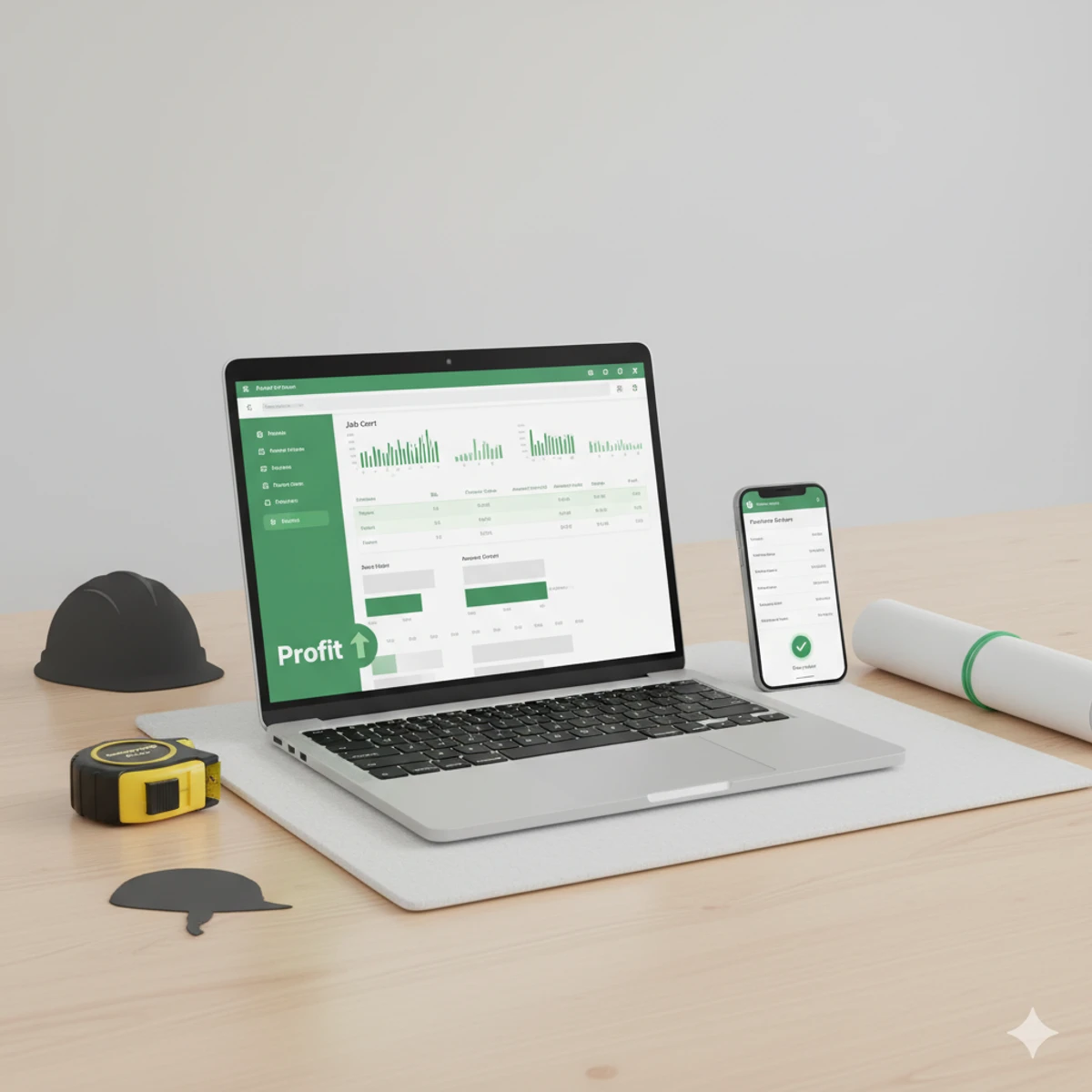
- Suggested: a clean screenshot of the Job Cost Report table
- Alt text: “estimate software for contractors job cost report dashboard showing profit tracking and cost to complete”
Graphic 1 (after Step 2)
- Diagram: Estimate → PO → Bills → Change Orders → Invoice → Job Cost Report
- Use as a quick mental model
Graphic 2 (before the conclusion)
- Simple chart: Costs vs Amount invoiced over time
- Highlight the “drift” zone where margin disappears
Conclusion: choosing the right estimate software for contractors
If you only take one thing from this article, take this:
Estimates win jobs. Job costing protects profit.
The right estimate software for contractors connects these two pieces. Whether you’re evaluating estimate software construction options, need estimate software for civil engineering, or are comparing estimate software cost across different platforms, look for software that links estimates to actual costs.
Premium works when you treat it like a weekly rhythm:
- release the estimate
- log POs and bills
- write change orders
- upload proof
- review the job cost report
- invoice what you earned
And now the open loop is closed: you lost profit because you did not have a system connecting the estimate to job reality. The best estimate software for contractors prevents this by making cost tracking automatic, not optional.
If you’re starting with estimate software for contractors free options: That’s fine for learning the basics, but when you need to protect profit, you need job costing. The upgrade from estimate construction software free to a paid plan with job costing is often the difference between guessing at profit and knowing it.
If you want the simplest next step, do this today:
- Pick one active job
- Create a PO
- Link one bill
- Run the job cost report
- Compare cost to complete to amount invoiced
If the numbers do not match your gut, trust the numbers.
Ready to upgrade from estimate software for contractors free? If you’re currently using estimate construction software free and finding gaps in job costing, Premium bridges those gaps. The right estimate software for contractors should make profit visible, not hidden in spreadsheets.
FAQ
What is estimate software for contractors and who is it for?
Estimate software for contractors is a workflow that connects estimates to job budgets, purchase orders, bills, change orders, job documents, and job cost reporting. It is best for contractors who manage real job costs, not just invoices. Whether you need estimate software construction features or estimate software for civil engineering capabilities, the core requirement is the same: your estimate software must track actual costs against the original estimate.
Is there free estimate software for contractors?
Yes, there are estimate software for contractors free options available, including estimate construction software free versions. However, most free estimate software for construction focuses on creating estimates and invoices, not job costing. If you need to track costs against estimates, link purchase orders to jobs, or generate job cost reports, you’ll typically need a paid plan. QuickAdmin offers a free plan to get started, with Premium unlocking job costing features.
What’s the difference between estimate software for construction and general invoicing software?
Estimate software for construction is specifically designed for contractors who need to track job costs, link estimates to actual expenses, and monitor profitability per job. General invoicing software creates invoices but doesn’t connect them to job budgets or track cost to complete. The best estimate software for contractors bridges the gap between estimating and getting paid.
How much does estimate software cost?
Estimate software cost varies widely. Free options like estimate software for contractors free or estimate construction software free exist but typically lack job costing features. Paid estimate software for contractors ranges from $30-$150+ per month depending on features. QuickAdmin Premium is $118.99/month and includes job costing, purchase orders, change orders, and job documents. When evaluating estimate software cost, consider the profit protection features, not just the monthly price.
Can I create a free invoice and free estimate in QuickAdmin?
Yes, you can start on the free plan and generate documents with limits. If you need job costing, purchase orders, and change orders, Premium is the upgrade. This makes QuickAdmin a solid option if you’re looking for estimate software for contractors free to get started, with a clear upgrade path when you need job costing.
What is the difference between an estimate and an invoice?
An estimate is a proposed price before the work starts. An invoice is the request for payment after work is done, or at milestones. Premium keeps both connected to job costs.
How do purchase orders help contractors protect profit?
They prevent surprise spending by making planned costs visible. When POs and bills are linked to a job, you can forecast cost to complete and invoice confidently.
How do change orders reduce disputes?
They turn verbal scope changes into written approvals with pricing, schedule impact, and proof. That reduces “I never approved that” conversations.
Can I store photos and documents for each job?
Yes. Premium includes job document upload and organization so you can keep proof tied to the job, ready when you need it.
Does Premium replace accounting software?
Premium focuses on job workflow, job costing, and operational control. Accounting systems may still be used for bookkeeping and reporting. QuickBooks sync is listed as “coming soon” in the Premium plan screen.
What’s the best estimate software for civil engineering projects?
Estimate software for civil engineering needs to handle complex cost structures, multiple project phases, and strict documentation requirements. The best estimate software for civil engineering connects estimates to actual costs, tracks change orders, and maintains detailed job documents. QuickAdmin Premium supports these workflows, making it suitable for civil engineering contractors who need job-level profit tracking.