
Can I Create an Invoice Just by Talking on My Phone?
Create invoices by voice on your phone. Speak job details, review the AI draft, send it, and track payment with QuickAdmin
by Eng. José Manuel Siso Colmenares • 9/22/2026 · Updated: 9/22/2026
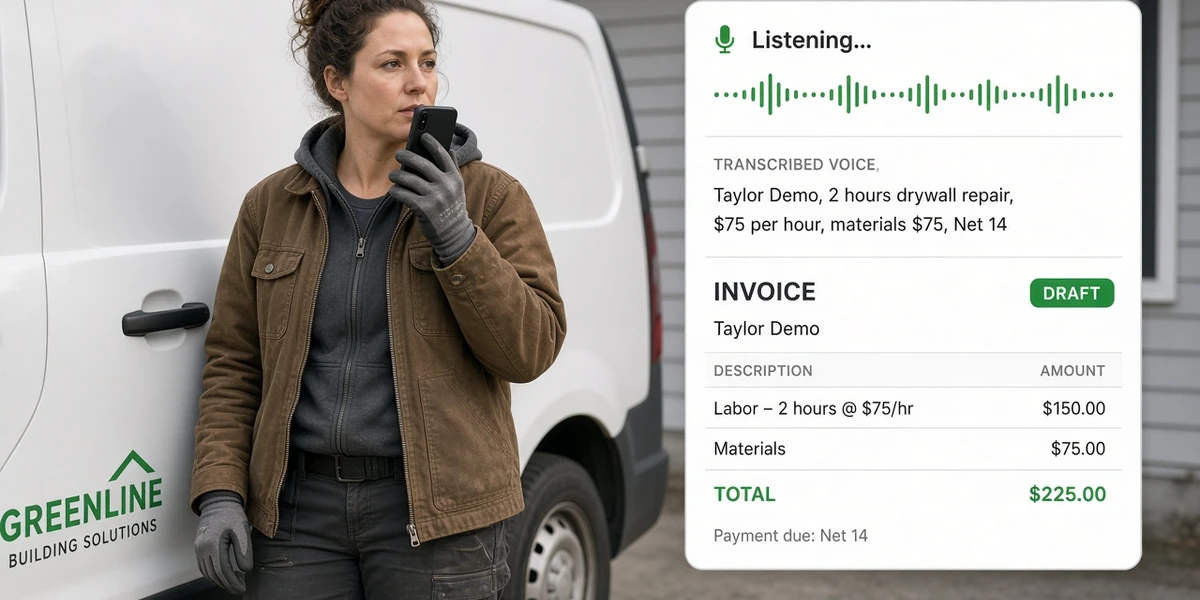
Yes; you can create an invoice just by talking on your phone.
That question is no longer science fiction for contractors. Voice invoicing is becoming a real workflow: finish the work, speak the bill, let AI structure the fields, review the draft, send it, and track payment.
QuickAdmin already ships this as Speak & Invoice (AI-Powered Invoice Generator with Voice Dictation), including on the Free plan within monthly limits. This guide explains how Voice to Invoice works, when it is useful, and how to review a voice generated invoice before sending it: Voice to Invoice.
Yes. Here is how voice invoicing works
Traditional billing waits for a quiet desk:
Job finished Monday → invoice typed Thursday → sent Friday.
Voice to Invoice collapses that delay:
Job finished Monday → spoken Monday → reviewed Monday → sent Monday.
That gap has a name: billing latency; the time between finishing billable work and sending the invoice that starts collection. Voice is not only “typing faster.” It is starting cash collection the same day.
The concept QuickAdmin is built around:
Voice to Invoice: finish the job, speak the bill, review it, send it, track it.
What is a voice invoice generator?
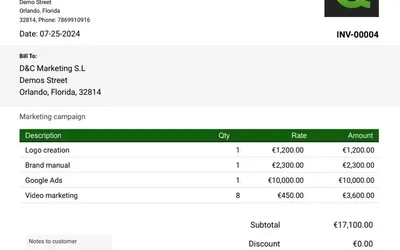
A voice invoice generator converts spoken job details into structured invoice fields. Instead of typing labor, materials, quantities, rates and payment terms, you say them into your phone, review the generated draft, and then send the invoice.
That definition is deliberate. Phone dictation alone dumps text into a note. An AI voice invoice generator maps speech into client, line items, rates, and terms; then you stay in control with a human review step.
Related reading: how to make an invoice and the free invoice tracker for what happens after you send.
Talk → Structure → Check → Create → Track
Finish the job
        ↓
Speak the invoice
        ↓
AI structures the details
        ↓
Review client, quantities and rates
        ↓
Create invoice
        ↓
Send
        ↓
Track payment| Step | What you do | What good software does |
|---|---|---|
| Finish | Pack tools, confirm scope | Keep the job record open |
| Speak | Say client, labor, materials, terms | Capture speech on phone |
| Structure | (automatic) | Map speech to invoice fields |
| Check | Fix names, rates, totals | Show a clear draft |
| Create | Confirm | Save a numbered invoice |
| Send | Share PDF or link | Mark status Sent |
| Track | Follow up | Show pending vs paid |
Dedicated “speak → PDF” apps often stop after Create. QuickAdmin’s advantage is the connected chain: Job → Speak → Invoice → Status → Payment → Accounting (QuickBooks sync on Premium).
For job-linked estimating before you bill, see estimate software for contractors.
The voice invoice script that actually works
Speak in a fixed order. AI (and humans) parse better when you do not jump around.
Script template (say this out loud):
- Client name
- Job / address (if needed)
- Labor: hours × rate (or flat fee)
- Materials: items × cost
- Extras / trip / emergency fee (if any)
- Payment terms (Due on receipt, Net 7, Net 14, Net 30)
- One-line note (“Thank you; photos attached if needed”)
Plumber example
“Invoice for Smith M Wilson. Water heater replacement. Labor 3 hours at 125 dollars. 50-gallon water heater 850 dollars. Fittings 75 dollars. Terms Net 14.”
Handyman example
“Invoice for Taylor Demo. Drywall repair 2 hours at 75 dollars. Materials 75 dollars. Minimum service charge already included in labor. Terms Net 14.”
More context: handyman estimate and invoice software.
HVAC example
“Invoice for Rivera Residence. Condenser cleaning and capacitor. Labor flat 295 dollars. Capacitor 48 dollars. Service call 89 dollars. Terms Due on receipt.”
See also: HVAC estimate software and invoice workflow.
Landscaping example
“Invoice for Green Oak HOA. Spring bed cleanup. Labor 6 hours at 55 dollars. Mulch 12 bags at 8 dollars. Dump fee 40 dollars. Terms Net 15.”
Painter example
“Invoice for Chen condo. Living room walls 2 coats. Labor 8 hours at 65 dollars. Paint and supplies 180 dollars. Terms 50 percent deposit already paid; balance Due on receipt.”
After you speak, always open the draft and check the numbers. Voice is the capture layer; review is the quality layer.
Can I create an invoice by voice on iPhone?
Yes.
- Install QuickAdmin from the App Store or open the Progressive Web App in Safari.
- Start voice / Dictate Invoice.
- Speak the script (client → labor → materials → terms).
- Review fields.
- Create, send, track.
iPhone field crews often lose time on the on-screen keyboard with gloves or dirty hands. Voice shortens that friction. For install options beyond the store, see PWA billing, estimating, and time tracking.
Can I create an invoice by voice on Android?
Yes.
- Get QuickAdmin on Google Play or use Chrome.
- Use Dictate Invoice / voice dictation.
- Speak → structure → check → create → send → track.
Same workflow as iOS. The product goal is consistent: create an invoice without typing when the job just ended.
Phone dictation vs an AI voice invoice generator
| Phone dictation (notes) | AI voice invoice generator | |
|---|---|---|
| Output | Paragraph of text | Structured invoice fields |
| Client / rates / terms | You retype later | Mapped into the draft |
| Sendable bill | Not yet | After a short review |
| Job + payment status | Separate tools | Connected in QuickAdmin |
If you only dictate into Notes, you still have billing latency. If speech becomes an invoice draft, collection can start before you leave the driveway.
What you should always review before sending
Voice drafts fail when you skip review. Check:
- Correct client and billing address
- Quantities and units (hours vs each)
- Rates match the quote or agreement
- Materials not double-counted with labor
- Tax rules for your location
- Payment terms and due date
- Grand total equals what the customer expects
Then send. Tracking unpaid invoices matters as much as creating them; start with the free invoice tracker habits if your process is still spreadsheet-based.
When you should NOT create the invoice from scratch by voice
Voice is excellent for same-day service billing. Pause and type (or convert from estimate) when:
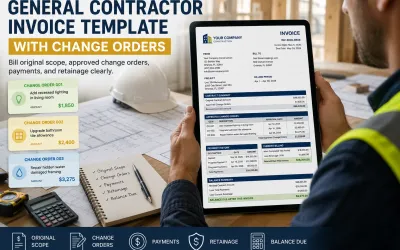
- The job has many change orders and disputed scope
- You need signed approval before billing (convert the approved estimate instead)
- Noise makes speech unusable (factory floors, highways); step aside or type
- Legal / government billing requires fixed form fields you must fill carefully
Rule of thumb: if you would not trust a napkin quote, do not trust an unreviewed voice draft.
Why voice invoicing can shorten billing latency
Cash flow research keeps pointing at delayed invoices. QuickBooks’ 2025 small-business research highlighted how common unpaid invoices are among surveyed U.S. small businesses (more than half reported outstanding invoices, with a sizable average balance outstanding). The earlier you send a clear bill, the earlier follow-up and payment can start.
Macro context also matters for adoption:
- Pew Research (2025): the vast majority of U.S. adults already own a smartphone; the phone is the default field computer.
- Intuit (2025): most surveyed small businesses using AI said it improved productivity.
- U.S. Chamber reporting (2024→2025): generative AI use among small businesses rose sharply year over year.
Voice invoicing sits at that intersection: everyone has a phone, AI is normalizing, and late invoices hurt cash.
Example:
| Path | Timeline |
|---|---|
| Traditional | Done Mon → typed Thu → sent Fri |
| Voice workflow | Done Mon → spoken Mon → reviewed Mon → sent Mon |
Four days of billing latency can be the difference between “paid this week” and “still pending.”
QuickAdmin voice invoice workflow
- Open QuickAdmin on phone (iOS, Android, or PWA).
- Use Dictate Invoice / Speak & Invoice.
- Speak the script.
- AI structures client and line items.
- You review and fix anything odd.
- Create the invoice.
- Send it.
- Track status (sent, pending, paid).
Free plan includes AI-Powered Invoice Generator with Voice Dictation, with 3 invoices and 6 estimates per month. Upgrade when you need unlimited documents, jobs, reminders, or QuickBooks sync.
Try it: Start free.
Homepage walkthrough: the Speak & Invoice section on quickadminsoftware.com.
Voice invoice apps vs a connected contractor workflow
| Dedicated voice → PDF app | QuickAdmin Voice to Invoice | |
|---|---|---|
| Capture | Speak | Speak |
| Output | Often a PDF only | Invoice inside the business system |
| Job link | Usually none | Same job, photos, estimates |
| Status | Manual | Tracked |
| Payments / accounting | Export elsewhere | Status + Premium QuickBooks path |
Do not compete only on “we also have voice.” Compete on:
Speak → Invoice → Status → Payment → Accounting
That is the same story as your contractor SEO cluster: estimates, invoices, and jobs stay one workflow. Voice is the fastest capture method inside that system; not a separate gadget.
FAQ
Can I create an invoice just by talking on my phone?
Yes. Speak the job details into a voice invoice generator, review the draft, then send and track it. QuickAdmin supports this on iPhone and Android.
What is a voice invoice generator?
A tool that turns spoken labor, materials, quantities, rates, and terms into structured invoice fields you can review and send.
Is speech-to-invoice the same as hands-free invoicing?
Almost. Hands-free emphasizes capture without typing. You still should glance at the draft before release.
Does QuickAdmin include voice dictation on Free?
Yes; AI-Powered Invoice Generator with Voice Dictation is on Free, within the Free plan limits (3 invoices / 6 estimates per month).
Should I still use estimates?
Yes for quoted work. Speak a new invoice for same-day service; convert an approved estimate when the customer already signed off on scope.
Next steps
- Memorize the voice script (client → labor → materials → terms).
- Bill the next completed job by voice the same day.
- Review every draft before Send.
- Track unpaid status weekly.
Create your next invoice by talking: Start free on QuickAdmin · learn the basics in how to make an invoice · keep cash moving with the free invoice tracker.
En español: ¿Puedo crear una factura solo hablando por el teléfono?.