
Checklist: Features Worth Having in a Free Estimating Tool
A practical checklist of features that matter in a free estimating tool: templates, auto math, estimate-to-invoice, mobile, and reporting; then try QuickAdmin Free.
by Eng. José Manuel Siso Colmenares • 2/17/2025 · Updated: 9/22/2026

Estimating costs is a critical aspect of any project, whether in construction, design, professional services, or other industries. A solid free estimating tool can make the difference between well-managed projects and unexpected cost overruns.
This article is a feature checklist, not the Free plan product page. For contractor Free limits, a real quote example, and signup, use free estimate software for contractors.
But how do you choose the best free tool? What features really matter? Below are the essentials that optimize efficiency, reduce errors, and improve financial management.
📌 Why Is Estimate Software Important?
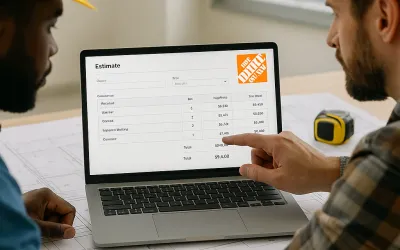
Creating estimates manually with spreadsheets or text documents can be time-consuming and prone to errors. A free estimate software simplifies the process by automating calculations and ensuring cost accuracy.
🔹 Eliminates Human Errors: Automation reduces the risk of incorrect calculations.
🔹 Saves Time: Generate estimates in minutes instead of hours.
🔹 Enhances Professionalism: Clear, detailed presentations build trust with clients.
🔹 Improves Financial Planning: Allows for accurate cost forecasting and budget optimization.
🎯 Key Features of a Free Estimate Software
When looking for free estimate software, make sure it includes these essential features:
1️⃣ Customizable Templates
Each industry has specific needs. A good estimate software should allow creating and modifying pre-designed templates based on project type or service. This speeds up the estimate creation process and ensures consistency in proposals.
Example: A construction contractor will need templates with material and labor costs, while a graphic designer will include hourly rates and revisions.
2️⃣ Automated Cost Calculation
The software should perform automatic calculations, considering materials, labor time, taxes, and other factors. This eliminates common errors that could lead to cost overruns or financial losses.
Some tools even allow importing price lists from suppliers to adjust estimates in real time.
3️⃣ Estimate-to-Invoice Conversion
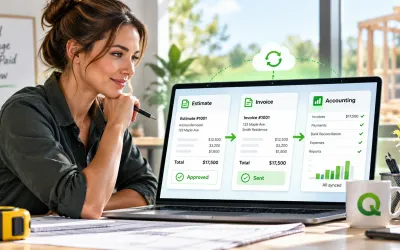
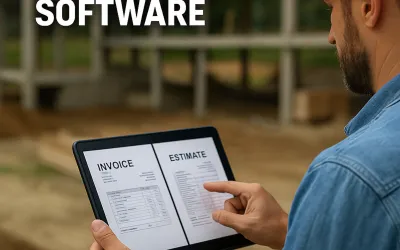
An ideal free estimate software should allow one-click conversion of estimates into invoices. This simplifies workflow and reduces time spent on billing.
🔗 Related Article: How to Invoice as a Freelancer
4️⃣ Cloud Access and Mobile Compatibility
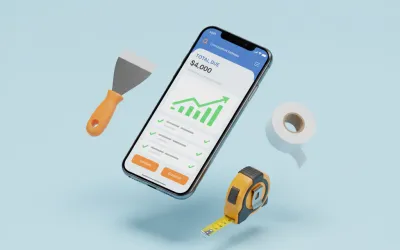
A cloud-based software lets you access estimates from any device, perfect for professionals who work in the field or manage multiple projects simultaneously.
🔹 Benefits of a cloud-based solution:
- Accessible from anywhere and any device.
- No complicated installations required.
- Automatic updates without disruptions.
Example: A plumber on-site can modify an estimate from their mobile device without returning to the office.
5️⃣ Integration with Other Tools
A truly efficient estimate software should integrate with:
- Billing systems to streamline payments.
- Project management software to plan resources.
- Time-tracking tools, essential for hourly services.
🔗 Related: Why PWA Technology is the Future of Billing and Estimate
6️⃣ Team Collaboration
For companies with multiple employees, the ability to share estimates and collaborate as a team is essential. Tools that offer user roles and access control improve security and workflow organization.
Example: An architecture firm can assign different permissions to designers, accountants, and clients to review and approve estimates.
7️⃣ Estimate History and Tracking
The software should allow:
✅ Saving a history of previous estimates.
✅ Sending automated reminders for estimate approvals.
✅ Tracking revisions and changes in real-time.
This prevents misunderstandings and simplifies future financial audits.
8️⃣ Legal and Tax Compliance
Depending on the country, estimates may need to include mandatory data. A good estimate software should include:
📌 Adaptable tax fields.
📌 Print formats with legal details.
📌 Integration with electronic invoicing.
🔥 Conclusion: Is a Free Estimating Tool Worth It?
Absolutely! A free estimating tool is a key asset for professionals and small businesses. While paid versions may offer advanced features, many free plans provide the essentials for efficient estimate management.
Tip: Identify which features are most important for your business and test different options before deciding.
Ready to create a free contractor estimate? See free estimate software for contractors for Free plan limits, a real quote example, and signup. For estimate → invoice conversion, read the free estimate to free invoice workflow.