
Best Drywall Estimating Software for Small Contractors (2026)
Compare drywall estimating software for contractors in 2026. Residential and commercial drywall, takeoff vs billing, Free plan limits, and a reproducible estimate example with waste, hours, and margin.
by Gustavo Ferreyra • 4/10/2025 · Updated: 9/20/2026
Updated: September 20, 2026.
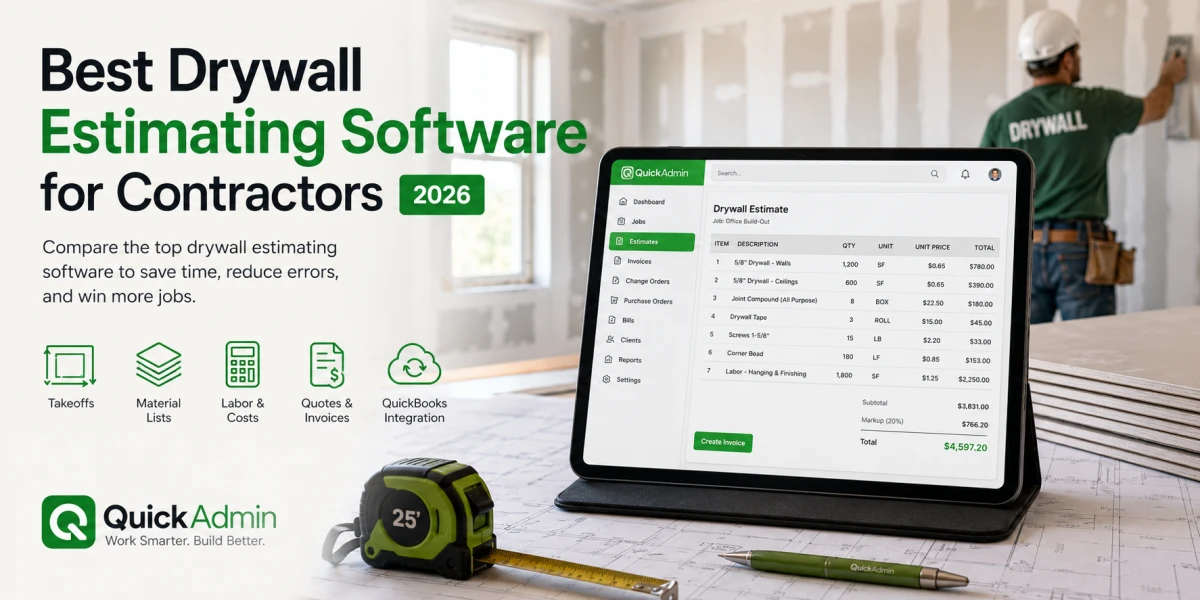
Quick answer: For small drywall contractors in 2026, the best tool connects estimate → invoice on day one, then change order → purchase order → bill → job costing when you upgrade. Pure takeoff apps like PlanSwift or STACK are strong on measurement (PlanSwift Essential is about **$2,000/seat/year** on current public pricing). QuickAdmin Free starts at 6 estimates and 3 invoices per month for quote-to-invoice; change orders, POs, and per-job cost tools are **Premium**.
Are you still spending 6-8 hours building a single drywall estimate by hand? Manual takeoffs and pricing can eat around 30 hours a week for a busy drywall contractor. The right drywall estimating software (whether you searched for drywall contractor software or commercial drywall estimating software) should cut that time and protect the money trail after the quote.
But here is the part most “best software” lists miss. If you are a small drywall contractor, the takeoff is only half the battle. You still have to turn that estimate into a signed job, handle change orders, invoice on time, order material, track the supplier bill, and know whether the job made money. This guide is the comparison hub for drywall estimating tools. For quantities, use how to estimate a drywall job. For rates and margin, use how to price drywall jobs. For field workflow on a 1–3 person crew, see small-crew drywall estimating.
Create a free estimate → · Contractor estimating software → · See Free plan limits →
Best drywall estimating software for small contractors (2026)
| Software | Best for | Digital takeoff | Estimate → invoice → job costing | Starting price (confirm on vendor site) |
|---|---|---|---|---|
| QuickAdmin | Small contractors who want quote-to-cash billing | Templates and fast line items | Free/Basic: estimate → invoice; Premium: change orders, POs, job bills/costing | Free: 6 est / 3 inv per mo |
| Contractor+ | Small crews wanting estimating plus CRM, scheduling and payments | AI assisted estimating and takeoff | Yes, integrated workflow | Free tier available |
| PlanSwift | Detailed point-and-click takeoff | Yes | Limited | ~$2,000/seat/year (PlanSwift pricing) |
| STACK | Cloud takeoff and team collaboration | Yes | Limited | |
| BuildXact | Estimating plus project management | Yes | Partial | ~$169/month |
| The EDGE | Commercial drywall subcontractors | Yes (Smart Labor) | Partial | Custom / enterprise |
| Clear Estimates | Budget-friendly basic estimating | Basic | Limited | From ~$79/month (Clear Estimates) |
Prices change often; confirm on each vendor’s site before you buy. QuickAdmin Free includes 1 user and 2 jobs (estimates and invoices within monthly limits). Automatic overdue reminders and integrated online payments are on Basic and higher. Change orders, purchase orders, and per-job bills/cost tools are on Premium (pricing).
Contractor+ is another strong option for small drywall crews that want estimating connected to day-to-day operations rather than a dedicated takeoff-only tool.
The rest of this guide breaks down what each tool does well, then walks through the QuickAdmin workflow with a reproducible drywall estimate (quantities, waste, hours, and margin) and a commercial drywall section.
Understanding Drywall Estimation Software
Drywall estimation software stands as a digital solution that automates the process of calculating material quantities and costs for construction projects. This specialised tool enables contractors to work directly with digital blueprints, eliminating the need for traditional scale rulers and printed plans 1.
What is drywall estimation software
At its core, drywall estimation software serves as a computer-based application that counts and measures the materials and labor required for drywall projects. The software allows contractors to upload digital blueprints and extract the precise quantities needed for accurate project bidding 1. Additionally, these digital tools calculate all essential materials, including quantities of mud, beading, and associated components 1.
Key features to look for
When selecting drywall estimation software, several essential features warrant consideration:
- User-friendly Interface: The software should be straightforward to navigate, particularly for those who need to become more tech-savvy 2.
- Detailed Reporting: Look for tools offering comprehensive reporting capabilities for profit recaps, alternate pricing, and material ordering 2.
- Real-time Updates: Choose software that updates estimates and data instantly 2.
- Support and Training: Ensure adequate customer support and training resources are available 2.
- Scalability: The software should accommodate projects of any size as your business grows 2.
Furthermore, the software should include access to trade-specific databases and integration capabilities with platforms such as Excel, Xero, and Quickbooks 1. Smart quoting tools and analytics reporting features likewise prove invaluable for making informed decisions 1.
Benefits of digital estimation
Digital estimation brings forth numerous advantages that significantly enhance project efficiency. Primarily, the software reduces the time required for takeoffs by 80%, allowing contractors to quote five times faster 3. Moreover, automated calculations minimise the risk of human error, ensuring precise material and labor estimations 2.
The software streamlines project management through:
- Automated quantity calculations
- Real-time cost tracking
- Detailed material lists generation
- Seamless vendor coordination
2025 General Estimating Software Guide
Digital estimation tools enable contractors to track costs and labor efficiency from any internet-connected device 3. This capability ensures project managers never miss crucial details while monitoring budgets in real-time 3.
The software’s integration capabilities foster improved teamwork among project stakeholders. Through real-time data sharing and collaboration features, team members can coordinate effectively, enhancing communication throughout the project lifecycle 4.
Cost control represents another significant advantage, as the software helps contractors determine exact material and labor requirements 2. This precision in estimation leads to reduced waste and more competitive pricing strategies. Additionally, the automation of routine tasks allows contractors to focus on value engineering and refining estimates 4.
For large-scale projects, the software proves particularly beneficial. It can handle complex calculations with ease 4, while maintaining consistency across estimates through customizable templates 5. These templates can include predefined measurements, formulas, and pricing information, ensuring standardisation across all project estimates 5.
Popular Software Options
Several robust drywall estimation solutions stand out in the market, each offering unique features to streamline your project management and cost calculations.
Top estimation tools overview
PlanSwift is a point-and-click takeoff and estimating tool for drywall contractors. Through its interface, contractors can measure walls, ceilings, and partitions with precision 6. The software calculates materials and labor requirements automatically, ensuring accurate estimates for drywall, joint compound, screws, and corner beading 6.
BuildXact presents a comprehensive platform that combines estimating processes with project management. The software enables contractors to complete drywall takeoffs with remarkable speed, reducing estimation time by up to 80% 5. Through its integrated approach, BuildXact seamlessly transitions from estimating to project management, allowing cost tracking from any internet-connected device 5.
The EDGE offers specialised features for commercial drywall subcontractors. Its exclusive Smart labor® feature enables contractors to adjust labor rates based on specific parameters 7. The software maintains databases of suppliers and manufacturers, consequently streamlining material selection and cost estimation 7.
STACK delivers cloud-based estimation capabilities directly through your browser. The software excels in precise measurements and determines exact material quantities needed for profitable job completion 3. Notably, STACK incorporates permission controls for team collaboration, enabling seamless communication between employees and partners 3.
Price comparison
Each software solution offers distinct pricing structures to accommodate various business needs:
BuildXact provides three tier options:
- Entry Plan: USD 169 monthly with annual commitment 5
- Pro Plan: USD 279 monthly with annual commitment 5
- Teams Plan: USD 439 monthly with annual commitment 5
PlanSwift’s current public checkout lists an annual subscription around USD 2,000 per seat (includes updates, support, and limited training; trade plugins often cost extra). Confirm on PlanSwift pricing.
STACK Takeoff & Estimate is commonly listed near USD 249 per user per month when billed annually (about USD 2,999 per user per year for a single Pro seat). Confirm on STACK pricing.
Clear Estimates starts at about USD 79 per month on the Standard plan (Clear Estimates pricing).
The EDGE is typically custom / enterprise quoting. Always verify current vendor pages before you buy; list prices change.
QuickAdmin for small drywall contractors: from estimate to job costing
Most drywall estimating tools stop at the takeoff. QuickAdmin is built for the part that actually protects your profit: everything that happens after the estimate is approved. For a small contractor, that end-to-end flow matters more than shaving another minute off measurement.
Here is the workflow QuickAdmin is designed around:
- Drywall estimate – Build a clear estimate with separate labor and material line items (hang, finish, tape, mud, corner bead) and send it for approval. Available on Free within monthly limits.
- Change order – When the customer adds a room or upgrades the finish level, log an approved change order instead of eating the cost. Premium feature (pricing).
- Invoice – Convert the approved estimate into an invoice, with no re-typing. Available on Free within monthly limits; unlimited on Basic+.
- Purchase order – Order board, compound, and fasteners with a purchase order tied to the job. Premium feature.
- Bill – Match the supplier bill to the purchase order so material cost is captured against the right job. Per-job bills/expenses are Premium.
- Job costing – Compare estimated versus actual labor and material to see if the job made money (job costing). Full per-job cost control is on Premium.
That is the difference between software that makes a pretty estimate and software that tells you whether you should have taken the job. Start Free to prove estimate → invoice, then upgrade when you need change orders, POs, and job-level costing. QuickAdmin also connects to QuickBooks Online on Premium, so invoices and bills can stay in sync with accounting.
If you want to go deeper on pricing the work itself, see how to price drywall jobs. For quantity takeoff math, see how to estimate a drywall job. For estimate → invoice ops (terms, disputes, follow-up), see the drywall estimate software guide. For the shared contractor financial chain (estimate → change order → invoice → job cost), see estimate software for contractors.
Drywall estimate example (quantities, waste, hours, margin)
Use this as a reproducible checklist → not a regional price list. Rates vary by market; the structure should not.
- Project: hang and finish drywall, single-family remodel
- Net board area: 1,800 sq ft walls + ceilings
- Waste factor: 12% → 2,016 sq ft board to order
- Sheets (4×8 = 32 sf): 2,016 ÷ 32 ≈ 63 sheets (round up)
- Finish level: Level 4
- Crew: 2 hangers + 1 finisher (example)
- Payment terms: 30% deposit, balance due on completion
| Line item | Quantity | Unit | Rate | Total |
|---|---|---|---|---|
| 1/2” drywall board | 63 | sheets (4x8) | $14 | $882 |
| Joint compound | 12 | boxes | $16 | $192 |
| Joint tape | 8 | rolls | $6 | $48 |
| Corner bead | 20 | pieces | $3 | $60 |
| Screws and fasteners | 1 | lot | $85 | $85 |
| Hang labor | 1,800 | sq ft | $0.55 | $990 |
| Finish labor (Level 4) | 1,800 | sq ft | $0.65 | $1,170 |
| Debris removal and cleanup | 1 | job | $250 | $250 |
Hours check (example production): hang ~450 sf/crew-hour → ~4 hours hang; Level 4 finish ~300 sf/crew-hour → ~6 hours finish → ~10 crew-hours billed through the $/sf lines above.
| Margin walkthrough | Amount |
|---|---|
| Materials subtotal | $1,267 |
| Labor + cleanup | $2,410 |
| Job cost before overhead | $3,677 |
| Overhead (10%) | $368 |
| Subtotal before profit (cost basis) | $4,045 |
| Profit markup 20% on that cost basis ($4,045 × 0.20) | $809 |
| Bid target before tax | ~$4,854 |
| Tax on materials only (~7%) | ~$89 |
Markup vs margin: a 20% markup on cost means you add 20% of $4,045. Profit ÷ selling price is then $809 ÷ $4,854 ≈ 16.7% margin, not 20%. If your target is a true 20% margin after overhead, markup on cost must be higher: margin = markup ÷ (1 + markup). For 20% margin, markup ≈ 25% on cost ($4,045 × 0.25 = $1,011 → bid ≈ $5,056). Use markup in the spreadsheet if that is how you bid; check the resulting margin against your 15–20% goal.
Your software should store the approved estimate at whatever number you send → then compare actual hours and supplier bills in job costing. For a smaller room worked sheet-by-sheet, copy the bedroom math in how to estimate a drywall job.
If the homeowner later adds a garage ceiling, that is a change order, not a favor. Convert the approved estimate to an invoice without retyping.
Commercial drywall estimating software (what changes vs residential)
US searchers looking for commercial drywall estimating software are usually bidding GC or TI work; not a single bedroom remodel. The comparison table above still applies, but commercial jobs add scope that residential templates miss:
| Commercial factor | What to put on the estimate |
|---|---|
| Board type | 5/8” Type X, MR, sound board (separate lines from 1/2” standard |
| Assemblies | Rated walls, shafts, corridors) note UL/assembly or GC detail |
| Phasing | Multiple mobilizations, night work, occupied floors |
| Access | Lifts, protection, dust control, dumpster |
| Billing | Progress bills / retention (not only deposit + final |
| Schedule | GC milestones) liquidated damages risk if you underbid time |
Practical commercial corridor example (structure only):
- Measure corridor walls/ceilings → sheets with waste (see how to estimate).
- Price Type X and accessories separately from standard board.
- Add mobilization phases as line items (e.g. Phase 1 floors 2–3, Phase 2 floors 4–5).
- Define finish level and exclusions in writing.
- Invoice by phase or retention schedule; track balances with your invoice tracker.
Enterprise takeoff platforms (e.g. The EDGE) often win on commercial labor databases. Small commercial crews still need estimate → change order → progress invoice → PO → bill in one place; that is where QuickAdmin fits after the quantities are known.
Getting started with QuickAdmin (drywall workflow)
Skip the generic “upload a blueprint” tutorial if you are not buying a pure takeoff app. For QuickAdmin:
- Sign up Free (6 estimates / 3 invoices per month).
- Create the job and client (Free includes 2 jobs).
- Build line items: board, mud, tape, bead, hang, finish, cleanup; match finish level.
- Preview the PDF and send.
- Convert to invoice and track invoice payments by invoice number.
- When you need the full money trail, upgrade to Premium for change orders, purchase orders, and per-job bills/job costing (see plan limits).
Reuse a drywall estimate template so the next bid starts from known assemblies.
Maximising Software Efficiency
Proper implementation of drywall contractor estimate software unlocks remarkable efficiency gains. Through strategic workflow automation and data organisation, your estimation process becomes streamlined and more profitable.
Workflow automation tips
Automating routine tasks stands as a cornerstone of efficient software utilisation. By configuring your estimation software to handle repetitive calculations, your team can focus on value engineering and bid refinement 14. To achieve optimal automation:
- Set up automatic material quantity calculations based on digital blueprints
- Configure real-time cost tracking across internet-connected devices 5
- Enable seamless integration with accounting platforms for streamlined invoicing 7
The software’s Smart labor® feature allows automatic adjustment of labor rates based on specific project parameters 7. Therefore, universal edits to these parameters automatically update throughout the entire estimate, eliminating manual recalculations 7.
Create templates with trade-specific cost codes to keep labor/material split consistent.
Data organisation best practices
Effective data management forms the foundation of successful digital estimation. A well-structured approach to data organisation yields precise estimates and enhances project oversight. Consider these proven strategies:
- Centralised Document Storage: Store all project files in a single location for easy access 3. This centralisation eliminates the risk of lost or damaged plans while promoting a clutter-free workspace.
- Template Management: Create and maintain standardised templates for recurring project types 4. These templates should include:
- Predefined measurements
- Standard formulas
- Current pricing information
- labor rate configurations
- Regular Database Updates: Maintain current material costs and availability data 15. This ensures your estimates reflect accurate market prices and prevents costly miscalculations.
To enhance collaboration, implement permission controls that grant specific access levels to team members 3. This approach safeguards sensitive data while enabling efficient information sharing across your organisation.
For complex projects, utilise the software’s ability to detect and track changes from multiple addenda 16. This feature ensures your estimates remain accurate, even as project specifications evolve.
Through proper implementation of these practices, contractors report completing takeoffs up to 80% faster and generating quotes five times quicker 5. Furthermore, the automation of routine calculations reduces human error, leading to more precise estimates and improved project profitability 17.
The software’s cloud-based architecture enables real-time progress monitoring and cost tracking 5. This visibility allows project managers to identify and address potential issues promptly, maintaining project momentum and budget adherence.
By leveraging these efficiency-boosting strategies, your team can handle larger project volumes with fewer estimators 16. The resulting time savings enable focus on strategic tasks, ultimately driving business growth and competitive advantage in the drywall contracting sector.
Measuring ROI and Performance
Quantifying the return on investment (ROI) from drywall contractor estimate software requires careful analysis of multiple performance metrics. Through systematic evaluation, you can measure the tangible benefits of your digital estimation solution.
Tracking time savings
Digital estimation tools dramatically reduce the time required for takeoffs and bid preparation. Software implementation enables contractors to complete takeoffs 80% faster and generate quotes five times quicker than traditional methods 5. This acceleration in bid preparation allows your team to handle more requests for proposals simultaneously without increasing staff numbers 16.
Time savings manifest through:
- Automated quantity calculations
- Instant material cost updates
- Streamlined vendor coordination
- Quick generation of detailed reports
The software’s ability to process multiple takeoffs simultaneously enables contractors to bid on 30% more jobs without expanding their workforce 16. As a result, estimators can dedicate more time to strategic tasks and relationship building with clients.
Analysing accuracy improvements
Precision in estimation directly impacts project profitability. Database-driven estimation software significantly reduces errors and omissions through:
- Centralised cost databases
- Customisable work breakdown structures
- Built-in auditing capabilities 18
The software’s standardised platform ensures consistency across various projects, enabling contractors to prepare each estimate using identical methodology and data 19. This standardisation proves particularly valuable when comparing project costs across multiple bids.
Through automated calculations and digital delivery workflows, contractors report productivity increases of 20-30% 20. Additionally, the software’s ability to reduce rework by up to 50% 20 translates into substantial cost savings and improved project efficiency.
Calculating cost benefits
To determine the financial impact of estimation software, apply this straightforward ROI calculation:
ROI = (Financial Gain - Cost of Investment) / Cost of Investment 18
For precise evaluation, consider these key factors:
- labor cost savings: If your average estimator earns $90,000 annually, you spend approximately $45 per hour on that employee. With digital estimation reducing bid preparation time by half, you save $540 per bid 18.
- Revenue enhancement: The software’s improved accuracy and efficiency enable contractors to increase revenue on change orders by 30% 20.
- Material optimisation: Accurate quantity calculations ensure you order exactly what’s needed, eliminating waste and reducing inventory costs 21.
- Risk reduction: The software’s automated error detection and correction features minimise costly mistakes during the bidding phase 21.
Through real-time cost tracking and budget monitoring, the software provides immediate visibility into project finances 5. This transparency enables swift identification of potential cost overruns and facilitates prompt corrective action.
The software’s integration capabilities with accounting platforms streamline financial management, ensuring seamless synchronisation of invoices and purchase orders 5. This integration enhances overall operational efficiency while providing clear visibility into project profitability.
Conclusion
Drywall estimating software (and drywall contractor software) should do more than count sheets. Compare takeoff-first tools when you live in plans every week; choose a billing-connected tool when you need estimate → change order → invoice → PO → job costing. Start Free on QuickAdmin if your volume fits 6 estimates / 3 invoices per month, then upgrade when limits or automation block the work.
Measure quantities first (how to estimate), price with loaded rates and margin (how to price), and keep commercial extras on separate lines.
Create a free drywall estimate → · Create estimates for contractor jobs →
FAQ
Q1. How does drywall estimation software benefit contractors?
It speeds takeoff and quoting, reduces missed accessories, and (when connected to invoicing and job costing) shows whether the job made money after change orders and supplier bills.
Q2. What key features should I look for?
Clear labor/material line items, finish-level templates, mobile access, estimate-to-invoice, change orders, and (for commercial) Type X / phasing fields. Pure takeoff if you live on blueprints; full money trail if you run the job.
Q3. How much does drywall estimation software typically cost?
QuickAdmin Free: 6 estimates / 3 invoices per month. PlanSwift is about $2,000/seat/year on current public pricing; STACK Pro is often near $249/user/month billed annually. Clear Estimates starts around $79/month. Confirm vendor pricing. Change orders, POs, and per-job bills are QuickAdmin Premium.
Q4. What is commercial drywall estimating software used for?
Commercial work adds Type X/MR/sound board, multi-phase mobilizations, GC schedules, and progress billing. See the commercial section above; use this page as the tool comparison hub.
Q5. How is takeoff different from pricing and invoicing?
Takeoff = quantities. Pricing = rates + overhead + margin. Invoicing = getting paid. Do them in that order.
Q6. Can drywall estimation software improve my bidding process?
Yes. Faster, clearer estimates with separate labor and materials help you submit more bids with fewer disputes. Pair software with a written finish level and change-order process so scope creep does not erase margin.
Q7. How do I measure the return on investment (ROI) for drywall estimation software?
Track time per estimate, win rate, change-order capture, and job profit after actual labor and supplier bills. ROI = (Financial Gain – Cost of Investment) / Cost of Investment.
Related drywall and billing guides
- How to price drywall jobs (margin)
- Drywall estimate template 2026
- How to estimate a drywall job (quantities)
- Field workflow for small crews
- Drywall estimate → invoice playbook
- Contractor estimating software (main hub)
- Job costing software for small contractors
- How to make an invoice
- Free invoice tracker
- Construction change order template
- Purchase order software for contractors
References
[1] - https://estimatingedge.com/knowledgebase/file-save-template/
[2] - https://projul.com/blog/estimating-construction-software/
[3] - https://www.stackct.com/drywall-estimating-software/
[4] - https://binmile.com/blog/software-project-estimation/
[5] - https://www.buildxact.com/us/drywall-estimating-software/
[6] - https://www.planswift.com/estimating/drywall-estimating-software/
[7] - https://estimatingedge.com/construction/drywall/
[8] - https://www.iambuilders.com/articles/best-construction-estimating-software/
[9] - https://squaretakeoff.com/drywall-construction/
[10] - https://www.youtube.com/watch?v=IEYRN7DQdAM
[11] - https://estimatingedge.com/three-things-to-consider-before-purchasing-estimating-software/
[12] - https://estimatingedge.com/training/
[13] - https://customdesigninnovations.com/transforming-drywall-estimation-the-digital-revolution-in-construction/
[14] - https://www.ibeam.ai/blog/how-to-do-drywall-takeoffs
[15] - https://seonewsworld.com/efficiency-tips-for-drywall-estimating-software-master-your-projects/
[16] - https://www.ibeam.ai/estimate/drywall-estimating-software
[17] - https://digitalestimating.com/what-to-include-in-drywall-estimating-software/
[18] - https://constructible.trimble.com/construction-industry/how-to-calculate-the-roi-of-construction-estimating-software
[19] - https://measuremanage.com.au/blog/how-digital-estimating-software-is-changing-the-construction-industry/
[20] - https://esub.com/roi-calculator/
[21] - https://www.togal.ai/blog/drywall-takeoff-software-a-profitability-catalyst